by Chris Williams | Oct 15, 2025 | Blog
Sarah thought she’d done her homework. She’d asked around, gotten a referral, and hired a bookkeeper who seemed perfectly fine. Six months later, she was sitting in her CPA’s office learning that her payroll taxes hadn’t been filed correctly. The penalties cost her $12,000. Worse? Her biggest client started asking uncomfortable questions about her firm’s financial management.
Your financial services partner isn’t just keeping your books. They’re protecting your professional reputation with every invoice, every payroll run, every tax filing. Get this decision wrong, and you’re not just losing money—you’re risking the credibility you’ve spent years building.
That’s why a well-crafted Request for Proposal matters. It helps you find a partner who understands your business and provides the financial clarity to make confident decisions.
Why Your Financial Services Partner Is Too Important to Wing It
Here’s what most people don’t realize until it’s too late: your finance team touches everything. Payroll. Compliance. Investor reports. Project profitability tracking.
The wrong choice creates real damage. Late payrolls destroy employee morale. Tax penalties drain cash you needed for growth. Messy books make you look unprofessional during audits. One acquisition entrepreneur inherited books so disorganized that his first audit nearly killed the deal’s financing.
Your clients and investors are watching. When you can’t answer basic questions about your finances, people notice. They wonder if the same disorganization affects other parts of your business. Your professional reputation isn’t just about the work you deliver—it’s about demonstrating that you run a tight ship.
The 7 Essential Elements Your Financial Services RFP Must Include
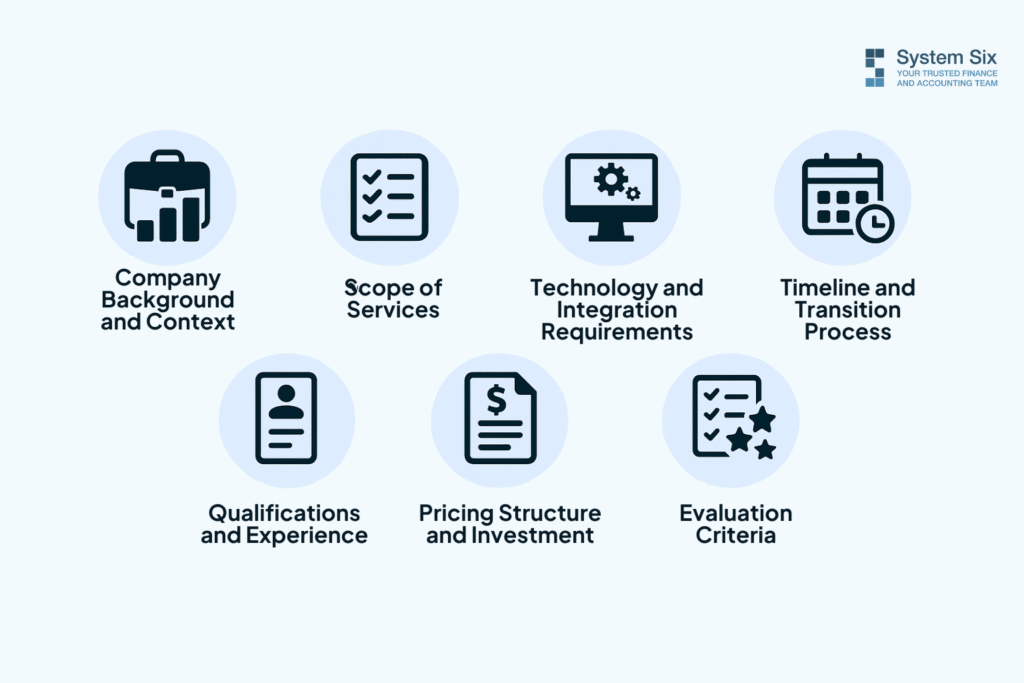
Company Background and Context
Paint a clear picture. What industry are you in? What’s your revenue range and employee count? What financial systems are you using, and what’s driving you crazy about them?
Be specific about growth. Are you a $2M consulting firm scaling to $5M? An entrepreneur who just bought your first company? A 15-person agency adding services faster than you can track them?
This context matters because the right provider needs to understand your specific world. Consulting firms have different needs than e-commerce businesses. Please provide them with the information necessary to craft a relevant proposal.
Scope of Services—Be Specific
Don’t just say “we need bookkeeping.” Break it down.
Monthly bookkeeping and reconciliation? Obviously. But what about payroll? If you have remote employees across multiple states, that’s complex. If you’re working with contractors, proper 1099 classification becomes critical. One misclassification and you’re facing a five-figure IRS audit.
What about bill pay and accounts receivable? Many consulting firms waste hours monthly paying bills and chasing invoices. A good partner automates this so you don’t spend evenings on busywork.
Financial reporting matters too. Do you need basic statements or sophisticated project profitability tracking? If you’re running a consulting practice, you need to know which clients actually make you money. If you have investors, you need reporting packages that meet their requirements.
And consider advisory services. Do you want someone who records what happened, or a partner who helps you forecast and make strategic decisions?
Technology and Integration Requirements
List every piece of software you use. QuickBooks. Harvest for time tracking. HubSpot for CRM. Ramp for expenses.
The right partner should integrate seamlessly with your existing tools. You shouldn’t export spreadsheets and manually transfer data. That’s precisely the administrative waste you’re trying to eliminate.
Be clear about security expectations. What encryption standards do they use? How do they handle data security?
Timeline and Transition Process
When do you need services to start? Be realistic. If your books are a disaster and you need someone operational in two weeks, say so.
How messy are your current books? Clean? Somewhat behind? Complete chaos? The state of your financials affects transition time and the cleanup work required. Don’t pretend everything’s fine—you’re just setting everyone up for unpleasant surprises.
Qualifications and Experience
What industry-specific experience do you require? If you run a consulting firm, you want someone who understands project-based billing, utilization rates, and milestone-based cash flow.
Ask about team structure. Who will actually work on your account? What happens if your main contact leaves? You need backup, not a single point of failure.
Client retention rates tell you a lot. If clients keep leaving after a year, that’s a red flag. Over 95% retention suggests consistent value delivery.
And get references from businesses similar to yours—same industry, same size, same complexity.
Pricing Structure and Investment
Request transparent, detailed pricing. What’s included in the base fee versus what costs extra? Monthly subscription or hourly billing? What happens when your business grows?
Be suspicious of pricing that seems too good to be true. The cheapest option often becomes the most expensive once you factor in mistakes and the time you spend fixing them.
Think ROI instead of just cost. Most consulting firms reclaim 15-20 hours monthly once they outsource financial management. What’s your billable rate? That time pays for the service several times over.
Evaluation Criteria—Tell Them How You’ll Decide
Be upfront about how you’ll make your decision. Is cost your top priority? Industry expertise? Technology capabilities?
Rank your criteria so providers know what matters most. If you’re willing to pay more for search fund experience, say so. If integration with your tech stack is non-negotiable, make that clear.
Include your decision timeline and how they should submit proposals.
Red Flags to Watch For (and Green Flags to Celebrate)
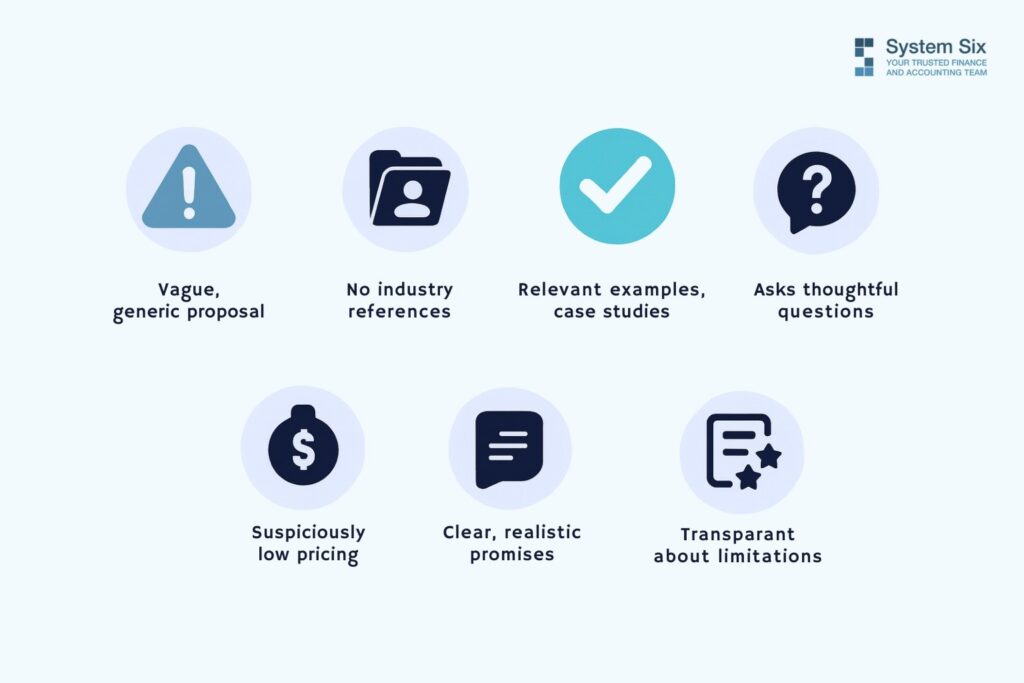
Watch out for vague, template-style responses that could apply to any business. If their proposal doesn’t reference your specific industry, they didn’t do their homework.
Run away from providers who won’t give you industry references. There’s a reason they’re hiding their track record.
Pricing is dramatically lower than everyone else’s. There’s always a catch—usually inexperienced staff, sloppy work, or surprise charges.
Please pay attention to whether they ask you questions. A provider who accepts your RFP without seeking clarification probably doesn’t understand the complexity. The best partners ask thoughtful questions because they want to understand your business honestly.
Green flags? Look for proposals with industry-specific examples and case studies. When they explain their process in detail, that’s confidence speaking. One search fund entrepreneur said his financial partner “has done wonders for my stress level to feel like this is all now taken care of with a professional partner.”
Transparency matters. The best providers are honest about what they can and can’t do. If they promise everything, they’re overselling.
What Happens After You Send Your RFP

Schedule discovery calls with your top three candidates. These conversations reveal what proposals can’t. How do they communicate? Are they genuinely interested in your challenges?
Ask about their onboarding process. What does transition look like? How long does cleanup typically take? A straightforward, structured process suggests professionalism and experience.
Discuss how they handle mistakes because mistakes happen. What matters is how they own their problems and fix them quickly. One client praised their partner for being “inquisitive, asking follow-on questions, and looking around corners”—that proactive approach makes all the difference.
Check those references. Actually call them. Ask specific questions based on your pain points. If cash flow keeps you up at night, ask how their provider helped with forecasting. If compliance worries you, ask about their experience with audits.
Trust your gut. This is a partnership, not just a vendor relationship. You’ll be sharing sensitive financial information and relying on these people for critical decisions. If something feels off, listen to that instinct.
Your Financial Partner as Reputation Insurance

A thorough RFP process might feel like extra work when you’re already overwhelmed. But it’s reputation insurance.
The right financial services partner doesn’t just keep your books clean. They give you clarity and confidence to make better decisions. They eliminate 3 a.m. worries about whether you filed something correctly. They free up the 15-20 hours you’re wasting on administrative tasks so you can focus on growth.
Most importantly, they protect the professional reputation you’ve spent years building. When clients, investors, or potential acquirers look at your financials, they see competence and credibility. No surprises. No red flags. Just a well-run business that knows its numbers.
What could you accomplish if you never had to worry about compliance, payroll, or cash flow again? What would it mean for your business if you actually understood your financials well enough to make confident strategic decisions?
That’s what’s at stake when you choose your financial services partner. Take the time to do it right. Your future self—and your professional reputation—will thank you.
About System Six
System Six is a Seattle-based bookkeeping and financial services firm that helps small and mid-sized businesses streamline their financial operations. We specialize in providing technology-driven financial management solutions for consulting firms, allowing owners to focus on growing their businesses without worrying about cash flow, payroll, or compliance issues. Our team of over 35 professionals brings an average of 10+ years of accounting experience to every client relationship, serving more than 175 businesses across the U.S. From accurate bookkeeping to cash flow forecasting, we deliver the financial clarity and peace of mind that consulting firm owners need to thrive. Learn more at www.systemsix.com.
by Chris Williams | Oct 8, 2025 | Blog
Marcus checks his phone during a client meeting break, and his stomach tightens. Three overdue invoice reminders from contractors. Two urgent messages from his office manager about payroll. An email from his biggest client requesting a project timeline extension—with payment terms to match. He’s running a $3 million business, but his financial systems still operate like he’s a $500K startup.
Sound familiar?
QuickBooks was perfect when you started. Simple, affordable, and got the job done. But somewhere between $1M and $5M in revenue, something shifted. The tool that once simplified your finances now feels like it’s holding you back. You’re spending weekends updating spreadsheets and making guesses about cash flow and avoiding growth opportunities because you can’t confidently answer basic questions about your financial capacity.
Here’s the thing: your growth has outpaced your financial infrastructure. And there are clear, unmistakable signs when it’s time to scale beyond entry-level software. Making the switch isn’t just about fancier tools—it’s about reclaiming your time and gaining the visibility to scale confidently.
The Hidden Cost of Staying Too Long
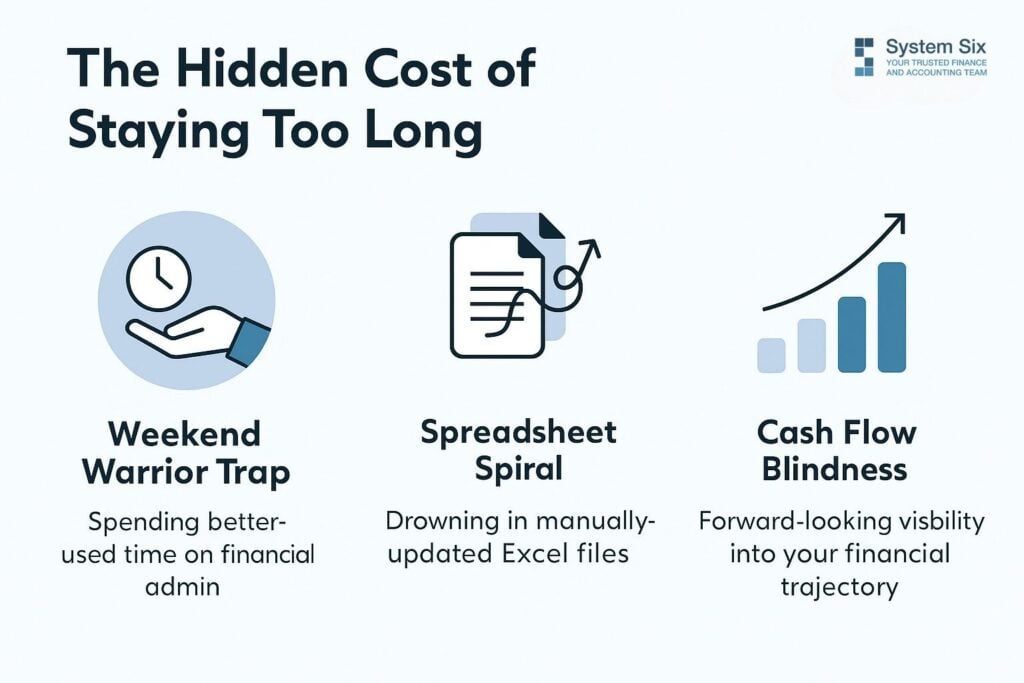
What most business owners don’t realize is that outgrowing your system costs you in ways that don’t show up on any report.
The Weekend Warrior Trap
You’re spending 15-20 hours monthly on financial tasks—reconciling accounts, chasing receipts, updating tracking spreadsheets. At your typical billing rate, that’s $3,000 to $5,000 in lost revenue every single month. But it’s worse than that. It’s the opportunity cost of not spending that time on strategy, business development, or simply having a life outside work.
One environmental consulting firm owner told us, “I started this business to solve complex environmental challenges, not to become an amateur accountant working weekends.” She’d grown from 5 to 25 employees in 18 months. Revenue was climbing. But she was drowning in financial administration that had nothing to do with her actual expertise.
The Spreadsheet Spiral
It starts innocently enough. QuickBooks handles your basic bookkeeping, but you need cash flow projections. So you create one spreadsheet. Then you need project profitability tracking—another spreadsheet. Budget variance analysis? Spreadsheet number three. Before you know it, you’re maintaining five or six interconnected Excel files that require manual data entry, constant reconciliation, and elaborate version control.
Vincent, who runs a consulting company in Bellevue, described this exact problem. His team spent hours each week copying data between systems, always worried they were working with outdated information. After implementing an integrated solution, he noted how they finally had “a customized tool that fits our current and growing needs” instead of duct-taped spreadsheets held together with hope.
Cash Flow Blindness
You can’t predict cash crunches until they hit. Every hiring decision feels like a gamble. Should you invest in that new technology? Expand into a new market? You’re making these decisions with gut instinct instead of data because your current system can’t give you forward-looking visibility.
A home services company founder described this transformation after implementing proper forecasting: “We went from hoping we’d make payroll to confidently planning our next five hires.” That’s the difference between reactive panic and a proactive strategy.
So how do you know when you’ve crossed the line from “manageable” to “actively holding us back”?
Seven Unmistakable Signs You’ve Outgrown QuickBooks
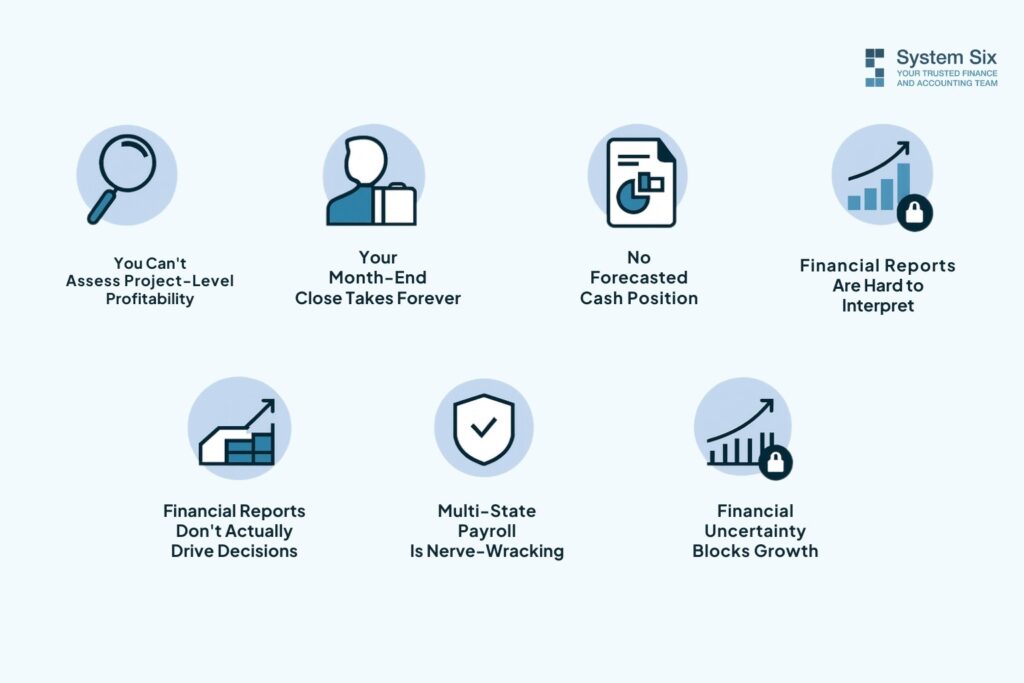
Sign #1: You Can’t Answer “Are We Profitable?” by Client or Project
Sure, QuickBooks shows your overall profit and loss. But which clients actually make you money? Which projects drain resources? Which service lines should you double down on, and which should you quietly phase out?
Growing businesses need project-level profitability tracking. Without it, you’re scaling the wrong things. You might be pouring resources into clients that look profitable on the surface, but eat up disproportionate time and support. Meanwhile, your most efficient, high-margin work gets neglected because you can’t see the difference.
Sign #2: Month-End Close Takes a Week (Or Longer)
Still manually categorizing transactions? Chasing down receipts? Reconciling accounts line by line?
Modern systems automate 95%+ of transaction categorization through AI and rules-based logic. One client reported a 40% improvement in financial reporting accuracy after automating these processes. But more importantly, they got their evenings and weekends back.
If closing your books feels like preparing for an audit every single month, you’ve outgrown your current system.
Sign #3: Your Accountant Dreads Your Books
Pay attention to your CPA’s reactions. If they’re spending hours cleaning up your books before they can even start on taxes, that’s a red flag. You’re paying them premium rates to do work that automation should handle.
Multiple business owners told us that after upgrading their systems, their accountants actually thanked them. The books arrived organized, accurate, and audit-ready. Tax preparation time dropped by half in some cases.
Sign #4: You Have No Idea What Cash Position Will Look Like in 90 Days
Revenue is growing, but cash feels unpredictable. You can’t confidently model hiring decisions or major purchases. You’re constantly surprised—sometimes pleasantly, often not—by your actual cash position.
Alecia, a Seattle business owner, described the moment this changed for her: “I had tears come to my eyes as I was able to see projected cash flow integrated with realtime QuickBooks.” That’s not being overly emotional. That’s the relief of finally having visibility into the future instead of constantly reacting to the present.
Sign #5: Financial Reports Don’t Actually Drive Decisions
You generate reports because you’re supposed to. They sit in your inbox. Maybe you glance at them. But they don’t actually inform your strategy because there’s too much noise and not enough insight.
There’s a massive gap between “having numbers” and “understanding your business.” Entry-level software gives you the former. Strategic financial infrastructure gives you the latter.
Sign #6: Multi-State Payroll Makes You Anxious
You’re hiring talent across state lines. Each state has different requirements for unemployment insurance, workers’ compensation, and employment law. QuickBooks was built for simpler scenarios. You’re now spending time researching compliance requirements instead of running your business.
And the stakes are high. Get it wrong and you’re facing penalties, back taxes, and potential legal issues.
Sign #7: You’re Avoiding Growth Opportunities Due to Financial Uncertainty
This is the most insidious sign. You can’t confidently say yes to expansion because you don’t know if you can afford it. That key hire you need? You’re not sure. Opening a second location? Too risky without better visibility. Taking on a major client that could transform your business? The cash flow implications scare you.
You’re experiencing growth paralysis, not because the opportunities aren’t there, but because your financial systems can’t give you the confidence to act. One home services company saw 60% revenue growth after implementing proper financial visibility—not because they suddenly worked harder, but because they could finally see which growth moves made sense.
What Scaling Your Finance Stack Actually Means
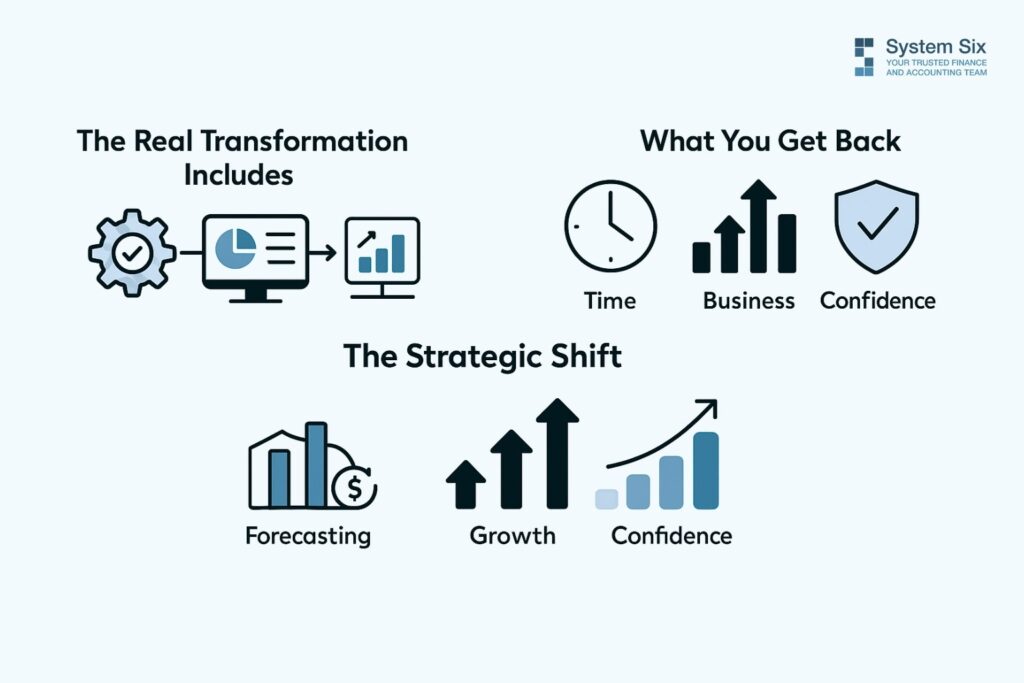
Scaling your finance stack isn’t about switching from one software to another. It’s about transforming your entire approach to financial operations.
The Real Transformation Includes:
Automated workflows that eliminate manual data entry. Realtime dashboards you can access from anywhere. Integration with your other business systems—CRM, project management, time tracking—so data flows automatically. Cash flow forecasting that actually works —12 months out, based on your payment cycles and seasonal patterns. Project and client profitability tracking that shows you where you’re really making money.
What You Get Back:
Those 15-20 hours monthly. That’s half a work week you can redeploy to revenue-generating activities. But over time, you get confidence. Confidence to make hiring decisions. Confidence to pursue growth opportunities. Confidence to sleep at night knowing you understand your financial position.
Manish, who runs a business in Bellevue, described it as the difference between bookkeeping and strategic analysis. His previous approach gave him numbers. The new system gave him insights that, in his words, became “a game-changer” for how he runs his business.
The Strategic Shift:
You move from reactive to proactive. Instead of asking “What happened last month?” you’re asking “What should we do next quarter?” You stop drowning in data and start having actionable insights.
Marcus, an acquisition entrepreneur, appreciated having a team that was “inquisitive, asks follow-on questions, and looks around corners.” That’s what proper financial infrastructure enables—not just recording what happened, but understanding what it means and what comes next.
The numbers back this up. Businesses that make this transition see 90%+ retention—they don’t revert to DIY approaches. They report average annual time savings of $100,000+. Client satisfaction scores average 9.5 out of 10.
The Cost of Waiting
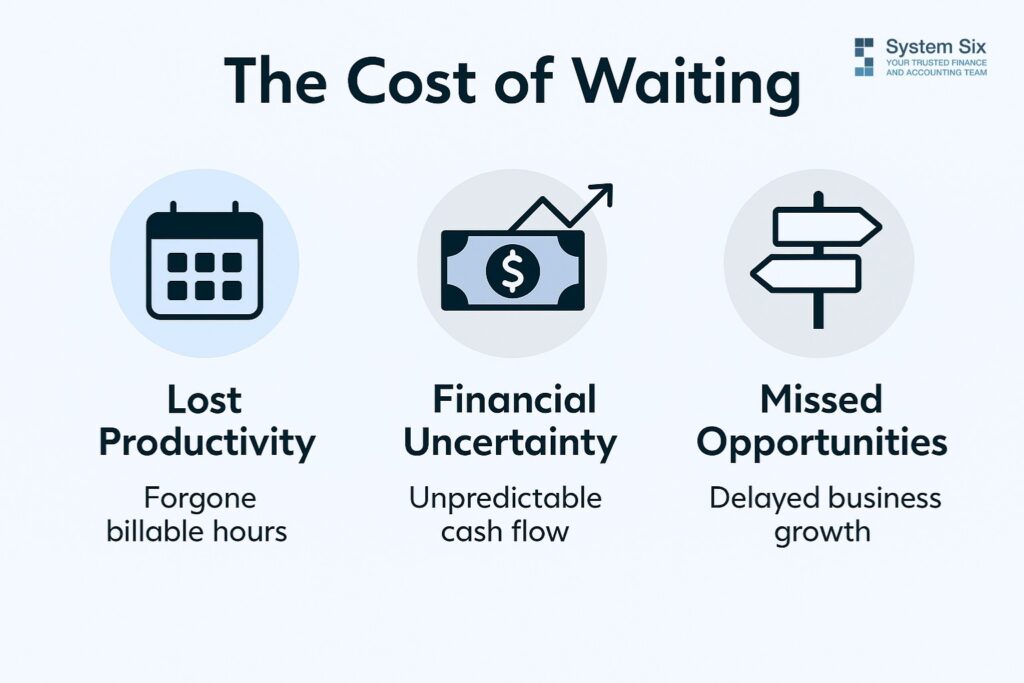
Every month you delay is another month of lost billable hours. Another month of stressful cash flow surprises. Another month of making growth decisions essentially blind.
Let’s be honest about what this costs you. Not just money, though that’s significant. It costs you peace of mind. It costs you strategic opportunities. It costs you the ability to scale at the pace your market demands.
Imagine knowing your cash position 12 months out. Picture making hiring decisions with actual confidence. Consider what you could do with 20 extra hours every month—time you’re currently spending on tasks that could be automated.
Paul, an acquisition entrepreneur, said that hiring professional help “was the best decision I made at the start of the business.” He wished he’d done it sooner. Most business owners say the same thing—not that they made the switch, but that they didn’t do it earlier.
You wouldn’t ask a startup founder to run enterprise operations with the resources of a startup. Why are you asking startup-level software to handle your growing business?
The question isn’t whether to scale your finance stack; it’s how to do so. It’s whether you can afford not to.
About System Six
System Six is a Seattle-based bookkeeping and financial services firm that helps small and mid-sized businesses streamline their financial operations. We specialize in providing technology-driven financial management solutions for consulting firms, allowing owners to focus on growing their businesses without worrying about cash flow, payroll, or compliance issues. Our team of over 35 professionals brings an average of 10+ years of accounting experience to every client relationship, serving more than 175 businesses across the U.S. From accurate bookkeeping to cash flow forecasting, we deliver the financial clarity and peace of mind that consulting firm owners need to thrive. Learn more at www.systemsix.com.
by Chris Williams | Oct 1, 2025 | Blog
It’s Tuesday night, you’re three coffees deep, and you’re staring at two browser tabs. One’s got a job posting template for a staff accountant. The other is showing you proposals from outsourced accounting firms. Your business is growing—actually growing—and you know your current financial setup is held together with spreadsheets and hope. You need help. But which kind?
Here’s the thing everyone gets wrong about this decision. They think it’s about comparing salary numbers. It’s not. This choice shapes how your business scales, how fast you can move, and whether you’ll spend the next two years managing someone or actually running your company. Let’s cut through the noise.
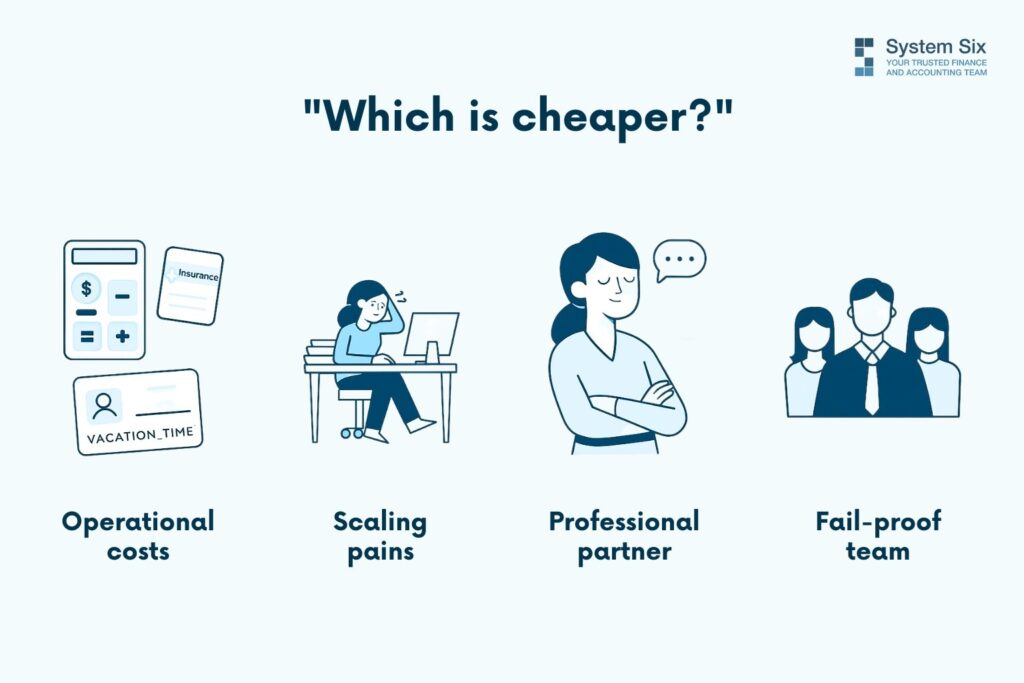
The Real Question Isn’t “Which Is Cheaper?”
Most business owners I talk to lead with cost. “What’s a staff accountant’s salary versus outsourcing?” Wrong question.
Think about what you’re actually buying. A staff accountant costs $50-70K in salary, sure. But then there’s health insurance, payroll taxes, PTO, that fancy standing desk everyone wants now, software licenses, training time, and—here’s the one nobody mentions—your time managing them. You’re not just hiring someone to do accounting. You’re hiring someone you need to supervise, review, motivate, and cover for when they’re out sick or on vacation.
Now look at the outsourced controller option. Yeah, it might run you $3,000-$6,000 monthly, depending on your complexity. More, right? But you’re getting a whole team—multiple people who know your books. Someone’s always available. They bring systems you’d spend months building internally. And when tax season hits or you need scenario modeling for a big decision? That expertise is just there.
Here’s what really matters, though: scalability. Growth changes everything fast. Betsy, who runs an investor-backed business, said—System Six has done wonders for my stress level to feel like this is all now taken care of with a professional partner.” That peace of mind during rapid scaling? You can’t expense that, but it’s worth real money.
One staff accountant creates a single point of failure. They go on maternity leave, and suddenly you’re three months behind. They quit, and you’re starting over. Your needs double next year, and they’re overwhelmed. It’s not their fault. It’s just what happens when you build critical operations around one person.
So if cost isn’t the deciding factor, what is? Where are you actually right now?
The Growth Stage Litmus Test
Look at where you are right now. Not where you hope to be in three years. Right now.
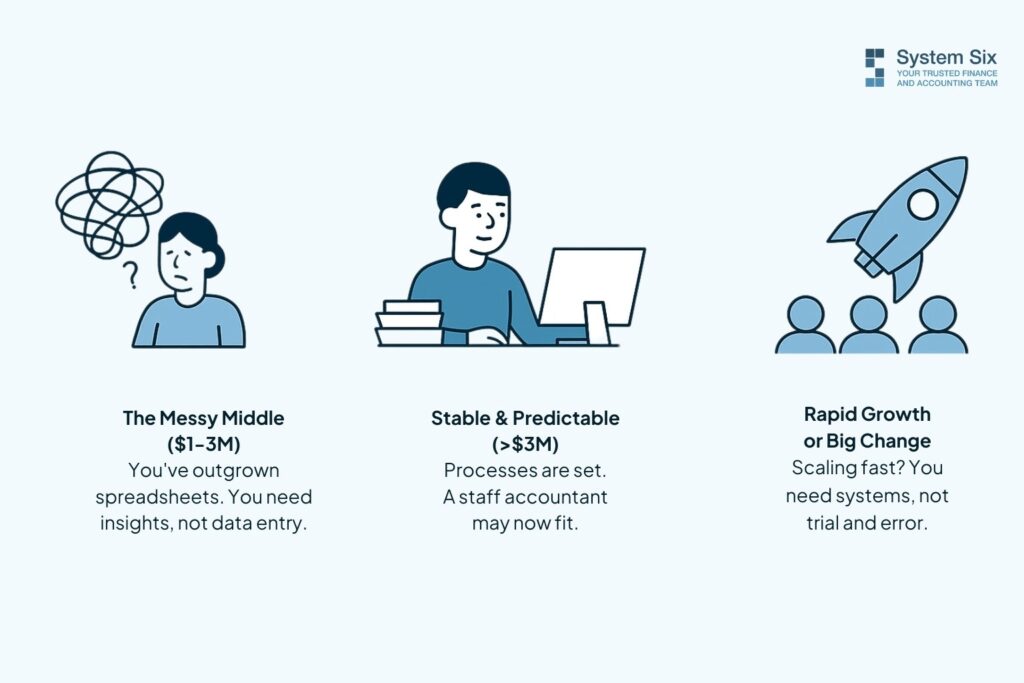
You’re in the messy middle. Revenue’s somewhere between $1-3M. You’ve outgrown spreadsheets, but hiring a CFO seems insane. You can’t quickly answer whether that big project was actually profitable. Invoice payments slip through the cracks. Someone asked about your cash flow forecast last week, and you made something up.
This is where outsourced wins, and it’s not even close. You don’t need someone to enter transactions. You need controller-level strategic guidance. The kind of insight that shows you which service lines actually make money, after accounting for all the hidden costs. One consulting firm discovered, through careful analysis, that its large regulatory projects were break-even—they’d been pursuing the wrong work for years. That revelation alone justified the investment many times over.
Your needs also fluctuate like crazy at this stage. Some months, you’re drowning in complexity. Others are quiet. A staff accountant costs the same either way. Flexibility matters when you’re still figuring things out.
You’re stable and predictable. You may be past $3M with steady patterns. Established processes. The same basic financial tasks every month. This is the zone where a staff accountant starts making sense—if, and this is huge, you have the management bandwidth to supervise them properly. Do you? Really? Because most founders think they do until they’re suddenly spending six hours a week answering questions and reviewing work.
You’re about to explode. Got acquisition talks happening? Major contract on the table? Funding round closing? Everything’s about to change fast, and the last thing you need is onboarding someone new into chaos. Manish shared how his business was saved from “falling into operational ruins” after a freelance bookkeeper had mishandled payroll taxes—System Six’s team came in and fixed what would’ve been catastrophic. When things are volatile, you need proven systems and deep expertise, not someone learning as they go.
Which of these sounds like your Tuesday morning?
What Nobody Tells You About Staff Accountants
Everyone says, “Hire in-house for control.” Let’s be honest about what you’re actually getting.
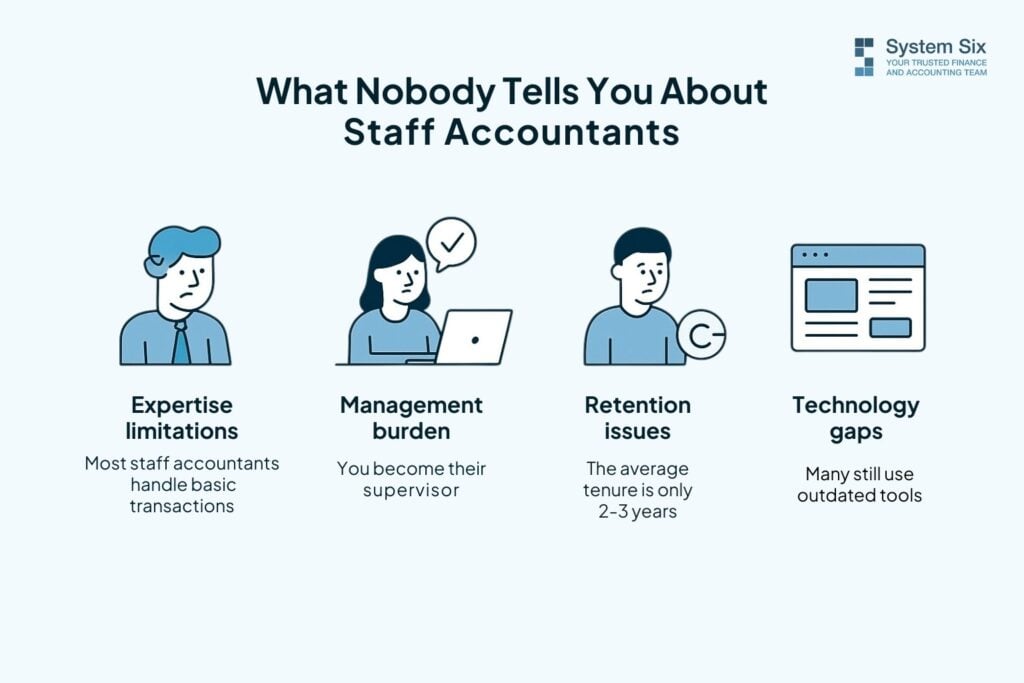
The expertise ceiling is real. Most staff accountants handle transactions. They’re great at recording what happened. But strategy? Cash flow forecasting? Multi-state compliance? Acquisition accounting? That’s a different territory. You end up paying someone to learn on your dime, and when truly complex issues arise, you’re hiring consultants anyway. One business owner noted that when they initially went the cheap-freelancer route, it “hurt in the long-term”—the pricing seemed fair until payroll mistakes added up.
You also become their manager. Weekly check-ins. Performance reviews. Figuring out who covers their work when they’re out. Most founders don’t have bandwidth for this, but nobody talks about it during the hiring process. You’re excited about financial help, not realizing you’ve just added “accounting manager” to your job description.
Then there’s retention. The average tenure for staff accountants is 2-3 years. When they’re fully trained, they leave for more money or a controller title somewhere else. Now you’re recruiting again while your books fall behind. The cycle repeats.
And technology? Many staff accountants use the tools they learned in school—maybe QuickBooks basics, definitely Excel. But modern financial operations require automation, system integration, and real-time dashboards that inform decision-making. Building that infrastructure isn’t typically in their wheelhouse. Multiple reviewers noted that System Six’s technology-driven approach and automated workflows were game changers compared to manual processes.
Look, I’m not saying staff accountants aren’t valuable. They absolutely are. But figuring out if you actually need one versus wanting the comfort of someone sitting in your office—that’s the trick.
The Outsourced Controller Advantage (When It Works)
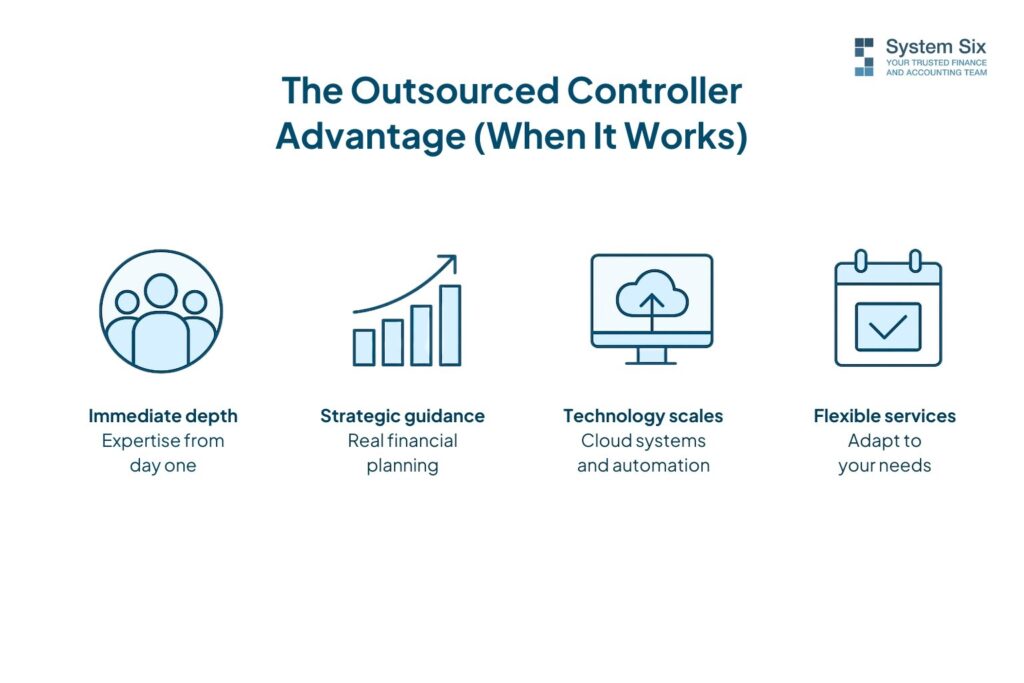
Here’s what changes when you’ve got an entire team in your corner.
You get immediate depth. Day one, you’ve got expertise that would cost $150K+ to hire internally. A multi-person team means redundancy is built in—someone’s always available. As one client put it, their financial operations are “just taken care of seamlessly” with “great service, great value.” That’s not marketing speak. That’s what happens when you’re not dependent on a single person’s vacation schedule.
But it’s more than execution. You get strategic guidance. Real financial planning. Scenario modeling for big decisions: What if we hire three people? What if we open that second location? What if we pursue this acquisition? One consulting firm principal discovered, through proper project profitability tracking, that their mid-sized projects were 40% more profitable than their large engagements. That insight completely shifted where they focused business development efforts.
The technology scales with you, too. Modern cloud systems, automated workflows, integration with your existing tools—time tracking, project management, CRM, all feeding real-time data into your financial picture. Not a month-old report you’re trying to make decisions from. When surveyed, over 95% of customers gave their outsourced provider a 9.5 out of 10 likelihood-to-recommend score. That kind of satisfaction usually means something’s working.
Services flex with your needs. Busy season? They handle it. Slower quarter? You’re not paying idle salary. Growing fast? The team expands to fill the roles, so you don’t have to post jobs.
But here’s the catch, and I’ll be straight with you: there’s less face time. They’re not in your office for impromptu hallway conversations. This requires some trust in a partnership model. If you genuinely need someone at daily standups or you manage through constant in-person interaction, outsourcing might feel uncomfortable. Rebecca noted her team “isn’t just a vendor, they are friends who feel like part of our team”—but building that relationship takes intention when they’re not physically present.
How to Actually Decide (Without Losing Sleep)
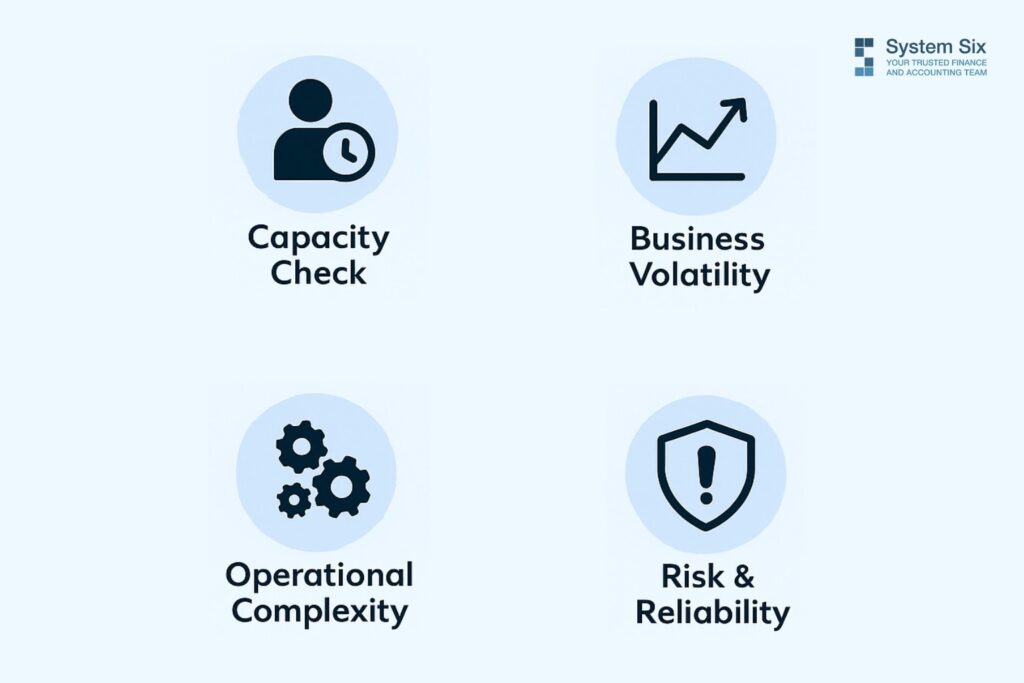
Stop overthinking. Ask yourself these five questions.
Can you genuinely manage another employee right now? Not “should you”—can you? Do you have time for weekly check-ins, training, reviews, and supervision? If you’re already stretched thin, adding management responsibility might break you.
How fast are things changing? If your revenue, team size, or service offerings shift quarterly, flexibility wins. Stable and predictable favors in-house. Volatile and growing favors outsourced.
What’s your actual complexity level? Multiple states? Various revenue streams? Contractor management? Complex project accounting? Investor reporting? High-complexity projects require specialized teams with broad expertise. A capable individual can perform simple operations.
What’s your risk tolerance for financial mistakes? Payroll tax errors cost real money. Compliance issues damage your reputation. Single-person operations carry a higher error risk—nobody is checking their work. One founder emphasized how affordable the expertise became after experiencing what happens when things go wrong: “I would pay for this expertise without hesitation.”
What does your growth trajectory actually require? Be honest. Are you building toward $10M or stabilizing around $3M? Different futures need different financial infrastructure. If you’re staying small and steady, one great person might be perfect. If you’re scaling aggressively, you need systems that won’t break.
One thing people forget: hybrid approaches exist. Some businesses use both—an outsourced controller for strategy and monthly close, plus a part-time internal coordinator for day-to-day stuff. Others start outsource and transition later when it makes sense. There’s no law saying you have to choose once and be stuck forever.
The Choice That Fits Your Growth
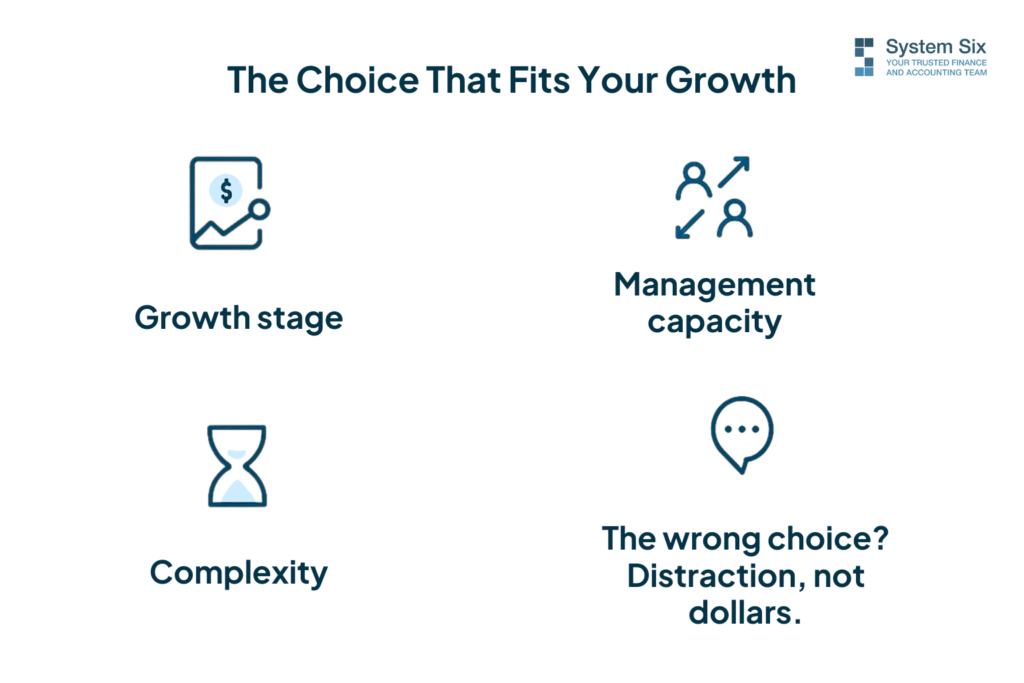
The staff accountant versus outsourced controller decision isn’t about which option is “better.” It’s about honest self-assessment of where you are and where you’re heading.
Remember that late-night stress about making the wrong choice? You’ve got a framework now. Look at your growth stage. Evaluate your management capacity. Consider your complexity. Match the solution to your actual situation, not your ideal fantasy of how organized you wish you were.
Your business is growing. Your financial operations should make that easier, not harder. Whether that means a desk in your office or a team you’ll never meet in person—pick the option that gives you back your time and your clarity.
Still stuck? Talk to people who’ve walked this path. Ask what they wish they’d known earlier. And trust your gut—you didn’t build a business without decent instincts.
What’s the real cost of the wrong choice? Not the dollars. The months of distraction when you should be focused on growth.
About System Six
System Six is a Seattle-based bookkeeping and financial services firm that helps small and mid-sized businesses streamline their financial operations. We specialize in providing technology-driven financial management solutions for consulting firms, allowing owners to focus on growing their businesses without worrying about cash flow, payroll, or compliance issues. Our team of over 35 professionals brings an average of 10+ years of accounting experience to every client relationship, serving more than 175 businesses across the U.S. From accurate bookkeeping to cash flow forecasting, we deliver the financial clarity and peace of mind that consulting firm owners need to thrive. Learn more at www.systemsix.com.
by Chris Williams | Sep 22, 2025 | Blog
Sarah stared at her laptop screen, coffee growing cold beside a mountain of receipts. It was 9 AM on a Sunday, and she was knee-deep in QuickBooks trying to figure out why her cash flow report didn’t match her bank balance. Again.
Her consulting firm was doing well—$3M in revenue, fifteen employees, growing fast. But somewhere between client calls and project deadlines, the financial side had become a tangled mess of spreadsheets, manual data entry, and constant fire-drilling.
“I need to hire a bookkeeper,” she muttered, opening another browser tab to check salary ranges. But as she scrolled through job postings, a nagging question kept surfacing: What if hiring someone in-house actually costs more than outsourcing to professionals?
Turns out, Sarah’s instinct was spot-on. When you crunch the real numbers—and I mean all the numbers, not just the obvious ones—the math tells a surprising story.
The Real Cost of In-House Bookkeeping
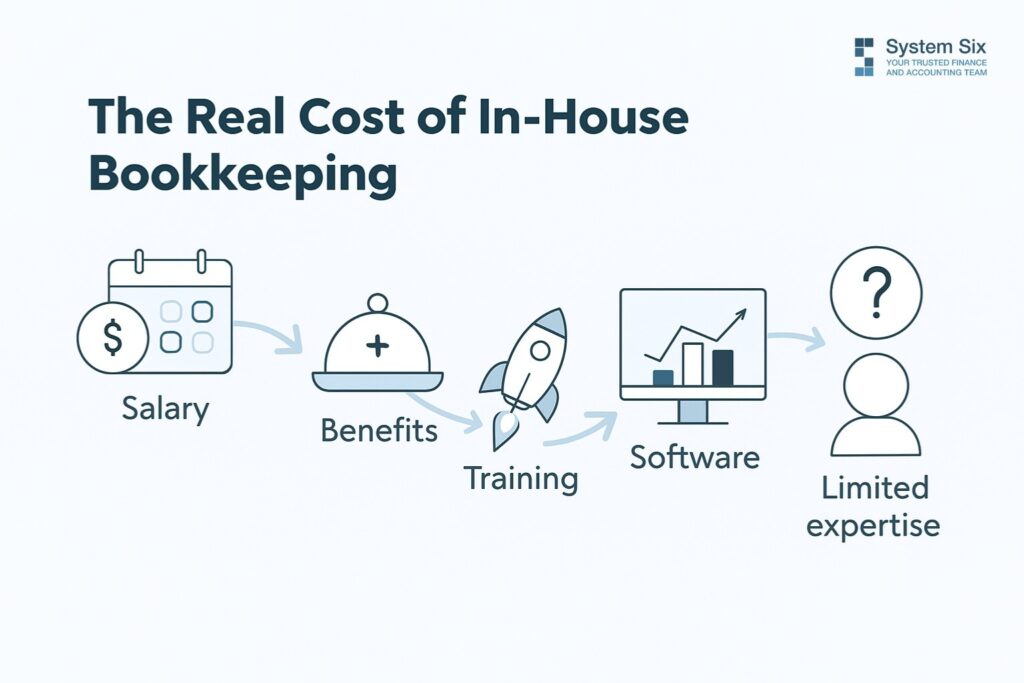
Let’s start with what most business owners focus on: salary. A competent bookkeeper in today’s market commands $45,000 to $55,000 annually. That seems reasonable until you start adding the hidden costs that nobody talks about in those job postings.
Benefits and payroll taxes bump that number up by 25-30%. Health insurance, retirement contributions, unemployment insurance, workers’ comp—suddenly your $50,000 bookkeeper is costing $65,000 before they’ve entered a single transaction.
But we’re just getting started.
Training and onboarding eat up weeks of productivity. Your new hire needs to learn your systems, understand your industry’s quirks, and figure out how your business actually operates. During this ramp-up period, you’re paying full salary for partial productivity while spending your own time managing the transition.
Then there’s the technology stack. QuickBooks subscriptions, payroll software, expense management tools, and reporting platforms—these costs add up fast. You’re looking at $200-500 monthly in software licenses, plus integration headaches when systems don’t play nicely together.
Here’s the kicker: In-house bookkeepers create single points of failure. When they’re sick, on vacation, or decide to leave (and they will leave), your financial operations grind to a halt. Finding replacement talent in today’s tight market can take months.
But the most expensive hidden cost? Limited expertise. Your bookkeeper might handle basic data entry fine, but what happens when you need multi-state tax compliance, complex project accounting, or sophisticated financial reporting for investors? You’re back to hiring expensive consultants or making costly mistakes.
System Six Partnership: Your Complete Finance Team
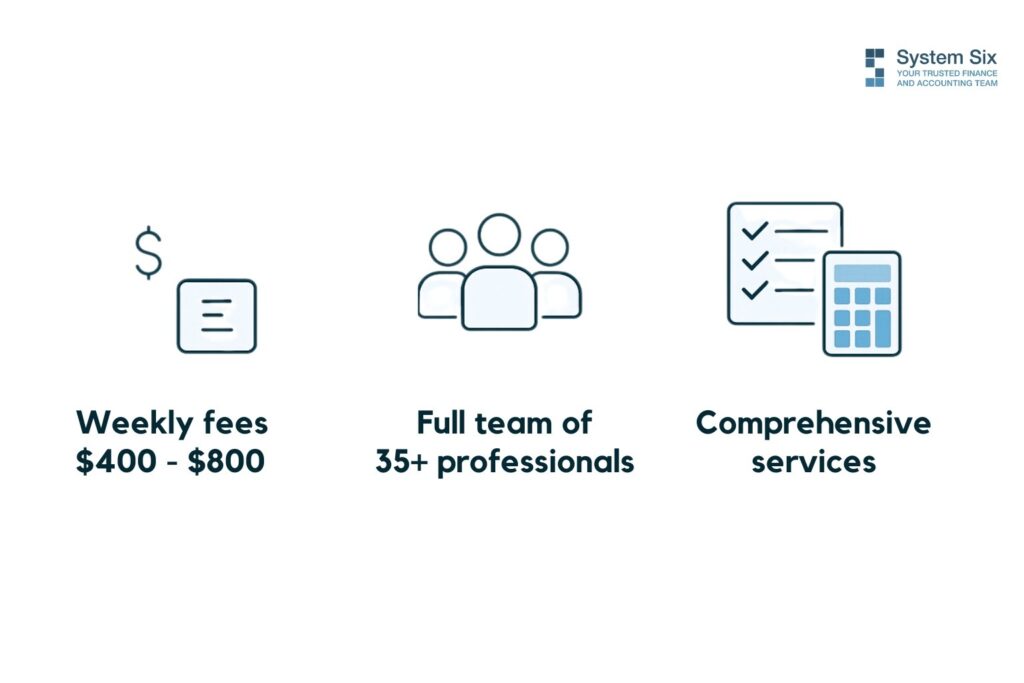
Now let’s look at the alternative. System Six operates on a weekly fee model, typically ranging from $400 to $800 per week based on your business complexity. That translates to roughly $20,800 to $41,600 annually—already a significant savings compared to in-house hiring.
But here’s where the comparison gets interesting. You’re not just getting one person—you’re accessing an entire team of 35+ professionals with an average of 10+ years of accounting experience each.
Think about what that means. When your account needs attention, it’s not just one person figuring things out. It’s specialists in payroll compliance, tax regulations, financial reporting, and business intelligence working together on your books.
The service includes everything: complete bookkeeping, multi-state payroll processing, automated bill pay, accounts receivable management, sales tax compliance, financial reporting, and unlimited consultation. It’s like having a full finance department without the overhead.
“System Six has done wonders for my stress level to feel like this is all now taken care of with a professional partner,” says Betsy, one of their search fund clients. Another client put it perfectly: “I don’t have to think about my accounting. It’s just taken care of seamlessly.”
The technology stack alone would cost thousands monthly if you tried to replicate it in-house. System Six integrates QuickBooks Online with tools like Ramp for expense management, Gusto for payroll, and advanced reporting platforms that provide real-time business intelligence.
Their client retention speaks volumes—they maintain a 9.5 out of 10 Net Promoter Score across 175+ clients. Over half of their new business comes from referrals, which tells you everything about satisfaction levels.
The Side-by-Side Numbers That Tell the Story

Let’s put this in black and white:
Annual Cost Comparison:
- In-house bookkeeper (salary + benefits + overhead): $65,000-$75,000
- System Six partnership: $20,800-$41,600
- Your savings: $23,400 to $54,200 annually
That’s real money back in your pocket every year.
But the capability gap is even more dramatic. Your in-house hire brings one person’s experience and availability. They work standard hours, take vacations, and have knowledge limits. System Six gives you access to decades of collective expertise, redundant coverage, and specialized knowledge across complex areas like multi-state compliance and investor reporting.
Risk management? Your in-house person makes mistakes—everyone does. When they happen, you own them completely. System Six carries professional liability insurance and has multiple layers of review to catch errors before they become problems.
Technology and scaling present another stark contrast. Growing your in-house capabilities means hiring additional people, buying more software licenses, and managing increasingly complex systems. With System Six, scaling is automatic—their infrastructure grows with you seamlessly.
Here’s a real example that illustrates the difference. One System Six client was unknowingly paying $700 monthly in unnecessary bank fees due to poor cash flow tracking. That single oversight was costing $8,400 annually—enough to pay for sophisticated financial management and still come out ahead.
The Hidden ROI Most Firms Miss
The direct cost savings are just the beginning. The real ROI comes from what becomes possible when your financial operations run smoothly.
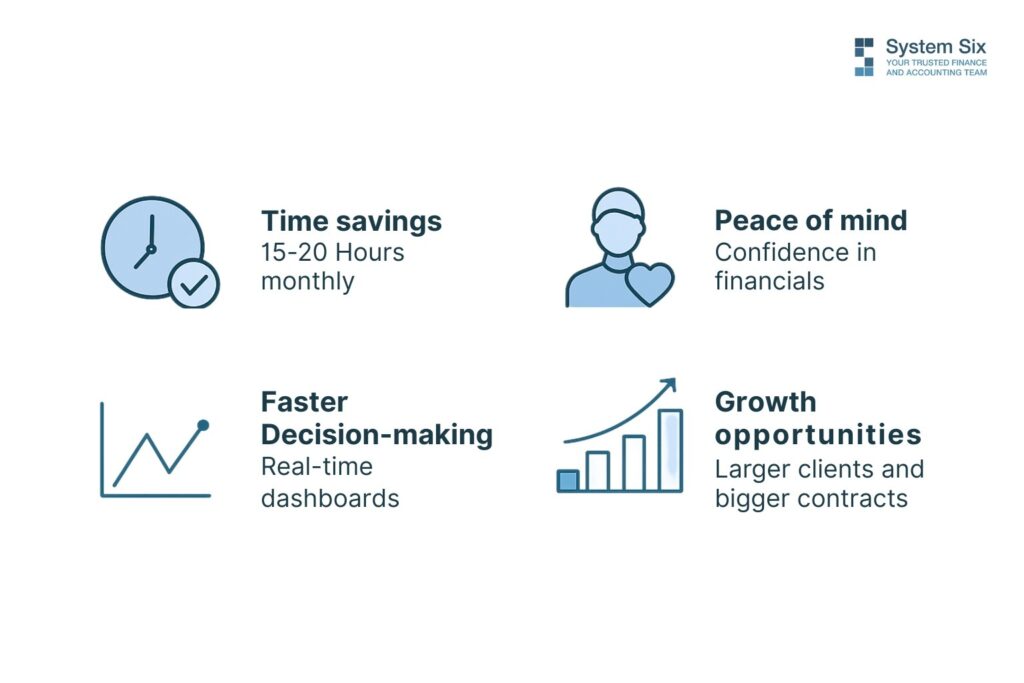
Most clients reclaim 15-20 hours monthly that they’d been spending on financial tasks. For a consulting firm owner billing at $200 per hour, that’s $3,000 to $4,000 monthly in recovered billable time. Over a year, we’re talking about $36,000 to $48,000 in additional earning potential.
Better financial systems unlock growth opportunities that would be impossible otherwise. Clean books, accurate reporting, and automated processes mean you can take on larger clients, pursue bigger contracts, and scale operations confidently.
The decision-making speed advantage is huge, too. Instead of waiting weeks for monthly reports compiled in spreadsheets, you get real-time dashboards showing cash flow, project profitability, and operational metrics. Quick access to accurate data means faster, better business decisions.
“We’ve grown 40% this year because I can focus on clients instead of paperwork,” one client shared. That’s the compound effect of getting your financial foundation right.
There’s also something to be said for peace of mind. When Marcus, another System Six client, says, “I am in good hands with System Six and I especially appreciate how they are inquisitive, ask follow-on questions, and look around corners,” he’s describing what it feels like to have true professionals managing critical business functions.
The Math Doesn’t Lie
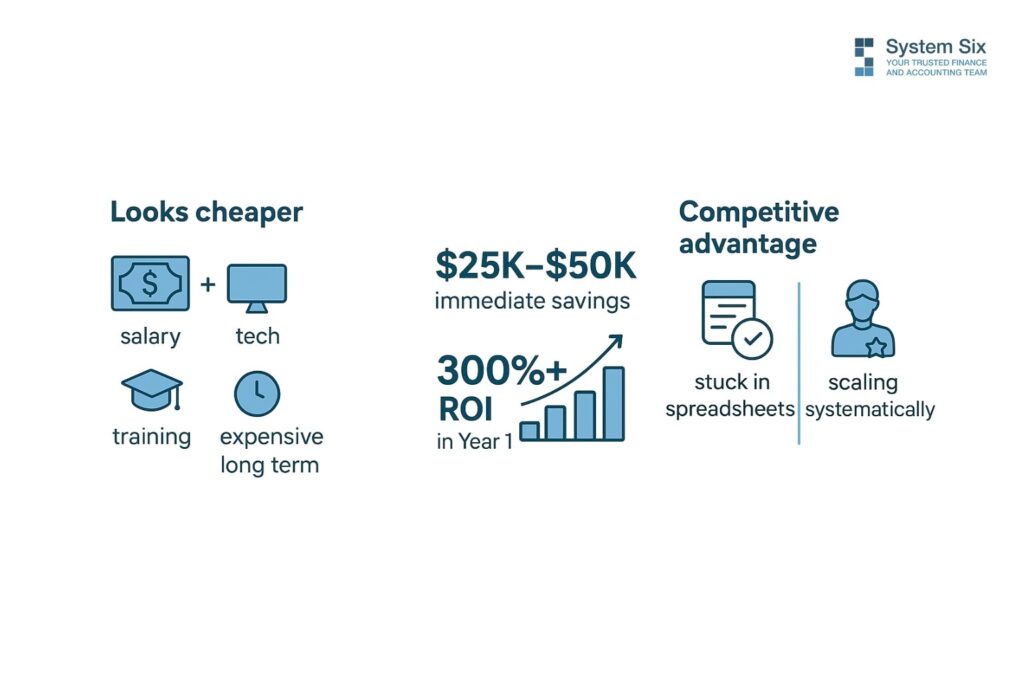
When you add up all the costs—obvious and hidden—the comparison isn’t even close. In-house bookkeeping appears cheaper until you factor in benefits, training, technology, errors, limited expertise, and opportunity costs. Then it becomes one of the most expensive ways to handle financial management.
System Six partnerships deliver immediate cost savings of $25,000 to $50,000 annually, plus operational improvements that enable faster growth and better decision-making. Clients typically see 300%+ ROI in their first year through time reclaimed, errors prevented, and opportunities captured.
The question isn’t whether you can afford System Six—it’s whether you can afford to keep doing things the expensive way.
Your competitors are still wrestling with spreadsheets and managing bookkeeper turnover. While they’re putting out fires, you could be scaling systematically with professional-grade financial operations supporting your growth.
Ready to see what the numbers look like for your specific situation? The math might surprise you even more than it surprised Sarah.
About System Six
System Six is a Seattle-based bookkeeping and financial services firm that helps small and mid-sized businesses streamline their financial operations. We specialize in providing technology-driven financial management solutions for consulting firms, allowing owners to focus on growing their businesses without worrying about cash flow, payroll, or compliance issues. Our team of over 35 professionals brings an average of 10+ years of accounting experience to every client relationship, serving more than 175 businesses across the U.S. From accurate bookkeeping to cash flow forecasting, we deliver the financial clarity and peace of mind that consulting firm owners need to thrive. Learn more at www.systemsix.com.

by Chris Williams | Sep 15, 2025 | Blog
Alex stared at his computer screen, overwhelmed. Three different QuickBooks desktop files. Two years of Excel spreadsheets. A shoebox of receipts from 2022. And somewhere in this chaos lay the financial story of his consulting firm—data he desperately needed to make smart decisions about hiring, pricing, and growth.
Sound familiar?
Here’s the thing most business owners get wrong about cloud accounting migration: they think their historical data is baggage—something messy to leave behind while they start fresh in the cloud.
Wrong. Your historical data isn’t baggage—it’s the foundation of your financial future. Those transaction patterns reveal your seasonal cash flow cycles. That client history shows which relationships actually drive profit. Those expense trends? They’re your roadmap for smarter budgeting.
But migrating years of financial data doesn’t have to consume your weekends or drain your sanity. Let’s walk through a proven process that gets you from spreadsheet chaos to cloud clarity—without the headaches.
Why Historical Data Migration Matters (More Than You Think)

Most entrepreneurs I meet want to start fresh. Clean slate, they say. New system, new beginning.
But here’s what happens when you abandon your financial history: you spend the next six months flying blind. Can’t predict cash flow because you don’t know your seasonal patterns. Can’t price services confidently because you don’t understand true project costs. Can’t make hiring decisions because you don’t know your capacity trends.
“We went from hoping we’d make payroll to confidently planning our next five hires,” shared one System Six client after their complete financial transformation. The difference? They didn’t just implement new systems—they imported three years of historical data that revealed growth patterns they never knew existed.
Your historical data tells stories that your gut feeling can’t match. Import historical data properly, and you’re not just getting organized. You’re unlocking insights that drive better decisions from day one.
The alternative? Starting fresh means you’ll spend months manually reconstructing trends you already had. That’s not efficiency—that’s expensive busywork.
The Pre-Migration Checklist: Set Yourself Up for Success

Before you touch a single transaction, stop. Take a breath. Migration done wrong creates bigger messes than the chaos you’re trying to escape.
Audit Your Current Mess
First, figure out what you’re actually working with. Desktop QuickBooks from 2019? Excel files scattered across three computers? Bank statements in PDF form? Don’t judge—just inventory.
Make a list of every system, file, and data source. Include that random spreadsheet your assistant created for tracking contractor payments. Everything matters when you’re building a complete financial picture.
Next, determine your migration depth. How far back do you realistically need? Most businesses benefit from 3-5 years of transaction history—enough to spot patterns without drowning in ancient irrelevant data. Going back to your business launch in 2015 might feel complete, but if 2020-2025 tells your real growth story, focus there.
Choose Your Migration Depth Wisely
Here’s where business owners waste massive amounts of time: trying to import everything perfectly.
Your 2018 office supplies purchases? Probably not crucial for 2025 decision-making. Your client’s payment patterns over the last three years? Essential.
Be ruthless about what matters. Perfect historical data doesn’t exist anyway—you’re aiming for useful, not flawless.
Back Up Everything (Seriously, Everything)
Before you start moving data around, create backups of your current systems. Not just the files you think are important—everything. That weird Excel file you haven’t opened in months might contain the only record of a major client payment.
Cloud storage is cheap. Data recovery from corrupted files is expensive and stressful.
Set Realistic Timelines
Software companies promise migration in “just a few clicks.” Marketing teams love simple promises. Reality is messier.
A straightforward migration from one QuickBooks file might take a week. Multiple systems with custom categories? Plan for several weeks. Complex inventory tracking or job costing? You might need professional help.
Don’t schedule your migration for the week before tax season. Don’t plan to “quickly handle it” between client projects. Give yourself breathing room.
Your Roadmap to Migration Freedom
Ready for the actual process? Think of migration as building a house—you need a solid foundation before you start moving in furniture.
Phase 1: Chart of Accounts Setup
This step determines everything that follows. Get your chart of accounts wrong, and you’ll spend months recategorizing transactions.
Start with your new cloud accounting platform’s default chart of accounts, but customize it for your business. Consulting firms need different categories than restaurants. SaaS companies track different metrics than service businesses.
Look at your current expense categories. Which ones actually help you make decisions? “Office Expenses” is useless if you can’t tell whether you’re spending more on software subscriptions or office supplies. Split it into meaningful subcategories.
Don’t go wild with detail, however. Forty-seven different expense categories won’t make you smarter—they’ll just make monthly reviews more tedious.
Phase 2: Data Extraction and Cleaning
Time to get your hands dirty with the actual data.
Export everything from your current systems. QuickBooks desktop? Use the built-in export tools, but double-check that you’re getting all the data you need—sometimes custom fields don’t transfer automatically.
Excel spreadsheets? Clean them up before import. Remove empty rows, fix inconsistent date formats, and standardize vendor names. “Office Depot,” “Office Depot,” and “OFFICE DEPOT” look like three different vendors to import software.
This cleanup phase feels tedious, but it’s where you prevent 90% of migration headaches. Spend an extra hour here, save yourself days of troubleshooting later.
Phase 3: The Import Process
Here’s where most people panic and start importing everything at once. Don’t.
Start with a small test batch—maybe just one month of transactions. Run the import, then check everything carefully. Do the categories make sense? Are vendor names consistent? Did all the transactions import correctly?
Fix any problems with your small test batch before importing years of data. Trust me—correcting categorization issues across 5,000 transactions is not how you want to spend your weekend.
Once your test batch looks clean, import it in logical chunks. Quarter by quarter works well for most businesses.
Phase 4: Reconciliation and Validation
After each import batch, reconcile everything. Compare your bank statements to what’s showing in your new system. Check that beginning and ending balances match your old records.
Look for obvious red flags: duplicate transactions, missing months, or expense categories that don’t make sense. Your office expenses shouldn’t suddenly triple in March without explanation.
This validation step isn’t exciting, but it’s crucial. Better to catch problems now than discover them during tax preparation.
Common Migration Headaches (and How to Avoid Them)
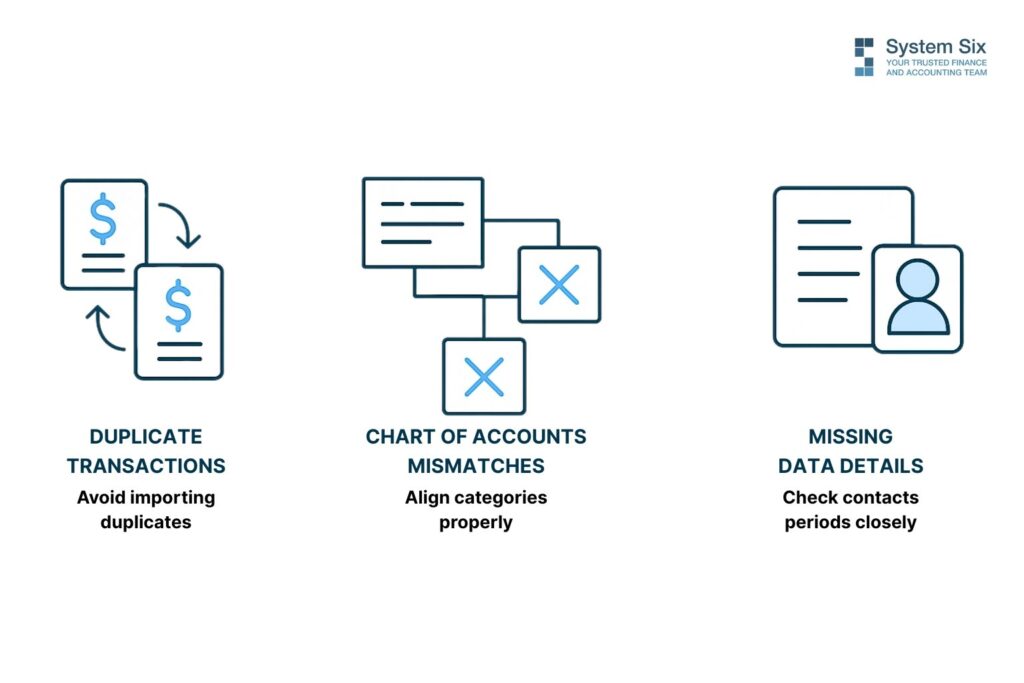
Even with careful planning, certain issues pop up repeatedly. Here’s how to sidestep the most common migration traps.
The Duplicate Transaction Trap happens when you accidentally import the same transactions from multiple sources. Maybe you imported bank feeds AND QuickBooks data, not realizing both contained the same transactions.
Prevention: Keep detailed notes about what you’ve imported from where. When in doubt, it’s easier to delete duplicates than track down missing transactions.
Chart of Accounts Mismatches occur when your old categories don’t align with your new system’s structure. Suddenly, all your “Travel” expenses are miscategorized as “Meals” and your reports look meaningless.
Quick fix: Map your old categories to new ones before importing. Create a simple spreadsheet showing how each old category translates to your new structure.
Date Range Disasters strike when you accidentally import overlapping time periods or miss entire months. Your December 2023 transactions appear in January 2024, throwing off your annual comparisons.
Prevention: Double-check date ranges for each import batch. Keep a calendar showing exactly which periods you’ve imported from which sources.
Missing Vendor and Customer Details leave you with transactions but no context. You know you spent $500 in March, but can’t remember whether it was the web developer or the marketing consultant.
Solution: Export vendor and customer lists separately, then import them before bringing in transactions. Most platforms handle this connection automatically once the vendor database is established.
When to Call in the Professionals

Let’s be honest about DIY migration limits.
You can probably handle straightforward QuickBooks-to-QuickBooks transfers yourself, especially if your chart of accounts is relatively simple and you’re comfortable with technology.
But certain situations scream “get professional help”:
Multiple disconnected systems that need consolidation. Complex inventory or job costing requirements. Years of inconsistent data entry need standardization. Tight deadlines with no room for trial-and-error learning.
“System Six transformed us from a reactive business to a strategic one,” explains one business owner whose migration included three separate systems and five years of data. “I was spending 20 hours weekly on financial administration. Now I spend 15 minutes reviewing automated reports.”
The investment in professional migration typically pays for itself within months through time savings alone. But the real value comes from having clean, reliable data that actually supports decision-making.
Here’s a simple cost-benefit framework: estimate how many hours you’d spend on DIY migration, multiply by your hourly rate, then add the opportunity cost of delayed projects. If that number exceeds professional migration costs, the choice becomes obvious.
Most businesses discover that professional migration costs less than they expected while delivering results faster than DIY efforts.
Your Time is Worth More Than DIY Struggles
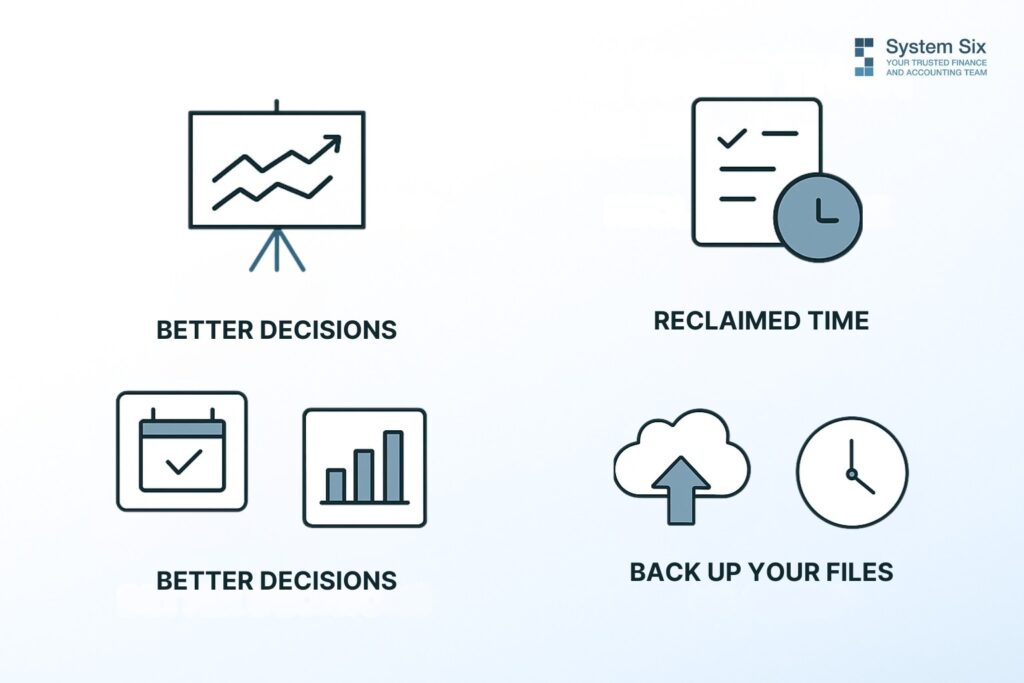
Bottom line: Successful historical data migration gives you two things that matter—better decisions and reclaimed time.
Better decisions because you can spot trends, predict cash flow, and understand what actually drives profit in your business. Reclaimed time because you’re not spending weekends wrestling with corrupted import files or hunting down duplicate transactions.
The businesses that thrive after cloud migration aren’t the ones with perfect data—they’re the ones that moved fast, fixed problems as they found them, and started using their new systems to drive growth.
Your historical data is waiting to tell you stories about seasonal patterns, profitable clients, and growth opportunities. But only if you can access it reliably.
Start with the pre-migration checklist today. Pick your migration depth. Back up your files. Set realistic timelines.
What business decisions are you delaying because you don’t trust your historical data? The sooner you migrate properly, the sooner you can stop guessing and start growing with confidence.
About System Six
System Six is a Seattle-based bookkeeping and financial services firm that helps small and mid-sized businesses streamline their financial operations. We specialize in providing technology-driven financial management solutions for consulting firms, allowing owners to focus on growing their businesses without worrying about cash flow, payroll, or compliance issues. Our team of over 35 professionals brings an average of 10+ years of accounting experience to every client relationship, serving more than 175 businesses across the U.S. From accurate bookkeeping to cash flow forecasting, we deliver the financial clarity and peace of mind that consulting firm owners need to thrive. Learn more at www.systemsix.com.

by Chris Williams | Sep 8, 2025 | Blog
You check your bank balance: $12,000. Then you glance at your outstanding invoices: $87,000. Sound familiar?
This is the maddening reality for thousands of consulting firm owners. You’re profitable on paper—your P&L looks fantastic—but you’re sweating payroll next week. You’ve delivered exceptional work, your clients are thrilled, yet you’re waiting 45, 60, sometimes 90 days to get paid for work you completed months ago.
Here’s what most consultants don’t realize: that cash isn’t actually stuck. It’s just moving through your receivables process at the speed of 1995. While you’re manually creating invoices in Word, sending individual follow-ups, and tracking payments in spreadsheets, your cash sits in client accounts instead of yours.
But what if you could cut your average collection time from 45 days to 22? What if invoices generated themselves, payment reminders went out automatically, and you always knew exactly when cash was coming in? That’s not wishful thinking—it’s what happens when you integrate your invoicing with modern financial systems.
Why Your Outstanding Invoices Are Choking Your Growth
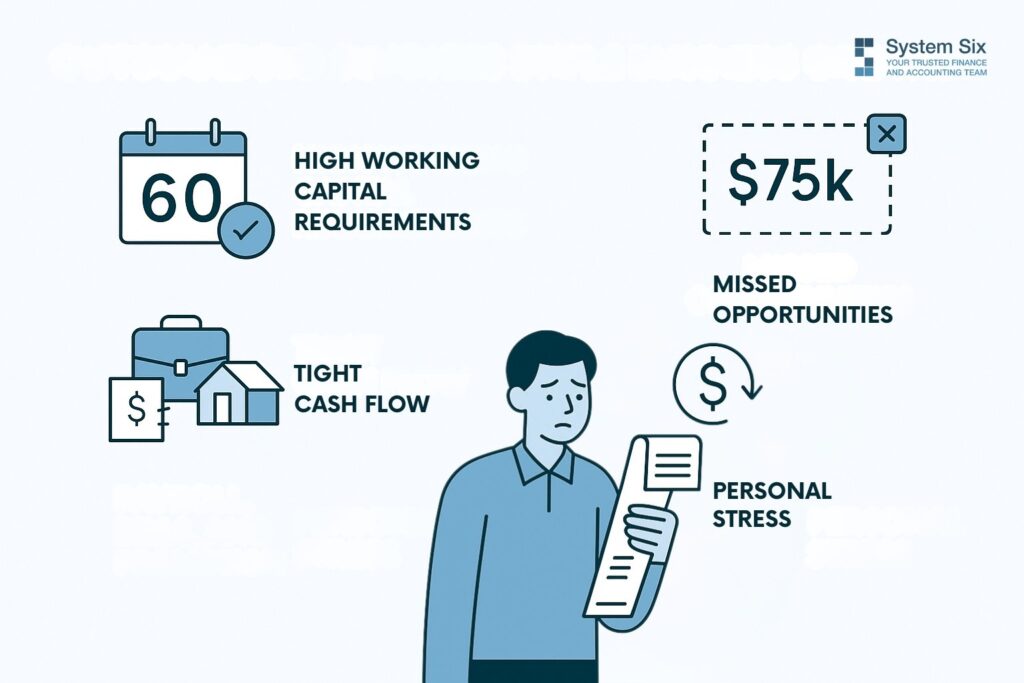
Let’s talk about what those slow receivables actually cost you. And I’m not talking about abstract financial concepts here—I mean real, tangible impacts on your business and life.
Picture this: Your biggest client operates on Net-60 terms. That’s standard in corporate consulting, right? Meanwhile, payroll hits every two weeks. Rent’s due on the first. Your senior consultant just asked about that promotion you’ve been promising. But you can’t move forward because $200,000 is sitting in accounts receivable.
The math is brutal. If you’re billing $50,000 monthly but collecting on a 60-day cycle, you need $100,000 in working capital just to stay afloat. That’s $100,000 you can’t invest in growth, can’t use for that new hire, can’t deploy for business development. It’s dead money.
But here’s what really stings: the opportunity cost. One System Six client told us, “I turned down a $75,000 project because I couldn’t float the resources while waiting for other payments to come in.” Think about that. Profitable work walking out the door because cash flow couldn’t support it.
And then there’s the personal toll. You know that Sunday night feeling? When you should be relaxing with family, but instead you’re updating invoice trackers, sending payment reminders, and calculating whether you need to tap the line of credit again? That’s not why you started your consulting firm. You wanted freedom and impact, not to become a collections agent.
The worst part? This cash flow squeeze becomes a vicious cycle. Stress leads to distraction. Distraction impacts client work. And suddenly you’re so focused on collecting yesterday’s money that you’re not developing tomorrow’s opportunities.
What Integrated Invoicing Actually Means (And Why It Matters)

Let me clear something up: integrated invoicing isn’t just about sending bills automatically. That’s like saying a car is just about having wheels. Sure, automated billing is part of it, but the real power comes from connection—seamless, intelligent connection between every part of your financial workflow.
Think of it like plumbing. Right now, you’re carrying buckets of water from the well to the house. Time tracking in one system. Project costs in a spreadsheet. Invoices created in Word. Payments tracked on sticky notes. That’s exhausting. And leaky.
Integrated invoicing creates the pipes. Time tracked on a project flows directly into an invoice. That invoice triggers automatic payment reminders. Payment notifications update your cash flow forecasts. Everything connects.
Here’s how one client described the difference: “I went from spending Sunday afternoons on bookkeeping to spending 15 minutes reviewing automated reports on Monday mornings.” That’s not just efficiency. That’s transformation.
The old way looked like this: Finish a project milestone. Remember to create an invoice three days later. Spend 30 minutes formatting it properly. Email it. Wonder if they received it. Send a follow-up two weeks later, and another follow-up at 30 days. Check the bank account daily, hoping the payment has arrived. Finally get paid at 45 days if you’re lucky.
The integrated way? Milestone completed. Invoice auto-generates from project data. Client receives it instantly with easy payment options. Friendly reminder at 7 days if unpaid. Another at 14 days. You get notified the moment the payment processes—cash in account within 22 days on average.
See the difference? You’ve removed every friction point where invoices get delayed, forgotten, or lost. No more “Did you get my invoice?” emails. No more awkward payment conversations. Just smooth, predictable cash flow.
From 45 Days to 22: How Real Firms Accelerated Their Cash
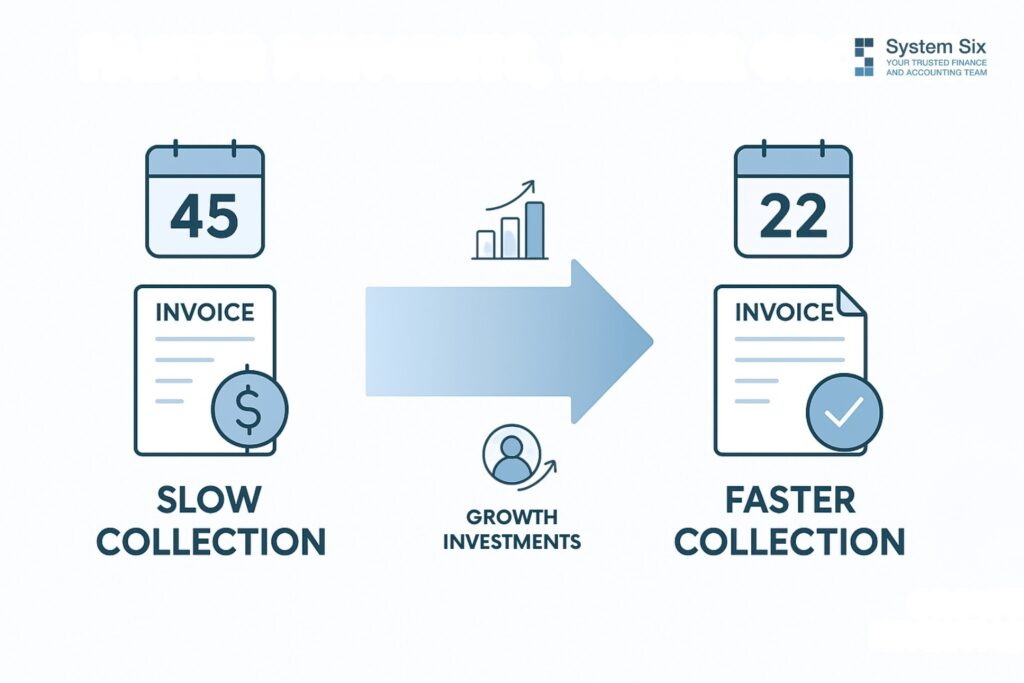
Here’s where it gets interesting. These aren’t theoretical improvements—they’re real results from real consulting firms.
Take Mark’s environmental consulting firm. Before implementing integrated invoicing through System Six, his average collection time was 45 days. Forty-five days of float, stress, and working capital tied up in receivables. After automation? Twenty-two days.
“Our average payment time dropped from 45 to 22 days after implementing automated invoice reminders,” Mark told us. But here’s what that really meant: He freed up $62,000 in working capital. Money that was always his, just stuck in the receivables pipeline.
What did he do with that cash? Hired a junior consultant who brought in $180,000 in new business their first year.
The implementation wasn’t complicated either. Mark started simple—automating invoices for his three retainer clients first. These were predictable: same amount, same timing, every month. Perfect for templates. Once that worked smoothly, he expanded to project-based billing. Within 90 days, every invoice was automated.
But automation alone wasn’t the magic. The real transformation came from integration. His time tracking system talked to his invoicing system. Invoice data fed his cash flow forecasts. Payment notifications triggered project management updates. Suddenly, Mark could see his entire financial picture in real-time.
“System Six has done wonders for my stress level,” shared another consulting firm owner. “They’ve created automated systems that track every deadline and requirement. I no longer worry about compliance—it’s all handled automatically.”
The compound effect is remarkable. Faster payments mean better cash flow. Better cash flow enables growth investments. Growth investments generate more revenue. More revenue, collected faster, accelerates everything. It’s a virtuous cycle, and it starts with getting your invoices out the door and paid quickly.
Here’s what surprised our clients most: their customers actually preferred the automated approach—professional invoices arriving promptly. Clear payment terms. Easy online payment options. Multiple payment methods. Clients pay faster when you make it easier for them to pay. Who knew?
Your Cash Is Already There—You Just Need to Unlock It
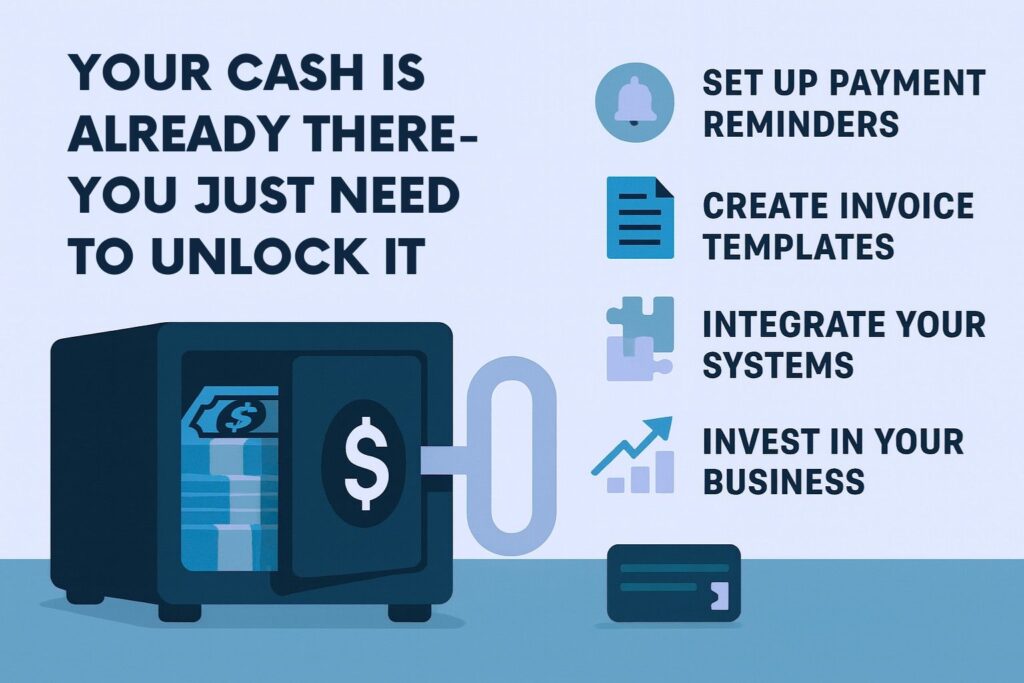
Stop for a moment and calculate: What’s your current days’ sales outstanding? Take your accounts receivable balance and divide it by your average daily sales. If it’s over 30 days, you’re sitting on a cash goldmine.
That money is already yours. You’ve earned it. You’ve delivered the value. It’s just trapped in an inefficient process, waiting to be released. Every day it sits in receivables is a day you can’t invest in your business, your team, or your peace of mind.
But here’s the thing—you don’t have to revolutionize everything at once. Pick one thing this week. Maybe it’s setting up automated reminders for overdue invoices. Maybe it’s creating invoice templates for your most common services. Maybe it’s integrating your time tracking with your billing system. Start somewhere. Build momentum.
Imagine checking your bank balance six months from now. The number you see actually matches the work you’ve done. Payroll isn’t stressful. You have cash to invest in that new service offering. You’re saying yes to growth opportunities instead of “let me check my cash flow.”
Better yet, imagine your Sunday nights. Instead of wrestling with spreadsheets and payment trackers, you’re actually relaxed. Present with your family. Maybe even a little bored. That’s what healthy cash flow feels like.
Your consulting firm is already profitable. Your clients already value your work. The cash to fuel your growth is already in the pipeline. You just need better pipes. What could your business achieve if money moved as fast as you do?
The path from 45-day collections to 22-day collections isn’t about working harder on receivables. It’s about building systems that work while you focus on what you do best—delivering exceptional value to your clients. Your cash is waiting—time to unlock it.
About System Six
System Six is a Seattle-based bookkeeping and financial services firm that helps small and mid-sized businesses streamline their financial operations. We specialize in providing technology-driven financial management solutions for consulting firms, allowing owners to focus on growing their businesses without worrying about cash flow, payroll, or compliance issues. Our team of over 35 professionals brings an average of 10+ years of accounting experience to every client relationship, serving more than 175 businesses across the U.S. From accurate bookkeeping to cash flow forecasting, we deliver the financial clarity and peace of mind that consulting firm owners need to thrive. Learn more at www.systemsix.com.
by Chris Williams | Sep 1, 2025 | Blog
It’s 3:17 AM, and you’re lying there staring at the ceiling again. Your mind’s racing through the same questions that hijacked your sleep last Tuesday. And the Tuesday before that. Which projects are actually making money? Will cash flow cover next month’s payroll? Should you take on that new client or hire another consultant first?
The irony isn’t lost on you. During daylight hours, you’re the strategic advisor. The one with all the answers. But when it comes to your own firm’s finances, you’re navigating in the dark with a dying flashlight.
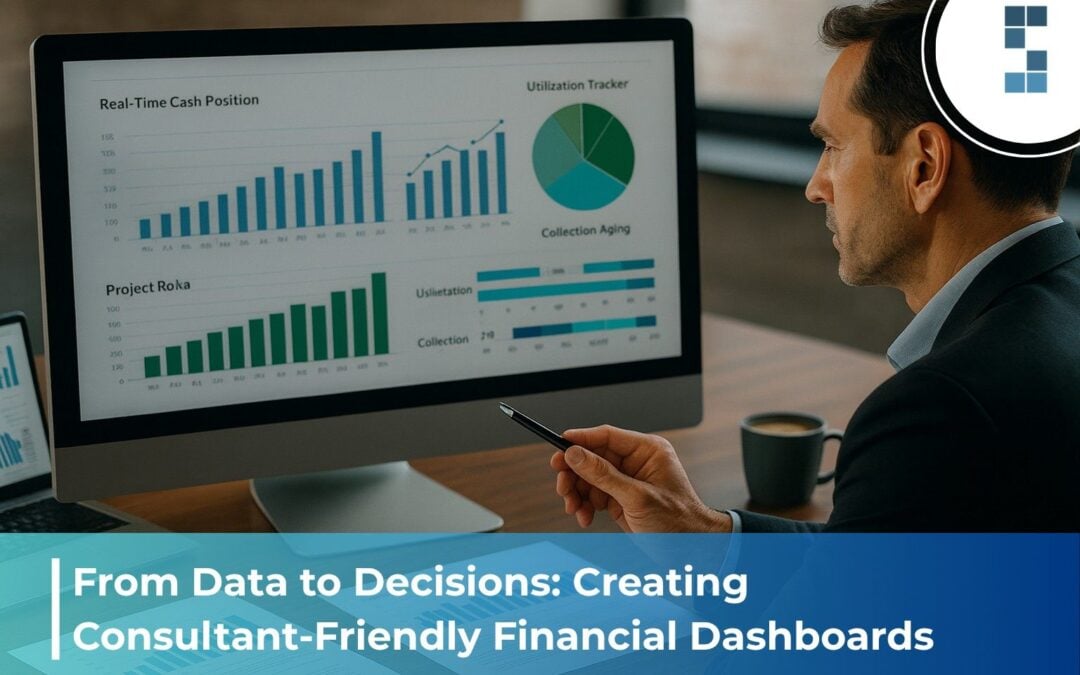
Here’s the thing: You’re sitting on a goldmine of financial data. Every timesheet, every invoice, every expense report contains a piece of the puzzle. But without the right dashboard, it’s like having a Ferrari engine attached to bicycle wheels. All that power, going nowhere fast.
What if, instead of those 3 AM wake-ups, you could check your phone over morning coffee and know—really know—exactly where your business stands? Not through some complex spreadsheet gymnastics, but through clear, visual insights that take 30 seconds to understand?
That’s what a properly designed financial dashboard delivers. And it’s not as complicated as you think.
The Dashboard Dilemma: Why Most Consultants Are Flying Blind
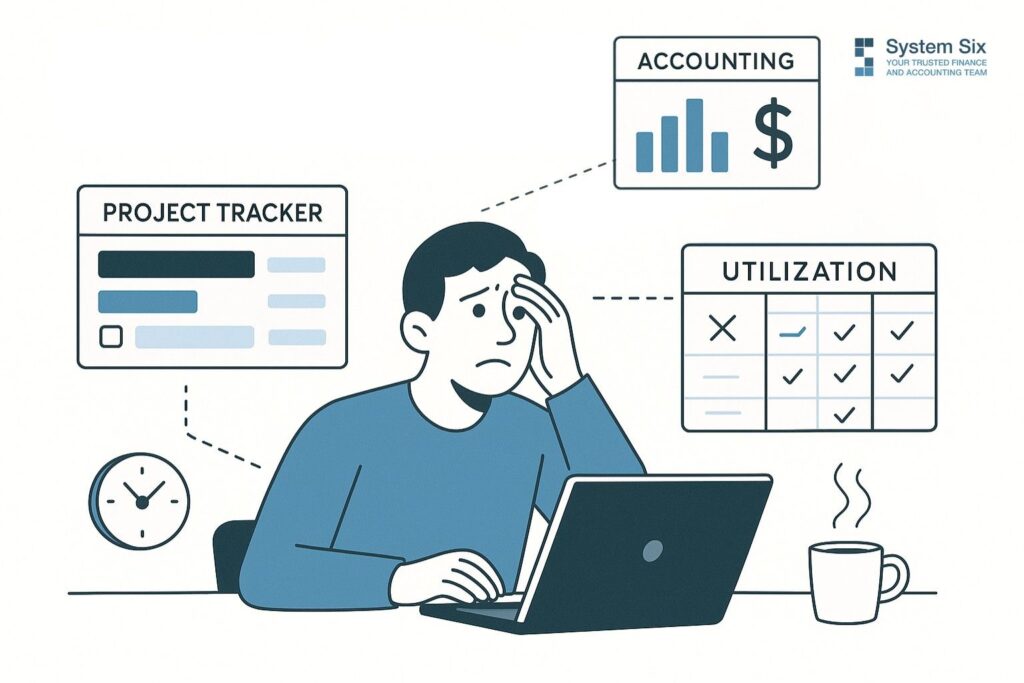
Let me paint you a familiar picture. Monday morning arrives, and you need to decide on that new project proposal. You pull up three different spreadsheets. The project tracker says one thing. The accounting export says another. And that utilization report from two weeks ago? It might as well be written in ancient Sumerian.
You spend the next hour trying to reconcile the numbers, jumping between tabs like you’re conducting some bizarre digital orchestra. By the time you piece together something resembling clarity, your first client call is starting. The decision gets punted to next week.
Sound familiar?
“Before implementing structured financial reporting, we were essentially guessing about which projects and clients were profitable,” admits Chris, founder of a healthcare consulting practice. “We’d celebrate landing big clients without understanding if they contributed to our bottom line.”
This isn’t just frustrating—it’s expensive. Every delayed decision is a missed opportunity. Every reactive scramble costs more than proactive planning. And the stress? That’s the hidden tax you pay every single day.
But what if you could see your entire financial picture in 30 seconds? What if those scattered spreadsheets transformed into a single source of truth?
The Essential Dashboard Elements: Your Financial Control Centre
Think of your dashboard like an aeroplane cockpit. You wouldn’t fly through clouds without instruments, yet that’s exactly how most consultants run their businesses—on gut feel and good intentions.
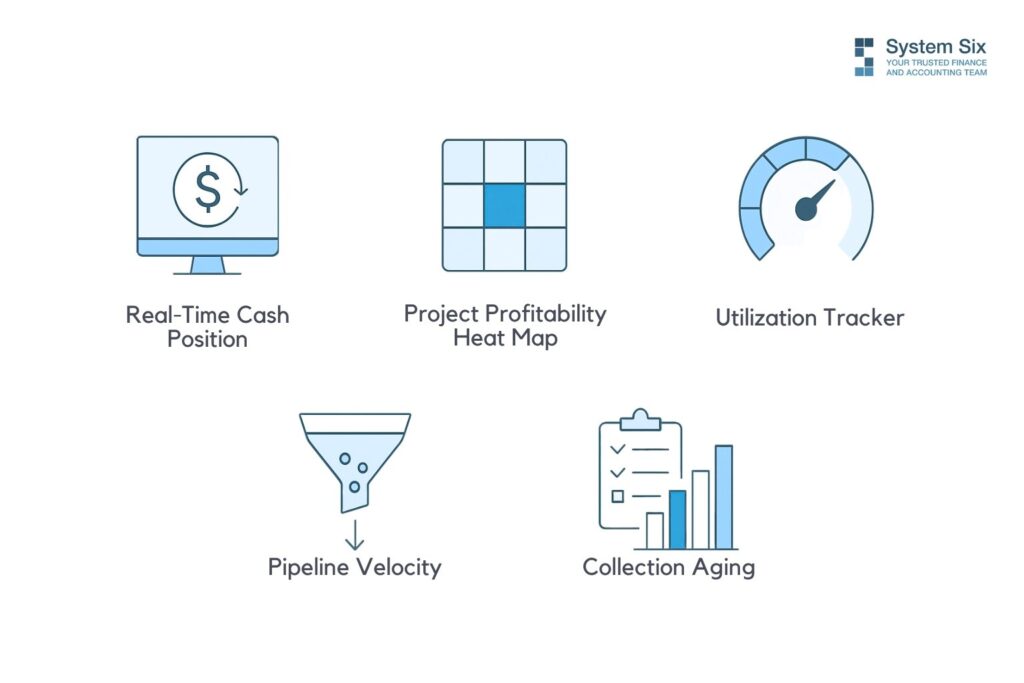
Your financial dashboard needs five essential instruments to keep you flying straight:
Real-Time Cash Position
This isn’t your bank balance. It’s your true available cash after accounting for upcoming payables, pending receivables, and that payroll hitting next week. One consultant told me this single metric helped them sleep through the night for the first time in months. Know if you can make that hire today, not after three hours of spreadsheet archaeology.
Project Profitability Heat Map
Picture this: Every active project displayed as a colored tile—deep green for your profit champions, yellow for break-evens, red for the silent killers. “We discovered our mid-sized projects were more profitable than our largest engagements,” one System Six client notes. “The large projects carried hidden costs in coordination time and scope management that weren’t properly billed.”
Utilization Tracker
Your team’s time is your inventory, but unlike widgets in a warehouse, you can’t see it stacking up. This metric shows you exactly where capacity sits—who’s overwhelmed, who’s underutilized, and whether you need to hire or hustle for more projects. Track billable hours against available hours, and suddenly, those resource allocation decisions become crystal clear.
Pipeline Velocity
From the payment proposal, see how fast opportunities move through your funnel. This isn’t just about sales—it’s about cash flow prediction. When you know your average collection period is 47 days, not the 30 you assumed, you can plan accordingly.
Collection Aging
Those outstanding invoices aren’t just numbers; they’re your business’s oxygen supply. Visual aging buckets show you at a glance what needs attention today versus what’s flowing normally.
Here’s what matters: utilization rate (billable hours divided by available hours), realization rate (what you bill versus what you could bill at standard rates), and that critical collection period. Get these three right, and everything else falls into place.
Building Your Dashboard: From Chaos to Clarity
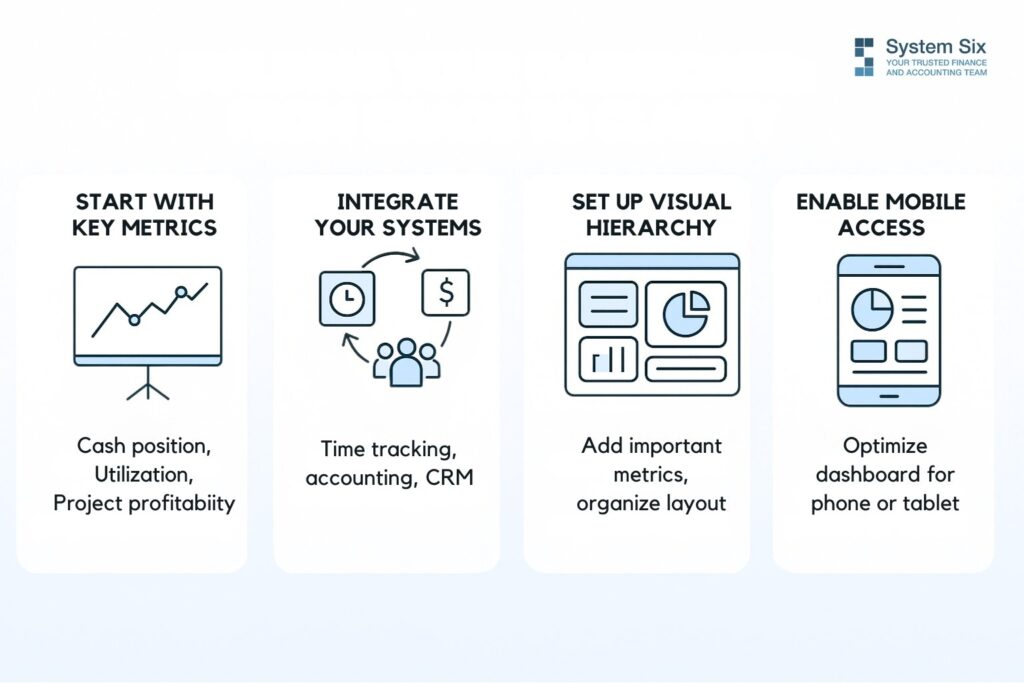
You don’t need to boil the ocean here. Start simple. Pick three metrics that keep you awake at night. For most consultants, that’s cash position, utilization, and project profitability.
Integration is everything. Your time tracking needs to talk to your accounting system. Your CRM should shake hands with your project management tool. Sounds complex? It’s not. Modern tools connect like Lego blocks—you just need to know which pieces fit together.
“Our financial reporting used to take 3-4 days each month,” shares a consulting firm owner who partnered with System Six. “Now it’s largely automated, providing real-time insights through dashboards we can check anytime.”
Think about that. Three to four days. Every month. That’s basically a full work week every quarter spent just figuring out where you stand. What could you do with that time back?
The visual hierarchy matters more than you’d think. Your most critical metrics—usually cash and utilization—should hit you immediately when you open the dashboard. Secondary metrics can live one click away. And those detailed reports you check quarterly? They can stay in the basement.
Don’t forget mobile accessibility. You’re checking this between client meetings, in the airport lounge, maybe even during that boring conference call (we won’t tell). If it doesn’t work on your phone, it doesn’t work.
The Transformation: Real Results from Real Firms
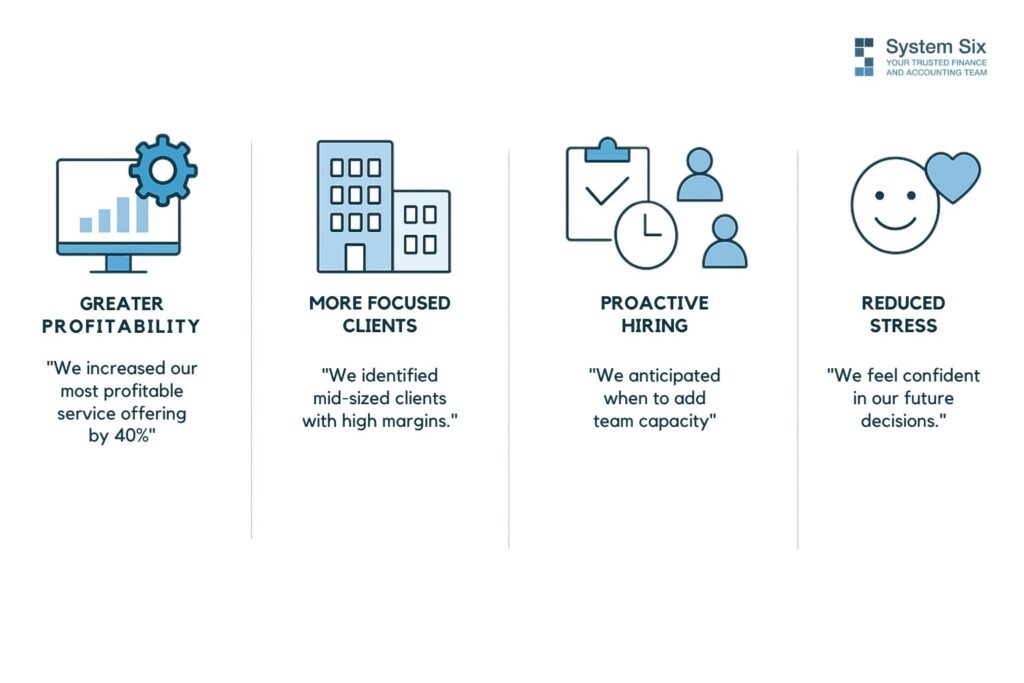
Let’s talk about Jamie, an IT consultant who thought technology implementation was her bread and butter. Her dashboard revealed something shocking: “We realized our technology implementation services were far more profitable than our strategic assessments. We reorganized our marketing to emphasize implementation, growing that service line by 40% within six months.”
Forty percent growth. Not from working harder, but from working smarter.
Or consider this healthcare consulting practice that discovered its sweet spot wasn’t where it expected. Those prestigious enterprise clients? Barely profitable after factoring in partner time and scope creep. But their mid-sized clients? Gold mines of efficiency and profit.
One System Six client transformed their entire hiring strategy: “Instead of reactive hiring when we’re already drowning in work, we now can see three months ahead when we’ll need additional capacity in specific practice areas.”
Imagine that—hiring before you’re desperate. Revolutionary concept, right?
But here’s my favorite testimonial, because it gets to what really matters: “Good financial reporting didn’t just improve our profitability—it reduced our stress. Instead of lying awake wondering if we’re making the right decisions, we now know where we stand and where we’re headed.”
That’s not just about numbers. That’s about life.
Your Next 30 Days
Here’s your challenge: Track how much time you spend this week gathering financial information versus actually analyzing it. I’m betting it’s a 90/10 split. Gathering, reconciling, checking, cross-referencing—all that busy work that feels productive but isn’t.
What if you flipped that ratio?
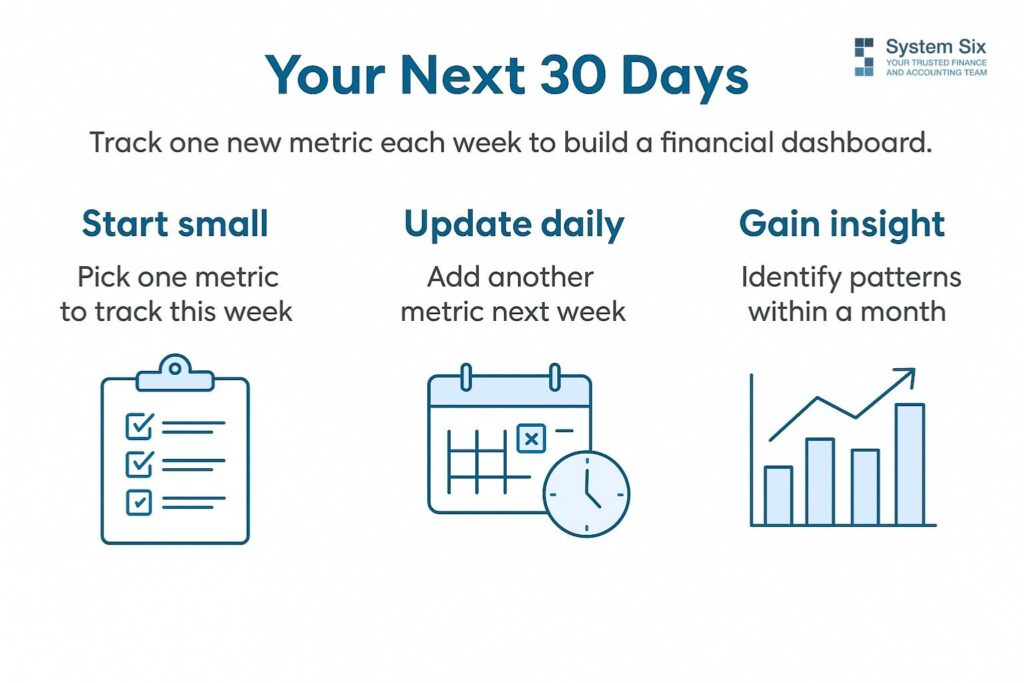
Start small. This week, pick one metric. Just one. Maybe it’s utilization. Set up a simple tracker—even a spreadsheet works to start. Update it daily. By Friday, you’ll see patterns you’ve been missing for years.
Next week, add cash position. The week after, project profitability. Within a month, you’ll have the foundation of a dashboard that actually serves you instead of the other way around.
The compound effect of daily visibility is remarkable. You start catching issues while they’re still pebbles, not boulders. You spot opportunities while they’re still available, not after they’ve passed. And those 3 AM anxiety sessions? They become 3 AM deep sleeps.
Every minute you spend staring at spreadsheets, trying to decode your business’s financial story, is a minute not spent serving clients or growing your firm. What could you accomplish with that time back?
Your data is trying to tell you something. Maybe it’s time you gave it a voice.
Ready to transform your financial chaos into clarity? The dashboard you need isn’t as far away as you think. Sometimes the first step is just admitting that what you’re doing now isn’t working. And that’s okay. Every successful consultant has been exactly where you are. The difference? They decided to do something about it.
About System Six
System Six is a Seattle-based bookkeeping and financial services firm that helps small and mid-sized businesses streamline their financial operations. We specialize in providing technology-driven financial management solutions for consulting firms, allowing owners to focus on growing their businesses without worrying about cash flow, payroll, or compliance issues. Our team of over 35 professionals brings an average of 10+ years of accounting experience to every client relationship, serving more than 175 businesses across the U.S. From accurate bookkeeping to cash flow forecasting, we deliver the financial clarity and peace of mind that consulting firm owners need to thrive. Learn more at www.systemsix.com.

by Chris Williams | Aug 25, 2025 | Blog
David’s consulting firm just landed their biggest client yet—a Fortune 500 company considering a major digital transformation. The contract? Seven figures. The opportunity? Career-defining.
Three weeks into the engagement, his project manager pulls him aside with panic written across her face. “We can’t process the invoicing for the client’s board meeting tomorrow. Our accounting system crashed, and we don’t have backup financial reports ready.”
David watches his credibility crumble in real time as he calls the client to explain the delay. The conversation that should’ve been about strategic insights becomes an awkward apology about “technical difficulties.” The client’s silence on the other end says everything.
Here’s what most consulting firm owners don’t realize: your financial operations aren’t just back-office functions. They’re direct reflections of your professional competence. Clients who trust you with million-dollar strategic decisions expect the same precision in how you handle invoices, expenses, and financial reporting.
And they’re watching. Every delayed invoice. Every billing confusion. Every expense report mix-up. It all adds up to a picture of who you are as a business partner.
Why Financial Reliability Equals Professional Credibility
Think about it this way. You wouldn’t hire a marketing consultant whose own website looks like it was built in 1995. You wouldn’t trust a strategy consultant who can’t organize their presentation slides. So why would clients trust consultants who can’t handle their financial operations smoothly?
The connection runs deeper than you might think.
“From day one, they have brought a professional approach to managing our finances and interacting with our staff and clients,” shares one business owner about their experience with System Six. “As a small business owner, I see them as a valued member of our team and not just another vendor.”
That’s the difference between transactional relationships and trusted partnerships. When your financial operations run like clockwork, clients start viewing you differently. You become the consultant who has their act together. The one who sweats the details. The strategic partner they can count on.
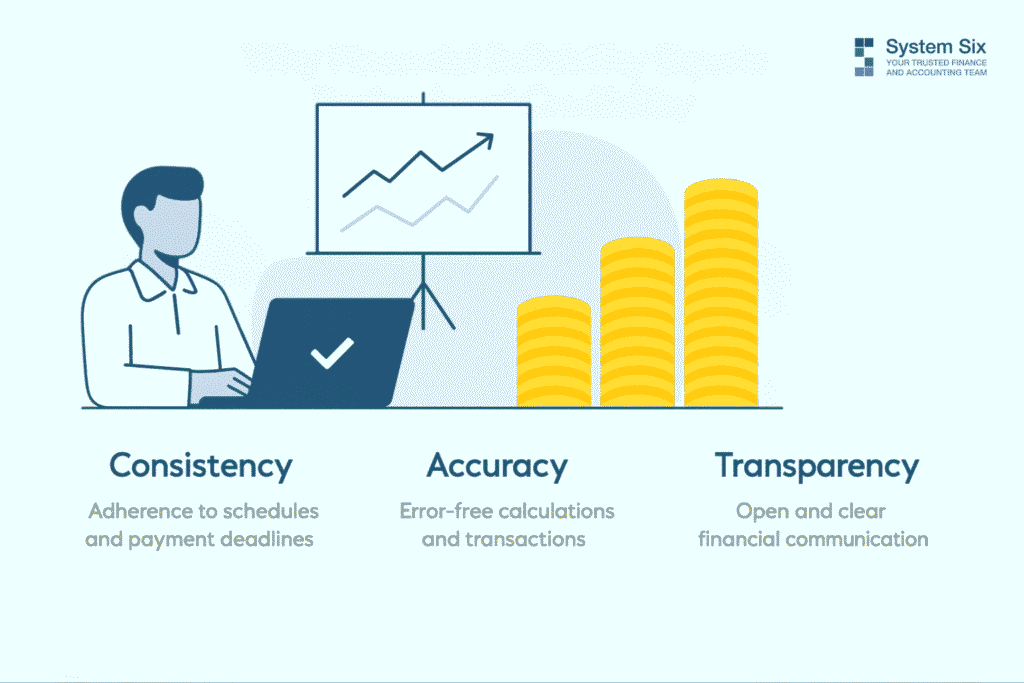
But what does financial reliability look like? Three pillars hold it up:
Consistency means your invoices arrive on schedule, and your expense reports follow predictable patterns. Clients can plan around your processes because they know what to expect and when.
Accuracy means the numbers add up the first time, every time. No awkward follow-up calls about billing errors or mysterious line items that require explanation.
Transparency means that your financial communication is clear enough for clients to understand and verify everything easily. No confusion, no guesswork, no surprises.
Here’s where it gets interesting. When clients trust your financial operations, they begin to trust you with more significant decisions. They approve budget increases without extensive scrutiny. They refer you to other decision-makers in their network. They extend contract terms based on demonstrated reliability. They stop viewing you as just another vendor and start seeing you as a strategic partner.
What Sloppy Financial Operations Cost You

Rebecca’s environmental consulting firm learned this lesson the hard way. She lost a $200,000 contract renewal—not because of poor project results but because of a three-month billing dispute that led the client to question her firm’s attention to detail.
Think about that for a moment. Excellent work. Happy client. Lost contract. Why? Because messy financial operations created doubt about everything else.
The hidden reputation killers lurk in places you might not expect:
Late or incorrect invoicing creates cash flow anxiety for clients managing budgets. Worse, it suggests poor project management capabilities. When clients have to do extra work reconciling your mistakes, they start wondering what else you might be getting wrong.
Inconsistent expense reporting raises questions about your cost control. It creates budget planning difficulties and signals potential scope creep issues down the road.
Poor financial communication leaves clients uncertain about project costs, creates surprises that damage relationships, and makes future budget approvals more challenging.
But here’s the part that stings: financial unreliability doesn’t just affect current clients. It creates a ripple effect that touches everything.
One System Six client discovered this firsthand: “Before we got our cash flow under control, we lost several excellent contractors because of payment delays. Word spreads quickly in professional networks when you can’t pay people on time. It took months to rebuild those relationships.”
The damage spreads beyond individual relationships. Clients won’t recommend firms they view as disorganized. Team members lose confidence when operations feel chaotic and cluttered. Growth opportunities disappear because you can’t scale without a solid operational foundation. And forget about premium pricing—it’s harder to justify high rates when clients have operational questions.
The Professional Standards That Set You Apart

So, what does financial excellence look like in practice? Let’s get specific.
Start with proactive financial communication. Don’t wait for clients to ask questions—provide regular project financial summaries that show precisely where their investment is going. Share cost breakdowns that help them understand value delivery. Document and communicate any scope or cost adjustments immediately before they become surprises.
“They work with my CPA directly, so all I have to do is review and approve,” explains one consultant about their System Six partnership. “I don’t want to run my business without them.”
That’s the standard you’re aiming for. Seamless operation that makes everyone’s life easier.
Your invoicing should impress, not just inform. Professional formatting that reflects your brand quality. Detailed breakdowns that justify every line item. Consistent timing that helps clients with budget planning. Clear payment terms and easy payment options that remove friction from the process.
Expense management becomes a way to demonstrate control rather than create confusion. It enables real-time expense tracking and reporting. Clear categories that align with client budgets. Documentation that supports every expense claim. Proactive flagging of budget variances before they become problems.
Financial reporting should build confidence, not raise questions. One System Six client puts it this way: “They provide 100% accuracy in monthly accounting.” Regular financial summaries that highlight project ROI. Clear variance explanations when budgets shift. Forward-looking insights that help clients plan their next moves.
But what happens when things go wrong? Crisis-proof reliability means having systems that function even when individual personnel are unavailable. “System Six has done wonders for my stress level,” shares another client. “They’ve created automated systems that track every deadline and requirement. I no longer worry about compliance—it’s all handled automatically.”
That’s the kind of reliability that builds trust. Not just when things go smoothly but especially when they don’t.
Making Financial Excellence Your Competitive Advantage
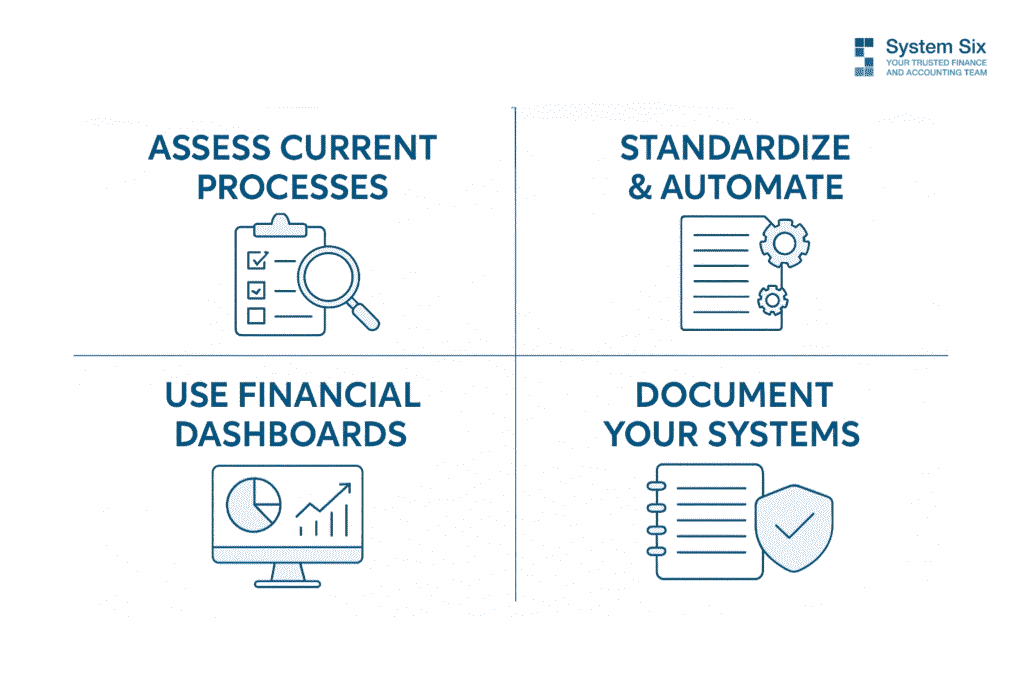
Ready to turn your financial operations into a trust-building machine? Start with an honest assessment.
How long does it take you to produce a financial summary for any project? When was the last time you had a billing dispute with a client? Can you confidently predict your cash flow 90 days out? Do clients ever ask follow-up questions about your invoices?
Your answers tell you where to focus first.
Quick wins create immediate impact. Standardize your invoicing with templates that reflect your brand and include necessary details—Automate routine processes so consistency doesn’t depend on memory or motivation. Create financial dashboards that give you and your clients real-time visibility into project economics.
However, the most crucial part is to document everything. Build systems that function independently of individual knowledge or availability.
“I don’t have to think about my accounting anymore,” notes one System Six client. “It’s just taken care of seamlessly.”
That seamless operation becomes your competitive advantage. While other firms struggle with billing disputes and cash flow surprises, you’re building trust through reliability and consistency. While competitors apologize for operational mistakes, you’re earning referrals through professional excellence.
The most successful consulting firms treat financial operations as a competitive advantage, not a necessary burden. They understand that operational excellence directly translates to client confidence and premium pricing power.
Your Financial Operations Are Your Brand
Your financial operations either build or erode client trust every single day. There’s no neutral ground here. Sloppy processes actively damage your reputation, while reliable systems become powerful differentiators that set you apart from every other consultant competing for the same clients.
“System Six isn’t just a vendor; they are friends who feel like part of our team,” explains one client. That’s the kind of trust and partnership reliable financial services create—not just for your financial provider but for how clients view your entire operation.
What would change about your client relationships if they viewed your financial operations as evidence of your strategic excellence rather than a source of occasional frustration?
When was the last time a client complimented your invoicing process? It may be time to make your financial operations a competitive advantage rather than a potential liability.
After all, you became a consultant to solve complex problems and drive transformation. Your financial operations should reinforce that expertise, not undermine it.
About System Six
System Six is a Seattle-based bookkeeping and financial services firm that helps small and mid-sized businesses streamline their financial operations. We specialize in providing technology-driven financial management solutions for consulting firms, allowing owners to focus on growing their businesses without worrying about cash flow, payroll, or compliance issues. Our team of over 35 professionals brings an average of 10+ years of accounting experience to every client relationship, serving more than 175 businesses across the U.S. From accurate bookkeeping to cash flow forecasting, we deliver the financial clarity and peace of mind that consulting firm owners need to thrive. Learn more at www.systemsix.com.

by Chris Williams | Aug 18, 2025 | Blog
It’s the last week of the month. Your team just wrapped a big project, and you are trying to finalize payroll and prep for next week’s board meeting, all while closing the books.
You open three browser tabs: bank feeds, expense reports, and the payroll platform. The numbers don’t match. The client’s invoice was paid late. One of the new contractors did not submit their timesheet. Your controller is offline, and your finance stack suddenly feels like a pile of puzzle pieces.
This is what month-end often looks like when growing firms rely on partially manual workflows. Even teams with solid accounting software hit delays. This is usually not because the work is hard, but because the data lives in too many places and moves too slowly.
Speeding up your close isn’t just about working faster. It’s about reducing friction in the right places, so your team can close with confidence. This article breaks down where the delays usually happen, how to fix them, and what a faster, cleaner close actually looks like.
Why Book Closings Often Drag On

Month-end deadlines feel simple on paper. But in practice, the process slows down when information arrives late or the tools in place don’t interact with each other.
Even experienced teams lose hours chasing down numbers that should have been there from the start. Below are some of the most common reasons why your close might keep getting pushed out.
Manual Data Entry and Reconciliation Bottlenecks
Copying transactions by hand leaves too much room for delay and error. Every manual input requires time to enter, time to double-check, and time to fix if something does not match. According to the CFO, over 50% of finance teams still take more than a week to close their books, often because manual reconciliation slows everything down.
Bank feeds can help, but they do not eliminate the problem when expenses, card transactions, and vendor payments all come through different systems. If one charge is missing or misclassified, the entire reconciliation process is delayed. And when spreadsheets get involved, version control issues add another layer of complexity.
Even small teams with solid accounting tools can lose days to rework caused by manual entry. The longer this cycle continues, the harder it becomes to close books on time without cutting corners.
Overlapping Responsibilities Across Teams
When no one knows who owns what, the close process slows down. A report gets flagged for review, but no one follows up. A missing receipt is noticed, but no one takes action. These gaps happen when responsibilities are spread across finance, operations, and department leads without clear rules.
If your bookkeeper is waiting on a manager to approve a vendor bill, but that manager is also tracking down project hours for payroll, both tasks stall. And once multiple people are involved in the same process without defined handoffs, things fall through the cracks.
Overlapping duties can also lead to duplicated work. Two people pull the same report, apply different filters, and end up with different numbers. Now the close includes time spent reconciling internal discrepancies.
Teams working with us at System Six often resolve this by documenting clear handoffs across finance, operations, and leadership. When roles are mapped early and reinforced weekly, fewer tasks fall through the cracks.
Missing or Delayed Supporting Documents
You might have the transactions, but not the context. A payment goes through without a matching invoice. Without the right documents in place, the final review halts until someone fills in the gap.
As per the AIN survey, finance teams chase missing receipts weekly for one in three employees. These gaps turn into bottlenecks when approvals, clarifications, or uploads fall outside the standard process. Waiting for others to respond, especially when finance has to manually follow up, can delay the close by days.
Even cloud storage doesn’t solve the issue if there’s no clear process for uploading, naming, or organizing files. When supporting documents are scattered or incomplete, finance teams have no choice but to chase them down before signing off.
Building a Step-by-Step Close Timeline

Most delays during the month-end happen because steps are either missed or done out of order. A close timeline gives your team structure and helps you avoid late adjustments, duplicated work, or rushed approvals.
Instead of relying on memory or scattered to-do lists, a structured timeline outlines who does what and when. This removes guesswork and lets your team build a rhythm across departments.
Here’s how a close timeline often takes shape:
- Day 1–2: Capture all transactions. Bring in all financial data from your connected systems. This includes credit card transactions, vendor payments, payroll, employee reimbursements, and incoming revenue. Early collection helps identify gaps and prevents the review from stalling later.
- Day 3: Finalize expense submissions and approvals. Ensure every department has submitted their expenses and uploaded the required documentation. Check that approvals are complete for all submitted entries. Missing receipts, delayed uploads, or unapproved reimbursements should be flagged now and not at the review stage.
- Day 4: Reconcile accounts. Match each transaction against your bank and credit card statements. Look for unreconciled items such as duplicate entries, uncategorized payments, or uncleared deposits. Pay extra attention to high-volume categories like operating expenses and payroll.
- Day 5: Review key reports. Generate your core financial reports: profit and loss, balance sheet, and cash flow. Review these carefully for accuracy. Check for misclassifications, missing entries, or variances from prior periods that may need clarification.
- Day 6: Address adjustments and finalize entries. Make any required accruals, deferrals, or reclassifications. If adjustments are needed, document the reason and review them with the appropriate team member. Confirm that all journal entries are correctly posted and audit-ready.
- Day 7: Final review and close. Conduct a final review with all stakeholders. Once everything checks out, close the books for the period. Generate management or board-level reports and ensure your dashboards reflect the final data.
Streamlining Data Collection and Approvals

One of the biggest delays during close happens before the review even begins. If your team spends the first few days chasing missing receipts or unapproved entries, the close loses momentum before it starts. Streamlining how you gather and approve data can speed things up without risking accuracy.
Improved data flow starts with reducing the number of systems your team needs to touch. When receipts, invoices, and reports move through centralized channels, each entry arrives with fewer errors and less back-and-forth. Approval chains also move faster when roles are clearly assigned and automated routing keeps tasks from stalling.
Connected systems reduce friction across departments. When expense tools feed directly into your accounting software, your team avoids duplicate entry and gets a real-time view of progress. The fewer handoffs involved, the fewer blockers you need to clear during close.
Modern cards with built-in policy controls can also help. Transactions are automatically categorized, and receipts can be captured at the point of spend. This reduces the need for follow-ups and gives you cleaner data from the start.
For recurring workflows like payroll or bill payments, pre-scheduled review checkpoints keep things moving. When everyone knows their part and sees the same information, approvals become routine instead of reactive.
Leveraging Automation Tools for Speed and Consistency
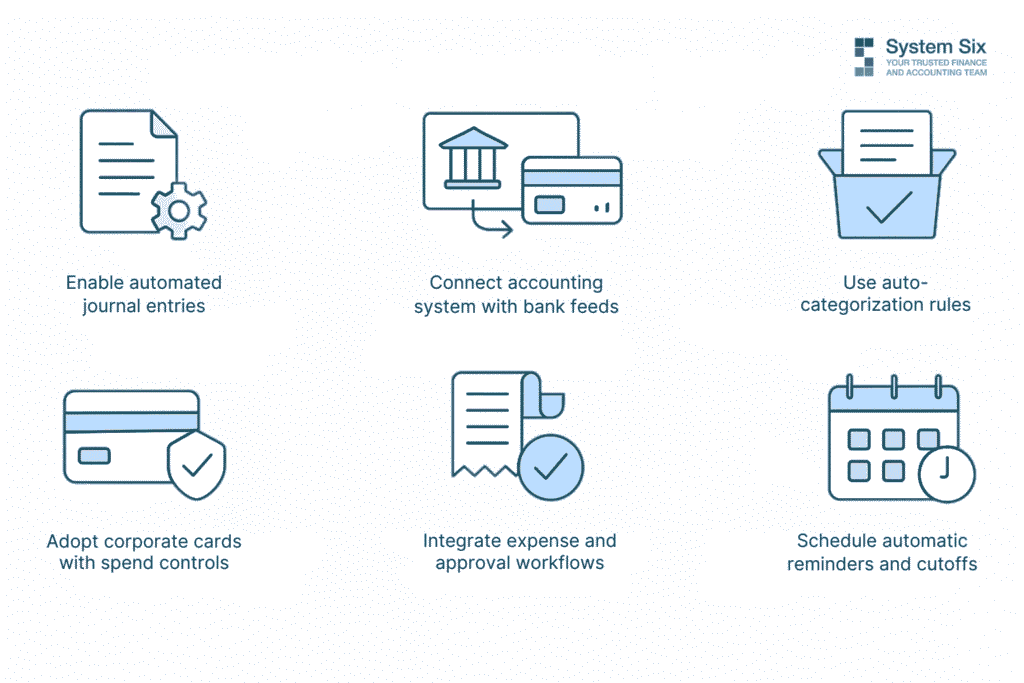
Leveraging automation tools means using software that completes repetitive tasks without manual input. Instead of entering transactions line by line or emailing for approvals, your systems handle those steps for you. This not only saves time but also reduces the risk of human error. Some companies using finance automation platforms are able to cut their monthly close time by 15 days.
Automation helps you collect cleaner data, process entries faster, and maintain consistent processes across each close. You spend less time fixing mistakes and more time reviewing accurate information.
Here are a few practical ways to use automation to your advantage:
- Enable automated journal entries for recurring transactions. Monthly items like rent, payroll, depreciation, and loan payments can be recorded automatically. This keeps your ledger current without manual re-entry and lowers the risk of missing important entries.
- Connect your accounting system with real-time bank feeds. When bank and credit card transactions sync daily, your books stay up to date. You avoid delays caused by batch imports or outdated statements, and reconciliation becomes faster and more accurate.
- Use auto-categorization rules to reduce coding errors. Set rules that classify expenses based on vendor, amount, or account type. This reduces misclassifications and helps new team members follow consistent coding practices.
- Adopt corporate cards with built-in spend controls. Cards that enforce policy at the point of purchase help limit out-of-policy spend. When rules are built into the card, you receive cleaner data that requires fewer corrections during review.
- Integrate expense and approval workflows into one platform. When employees submit receipts, request reimbursements, and get approvals in the same system, everything stays connected. This creates a full audit trail and reduces the risk of missing documentation.
- Schedule automatic reminders and cutoffs. Use your systems to send reminders before deadlines and close submission windows on time. This removes the need to manually chase inputs and creates consistency in your timelines.
At System Six, we support clients in automating transaction entry, categorization, and reconciliation workflows. By removing repeatable tasks, teams focus more on review and less on cleanup.
Building a Continuous Close Process
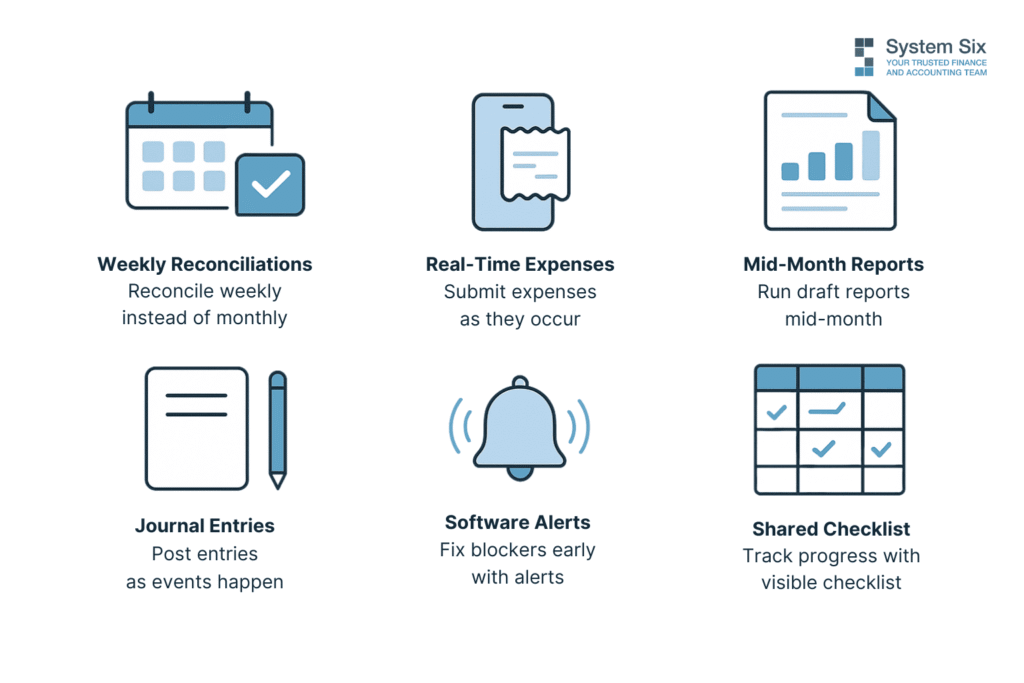
A continuous close process spreads financial tasks across the month instead of concentrating everything at the end. Rather than waiting to reconcile, adjust, and review all at once, your team works in smaller, more regular intervals. This creates less pressure, improves accuracy, and shortens the total time to close.
Shifting to this structure does not require new tools. It requires a consistent approach to timing and task ownership. The more your team gets into a steady rhythm, the easier it becomes to reduce close-related stress.
Here’s how to build and maintain a continuous close:
- Step 1: Break reconciliation into weekly sessions. Instead of waiting for the full month to pass, schedule time each week to reconcile bank, credit card, and cash accounts. Start with accounts that move the most volume.
- Step 2: Encourage real-time expense submissions. Ask team members to upload receipts and enter expenses as soon as they occur. Use tools that let them snap photos and categorize transactions from their phones.
- Step 3: Run mid-month review reports. Midway through the month, generate draft versions of your core reports. Look at your P&L, cash flow statement, and any key budget-to-actual reports. Use these to identify gaps or misclassifications while there’s still time to fix them.
- Step 4: Record journal entries as events happen. If you know a vendor invoice needs to be accrued or a loan payment needs to be allocated, go ahead and post those entries right after the transaction occurs. Spread these tasks across the month so they don’t pile up in the final days.
- Step 5: Use software alerts to stay ahead of blockers. Configure your systems to send notifications for missing receipts, overdue approvals, or unmatched entries. This gives your team a chance to address problems early, rather than discovering them after financial reports are already built.
- Step 6: Share a visible month-to-date checklist with the team. Create a shared task calendar that tracks recurring activities like payroll reviews, revenue recognition entries, or vendor bill processing. Make sure everyone sees what has been completed and what still needs attention.
Metrics to Measure the Efficiency of Your Close
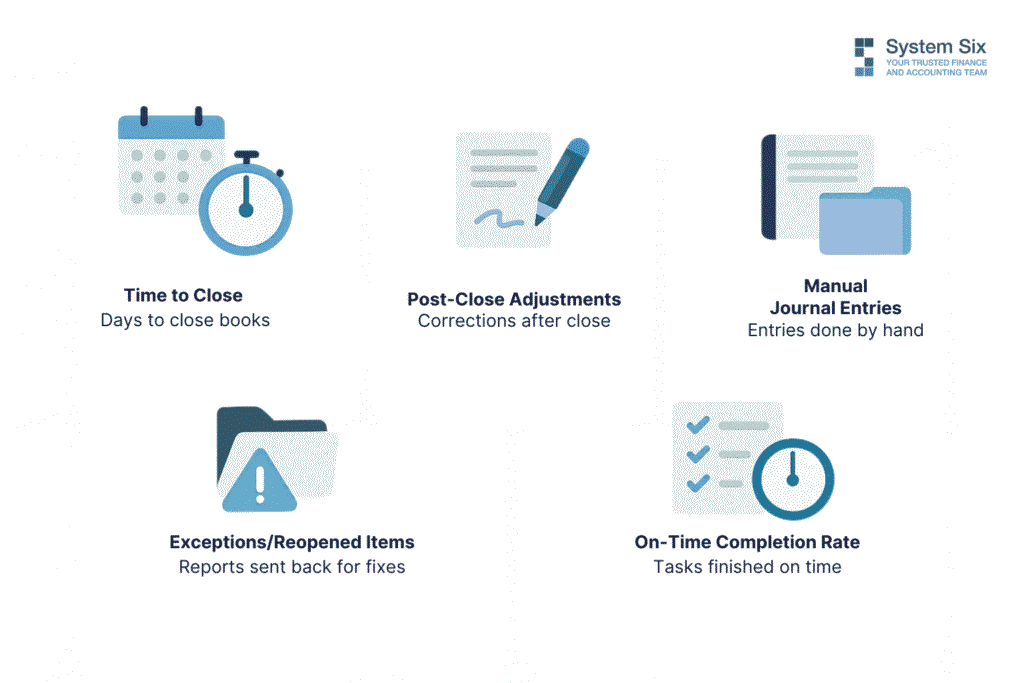
Tracking the right metrics helps you understand how well your close process performs and where it needs improvement. Without data, it’s difficult to spot delays, reduce rework, or justify changes. The following metrics give you a clear picture of timing, accuracy, and effort.
Time to Close
This metric tracks the number of calendar days from the last day of the accounting period to the point when the books are officially closed. It gives you a baseline for process speed. According to Ventana Research, the median time to close for small to mid-sized companies is 6 days. If your team consistently takes longer, it may indicate bottlenecks in reconciliation, approvals, or data collection.
Tracking this metric monthly helps you measure progress and set clear targets. It also supports forecasting and planning, especially when leadership needs timely access to reporting.
Number of Post-Close Adjustments
This metric shows how often your team needs to change the financials after the books have been closed. Frequent post-close adjustments usually signal rushed reviews, missing data, or inconsistent processes. A lower number reflects better documentation, cleaner entries, and stronger internal controls.
You can track this by categorizing the reason for each adjustment and identifying patterns. If you notice recurring corrections tied to a specific process or account, that area likely needs closer attention.
Volume of Manual Journal Entries
This measures how many journal entries your team inputs by hand during the close. High volume often reflects a lack of automation or heavy reliance on spreadsheets. While some manual entries are necessary, too many can increase the risk of errors and slow down the process.
This metric helps you decide where to introduce automation. If a large portion of your entries follow predictable patterns, rule-based tools can handle those and free your team to focus on exceptions.
Number of Exceptions or Reopened Items
This metric captures how often reports, reconciliations, or approvals are sent back for correction during the close. These exceptions slow things down and usually point to gaps in training, unclear roles, or broken handoffs.
Tracking where these reopened items come from can help you improve accuracy at the source. It also gives you an early signal when a process is becoming inconsistent or out of sync with team capacity.
On-Time Completion Rate by Task
This measures how many individual admin tasks are completed on or before their target deadline. By tracking task-level completion, you get a more detailed view of where the delays are happening. You can also see which teams or steps consistently run behind and adjust resources or expectations accordingly.
A strong on-time rate reflects healthy communication, clear ownership, and reliable systems. When this number drops, it usually means confusion or complexity is building up behind the scenes.
Turning the Month-End Close Into a Reliable Business Habit
The most efficient close processes rely on routine. When each task follows a clear sequence and happens on schedule, your team avoids delays, rework, and confusion.
Building consistency doesn’t require major changes. Most improvements start by tightening the steps that cause the most friction. A clear checklist, dependable timelines, and tools that stay connected make it easier to move through the close with fewer blockers.
As your process stabilizes, your accuracy improves. You spend less time fixing last-minute issues and more time reviewing complete, well-documented data. Each close starts to feel like part of your regular workflow rather than a sprint to the finish.
About System Six
System Six is a remote bookkeeping and financial services firm that helps small and mid-sized businesses streamline their financial operations. We specialize in providing technology-driven financial management solutions for consulting firms, allowing owners to focus on growing their businesses without worrying about cash flow, payroll, or compliance issues.
Our team of over 40 professionals brings an average of 10+ years of accounting experience to every client relationship, serving more than 200 businesses across the U.S. From accurate bookkeeping to cash flow forecasting, we deliver the financial clarity and peace of mind that consulting firm owners need to thrive. Learn more at www.systemsix.com.
Page 5 of 12« First«...34567...10...»Last »