by Chris Williams | May 26, 2026 | Blog
Hannah opened her laptop on a Tuesday morning to find her third tax notice of the year. Different state this time. Same problem. Her payroll provider had missed another filing, and the penalty letter sat there in her inbox like an unpaid bill she didn’t owe.
She’d been thinking about switching payroll providers for six months. She’d even gotten quotes. But every time she pictured the actual switch — moving twenty-two employees, two states of registration, four kinds of deductions — she pictured something going wrong. A missed paycheck. A botched W-2. Someone’s direct deposit landed in the wrong place during their kid’s birthday week. So she stayed. And the errors kept coming.
If you’ve been sitting on this same decision, you’re not alone. Switching payroll providers is one of those moves business owners put off for a year longer than they should. The fear is reasonable. The cost of waiting, though, is almost always worse than the move itself.
Here’s how to do it without dropping a single paycheck.
Why do we wait too long?
Most owners don’t switch because the math feels lopsided. You can see the cost of moving — the migration time, the staff communication, and the small risk that something breaks. What you can’t see as clearly is the cost of staying. Tax penalties accrue quietly. Your team loses trust in the system. You spend hours every quarter cleaning up filings that should have been right the first time. None of it lands in one big invoice, so it’s easy to ignore.
But add it up—a few hundred dollars in penalties here. An afternoon spent on hold there. Three employees are asking why their pay stubs don’t match their offer letters. The hidden bill is bigger than the visible one. Almost always.
The good news: a clean migration takes weeks, not months. And once it’s done, it’s done.
Before you touch a single button
The temptation is to sign the contract with your new provider and start moving things over the same day. Don’t. The work that determines whether your switch is smooth or chaotic happens before any data gets entered anywhere.
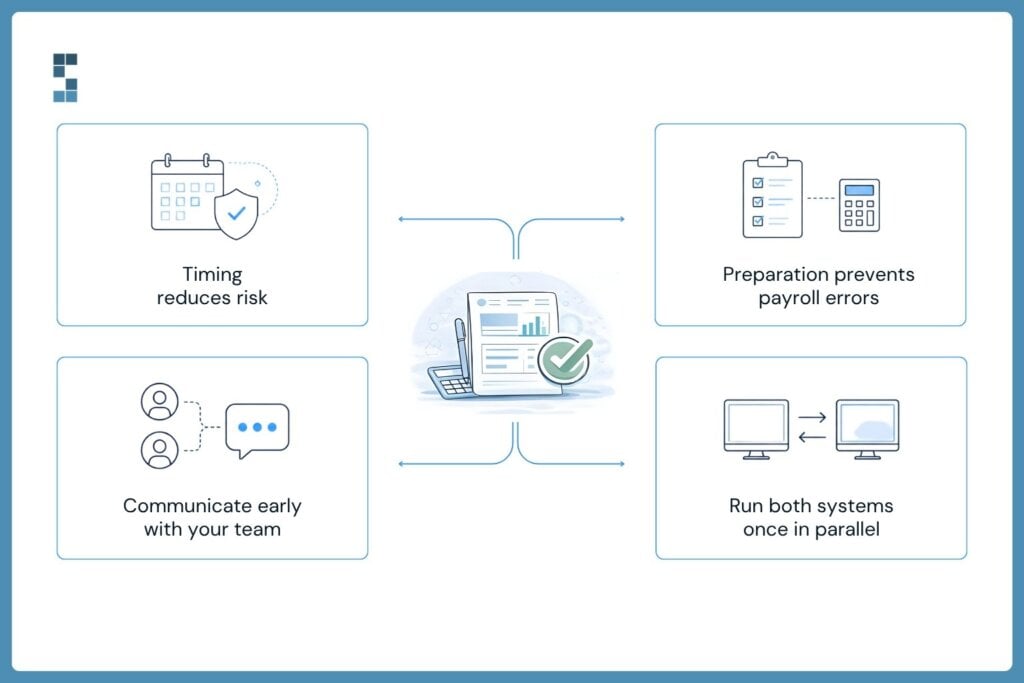
Start with timing. The cleanest moment to switch is quarter-end. Your old provider files the quarter’s taxes, you cut the cord, and your new provider takes over with a fresh slate. Mid-quarter switches work too, but they require parallel year-to-date entries that increase the risk of W-2 errors at year-end. If you have the flexibility, wait the extra few weeks.
Next, gather your data. You’ll need year-to-date wages for every employee, federal and state tax IDs, state unemployment account numbers, deduction setups for benefits and 401(k) and HSAs, active garnishments, and direct deposit details. Your old provider should give you a clean export — if they push back, that’s a sign you’re making the right call.
Then tell your team. Sooner than feels comfortable. People don’t panic about payroll changes; they panic about surprises. A two-paragraph email three weeks out, explaining that you’re upgrading systems and that nothing about their pay will change, removes ninety percent of the questions before they’re asked.
Finally, plan a parallel run. For one pay cycle, calculate payroll in both systems and compare the results, line by line. This is the single most valuable hour you’ll spend during the entire migration. It catches the mismatched tax rates, the deduction that didn’t carry over, the rounding error that would have shown up on someone’s paycheck, and ruins your week.
The actual migration
Once your data is gathered and your team is informed, the mechanical work begins. This is where most migrations either glide or stumble, and the difference comes down to two things: getting your tax accounts right and reconciling before you go live.
Your new provider needs your state tax accounts in their system, and they need them registered correctly. Each state where you have employees requires its own withholding and unemployment registration. If you’ve been running payroll in three states for years, you already have these. But your new provider can’t access them automatically — you’ll need to update Power of Attorney forms with each state so they can file on your behalf. This usually takes a week or two per state, which is why timing matters.
Loading historical year-to-date data is the other piece people underestimate. If you switch mid-year, the new system needs to know what was already paid in wages, what was already withheld, and what was already filed. Without it, your W-2s in January will be wrong, your employees will get confused letters from the IRS, and you’ll spend February untangling something that took ten minutes to prevent.
Reconcile the first calculated run against your old provider’s numbers before any money moves. Gross wages should match. Tax withholdings should match. Deductions should match. If anything is off by more than a few cents, find out why before you click submit. A few cents is rounding. A few dollars is a problem.
What to watch for after go-live
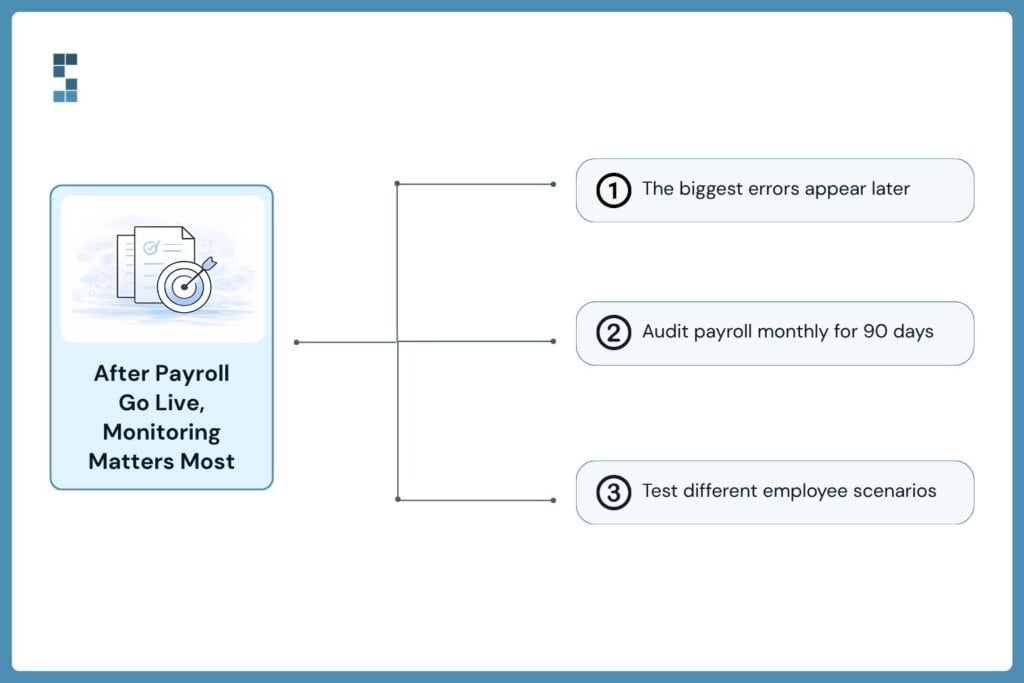
The first clean payroll feels like a win, and it is. But the errors that hurt most don’t show up in week one. They show up in week six, when someone’s 401(k) match looks light, or in month three, when a garnishment that should have been deducted wasn’t, or at year-end, when a multi-state employee’s W-2 doesn’t reconcile.
Build a quick monthly check for the first quarter after the switch. Spot-check three or four employees across different scenarios — someone with a 401(k) match, someone with a garnishment, someone who works across state lines. Look at gross-to-net. Look at the tax filings the new provider produced. If everything ties out for three months running, you’re past the danger zone.
This is also where having a real partner matters. One of our clients came to us after a previous bookkeeper had been quietly filing payroll taxes incorrectly for over a year. By the time he noticed, he had a stack of state notices and no easy way to untangle the mess. “System Six has literally saved my business from falling into operational ruins,” Manish, the owner, wrote afterward. The fix took time, but the bigger lesson was that the errors had been there long before anyone caught them. He didn’t have anyone watching closely enough.
A good provider doesn’t just process payroll. They flag the things that look wrong before they become things you have to explain to the IRS.
The real cost of standing still
Hannah finally made the switch over Labor Day weekend. Quarter-end timing, parallel run, clean cutoff. Her first payroll on the new system went out on a Friday, on time, with every direct deposit landing exactly where it should have. She still remembers the relief.
If you’ve been delaying your own switch, ask yourself which feels more expensive: the few weeks of focused work to migrate, or another year of the problem you’re already paying for? Missing a beat isn’t what happens when you change providers. Missing a beat is what’s already happening every time your current provider drops the ball.
The cleanest move is the one you stop putting off.
About System Six
System Six is a Seattle-based bookkeeping and financial services firm that helps small and mid-sized businesses streamline their financial operations. We specialize in providing technology-driven financial management solutions for consulting firms, enabling owners to focus on growing their businesses without worrying about cash flow, payroll, or compliance. Our team of over 40 professionals brings an average of 10+ years of accounting experience to every client relationship, serving more than 175 businesses across the U.S. With a 9.5/10 NPS score, we deliver the financial clarity and peace of mind that consulting firm owners need to thrive. Learn more at www.systemsix.com.
by Chris Williams | May 19, 2026 | Blog
It’s 10:47 on a Tuesday night, and Daniel is staring at a slide deck that’s somehow both finished and not at all ready. His board meeting starts in fourteen hours. He’s the managing partner of a twenty-eight-person management consulting firm. He has investors. They want answers. And the QuickBooks exports glowing on his second monitor are giving him exactly none of them.
The numbers are accurate. That’s not the problem. The problem is that “accurate” and “useful” aren’t the same word. A P&L with revenue down 6% from last quarter doesn’t tell anyone why—whether it’s a timing blip, a client churn warning, or the price of saying yes to a strategic project that won’t bill for another sixty days. Daniel knows the answer. The deck doesn’t.
This is the gap most consulting firm owners live with, and it’s the gap that quietly erodes professional reputation one board meeting at a time. So let’s talk about how to close it.
Why Financial Data Isn’t the Same as Stakeholder Communication
Stakeholders—investors, board members, lenders, partners—don’t want a numbers dump. They want three things: Are we on track? What changed? What should we do? Most reporting answers only the first one, and even that gets muddled.
Here’s the uncomfortable truth. A clean monthly close is table stakes. It proves you can count. It doesn’t prove you can lead. When the chair of your board scans your deck looking for the story, what she’s really asking is whether the person presenting the numbers actually understands the business behind them. Confidence travels both ways. If your reports make her work to find the story, she’ll start wondering what else she has to do to find it.
This is where reputation gets built or quietly chipped away. Not in the pitch. In the eleventh slide of a Tuesday morning quarterly update.
What Stakeholder-Ready Reporting Actually Looks Like
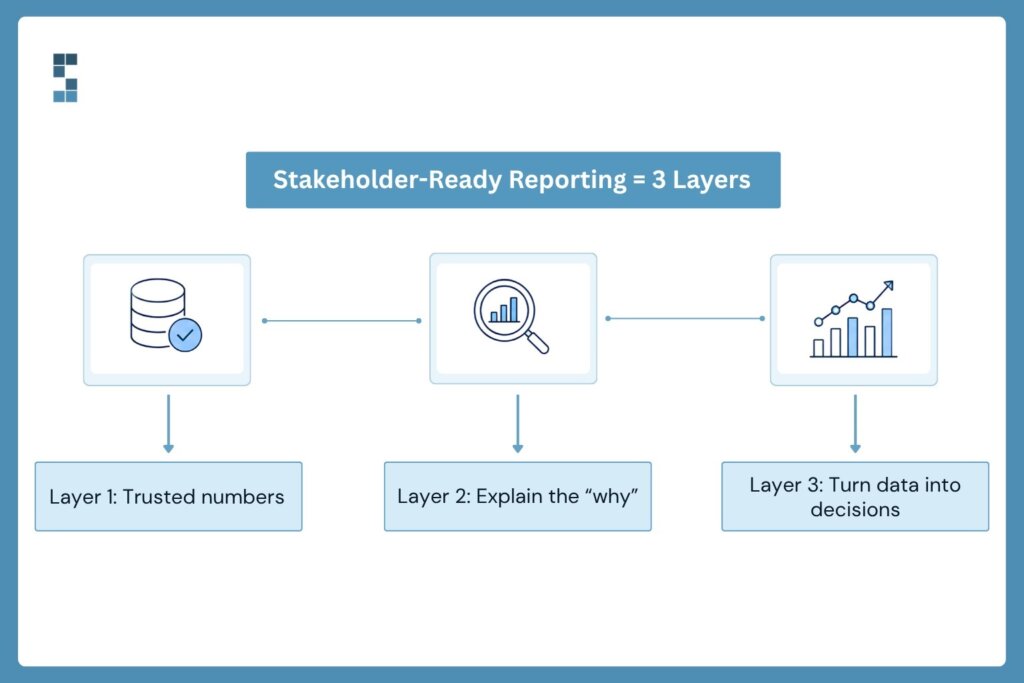
Think of it as three layers.
The first layer is the numbers themselves—accurate, reconciled, on time. This is the foundation, and it’s non-negotiable. Paul, a search-fund operator and System Six client, put it this way: “I have told people that hiring them was the best decision I made at the start of the business. We just finished our 2022 audit, and the auditors found exactly 0 errors by S6.” Zero errors isn’t a flex. It’s the floor. Stakeholders should never have to wonder whether your numbers can be trusted, because the moment they do, every other slide becomes suspect.
The second layer is variance analysis. Why is revenue down 6%? Variance analysis tells the story behind the swing—a delayed implementation, a one-time consulting spike last quarter, a Net-60 payment that landed on the wrong side of month-end. Done well, it also flags what’s actionable versus what’s noise, so your board doesn’t waste a meeting chasing a one-off invoice timing issue when the real conversation should be about pipeline conversion. Stakeholders don’t punish you for variances. They punish you for not seeing them coming, or worse, for being unable to explain them after the fact.
The third layer is the part most firms skip: strategic commentary. A short narrative—three or four sentences—that translates the data into a decision-relevant story. “Margins compressed in Q2 because we onboarded two new associates ahead of the Henderson engagement; utilization normalizes in August.” That’s a sentence a board member can do something with. A P&L isn’t.
Layer those three together, and you stop producing reports. You start producing communication. There’s a difference, and stakeholders feel it before they can name it.
From Defending Numbers to Driving Strategy
Here’s what changes when you walk into a board meeting with a real stakeholder package. The meeting itself shifts. Instead of spending forty minutes defending last quarter, you spend ten minutes summarizing it and thirty minutes planning the next one. Board updates stop feeling like trials and start feeling like working sessions.
That shift compounds. One System Six client, Marcus, captured it well: “I am in good hands with System Six, and I especially appreciate how they are inquisitive, ask follow-up questions, and look around corners.” Looking around corners is the whole game. When your financial reporting is built to surface what’s coming—not just record what already happened—your stakeholders stop reacting to surprises and start funding opportunities. Betsy, another client, framed the emotional side of the same shift: “System Six has done wonders for my stress level to feel like this is all now taken care of with a professional partner.” The stress leaves you as visibility moves into the system.
What does this look like in practice for a consulting firm? Monthly investor updates with a one-page summary, supporting financials, and a forward-looking commentary that names assumptions. Quarterly board packages with variance analysis, KPI trends (utilization, realized rates, pipeline conversion), and the two or three decisions you need from the room. Annual planning packages with scenario modeling so investors can see what success and stress both look like in numbers.
There’s a quieter benefit worth naming. Good investor communication isn’t just about the meetings on the calendar. It’s about the trust that gets built between them. When your monthly update lands in an inbox the same week every month, with the same structure, the same KPIs, and the same honest commentary, you become predictable in the best possible way. Investors who know what to expect from your reporting will give you the benefit of the doubt if one quarter something’s off. Investors who don’t, won’t.
None of this is exotic. It’s just disciplined. And the discipline is what builds the reputation.
Reputation Compounds. Or it erodes.
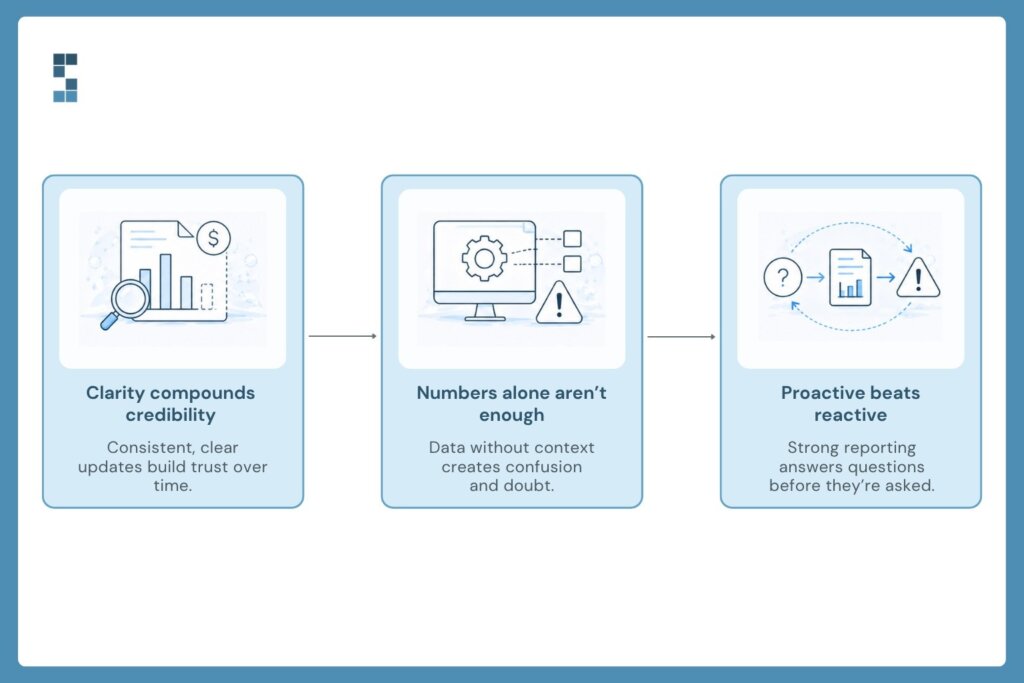
Every clean update is a small deposit in the trust account. Every confused meeting is a small withdrawal. Most firms don’t lose investor confidence after a single disaster. They lost it slowly, across eight or ten board meetings where the numbers were technically right but the story was always missing.
John, a System Six client running an investor-backed business, put a number on what good reporting feels like from the inside: “For any internal NPS or Customer Satisfaction tracking, please mark us down as an 11/10. Your team is awesome, proactive, and exactly what we need.” Proactive. That’s the word stakeholders are quietly grading you on. Are your reports proactive or reactive? Do they surface the question before your board has to ask it?
If you’re already great at this, keep going. If you’re not—and most founders aren’t, because nobody starts a consulting firm to become an accountant—the fix isn’t to work harder on Sunday nights. It’s to build the infrastructure once and let it run. That’s the work System Six does for consulting firms every day: accurate books, variance-ready reporting, board-grade packages, and a team that asks the follow-on questions before your investors do.
So, back to Daniel and his 10:47 PM problem. The deck he was wrestling with wasn’t broken because the numbers were wrong. It was broken because the numbers were alone. Give them company—variance, context, commentary—, and they stop being data. They start being confident.
What would your next board meeting look like if your numbers walked in already telling the story?
About System Six
System Six is a Seattle-based bookkeeping and financial services firm that helps small and mid-sized businesses streamline their financial operations. We specialize in providing technology-driven financial management solutions for consulting firms, enabling owners to focus on growing their businesses without worrying about cash flow, payroll, or compliance. Our team of over 40 professionals brings an average of 10+ years of accounting experience to every client relationship, serving more than 175 businesses across the U.S. With a 9.5/10 NPS score, we deliver the financial clarity and peace of mind that consulting firm owners need to thrive. Learn more at www.systemsix.com.

by Chris Williams | May 12, 2026 | Blog
It’s Tuesday morning. Caroline pulls up her P&L on the office laptop and stares at the numbers. Revenue looks strong. Margins look fine. Her coffee’s gone cold while she scrolls through the same spreadsheet for the third time. So why does she feel like she’s flying blind every time her senior consultants ask whether they should chase a new account?
Here’s the thing. Her books are clean. Her bookkeeper is great. But the report in front of her tells her exactly one thing — what already happened. It doesn’t tell her whether the next big move is a smart bet or a slow disaster.
This is the gap most consulting firm owners hit somewhere between their fifteenth and fiftieth employee. The numbers come in on time. The reports look professional. But nobody’s sitting next to them helping interpret what those numbers actually mean for next quarter. That’s the difference between bookkeeping and financial advisory. And it’s a difference that, once you feel it, you can’t unfeel.
If you’ve ever closed your laptop at the end of a long day, wondering whether the decisions you’re about to make are the right ones — and whether the numbers you’re staring at can actually tell you — keep reading.
Bookkeeping shows the past. Advisory shapes the future.
Bookkeeping is the rearview mirror. It tells you, with precision and care, where you’ve been. That matters. Without accurate books, you’ve got nothing to plan against. But the rearview mirror doesn’t help you read the road ahead.
A financial advisor — someone who actually knows your business, your industry, and your numbers — does the harder work. They translate ledgers into a language you can use. They turn last month’s numbers into next month’s decisions. They ask the questions you’re too tired or too close to ask yourself.
One System Six client put it perfectly. Working with us, he said, gives him “an outside view, a 35,000-foot look at what you’re doing that isn’t possible from the inside out.” That outside view is the whole point. When you’re elbow-deep in client work, you can’t see the patterns shaping your firm’s trajectory. Someone has to be looking from above. Someone has to be doing that for a living, across dozens of firms like yours, every single week.
Think of it this way. Your bookkeeper builds the dashboard. Your advisor helps you drive the car. Both are essential. Neither replaces the other. But too many firm owners think they only need the dashboard — and then wonder why they keep ending up in the wrong lane.
What a financial advisor actually does for you
So what does this person do, day to day, that earns the title “strategic”?
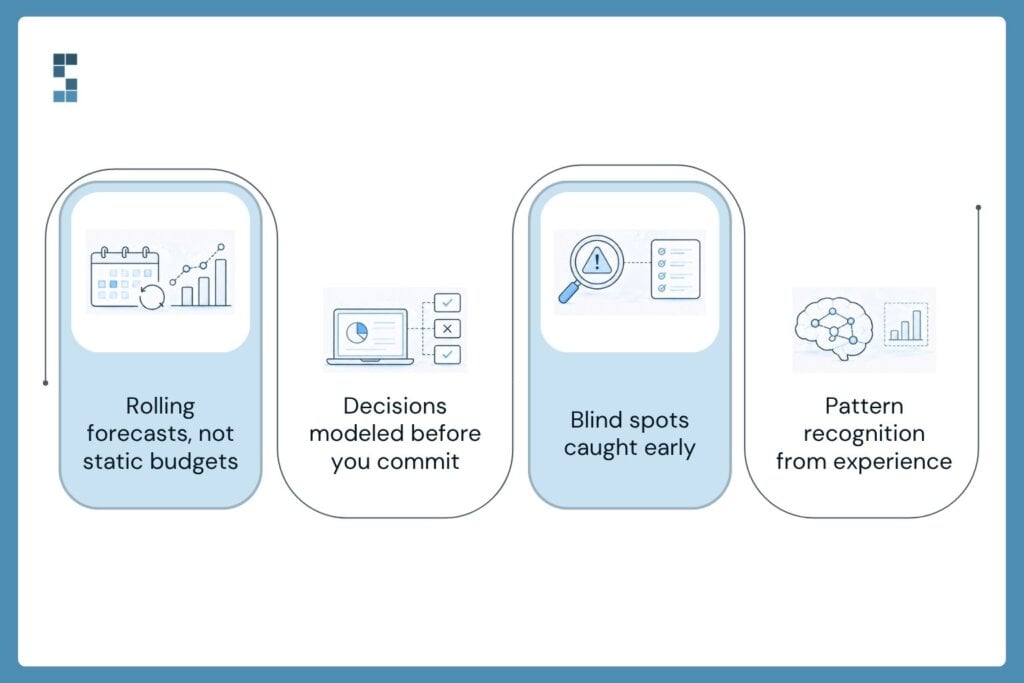
They forecast. Real forecasting — not a once-a-year budget you stop looking at by February, but a rolling thirteen-week cash flow that updates as reality shifts. They show you when money lands and when it leaves so that you can hire ahead of demand instead of behind it. They build a financial picture that breathes with your business, not one frozen in last quarter’s assumptions.
They model decisions before you make them. Should you take on the multi-state retainer? Open a second office? Bring on two senior consultants and a junior? A good advisor runs the math, surfaces the risks, and walks you through the scenarios. Marcus, one of our clients in the search fund world, put it like this: “I am in good hands with System Six, and I especially appreciate how they are inquisitive, ask follow-on questions, and look around corners.” Looking around corners. That’s the job.
They flag what you missed. They noticed the project that looked profitable but really wasn’t once you factored in partner oversight. They catch the slow drift in utilization before it shows up in the bottom line. Paul, another client, said it best: “S6 has been proactive at catching mistakes I’ve made or seeing challenges coming down the pike and asking me the right questions.”
Right questions. Not magic. Just experience, applied to your situation, before you trip. And it’s experience built across many businesses, not just one — patterns you can’t see from the inside of a single firm, but ones that jump out when you’ve watched dozens of firms scale and stumble.
What this looks like in real life
Back to Caroline. A few months into working with a financial advisor, she’s facing a real decision. A regional health system has offered her firm an eight-month engagement worth $1.4M. The work fits. The team can deliver. The problem? It requires hiring two senior consultants right now, and the engagement won’t start paying out for sixty days.
The old Caroline would have either said yes on instinct and prayed that cash held up, or said no out of fear and watched the opportunity walk away. The new Caroline has someone in her corner.
Her advisor pulls up the rolling forecast. They walk through three scenarios: full hire, phased hire, and contractor blend. They show her exactly which weeks would be tight, where the credit line might need to flex, and when the first invoice clears. They model what happens if the client pays on day forty-five versus day sixty. They flag the payroll cycle that lands right when receivables would be thinnest. By the end of the conversation, Caroline isn’t guessing. She’s deciding with data.
She takes the engagement. She structures the hiring in phases. Cash never wobbles. The firm grows by 22% that year, and she sleeps through the night.
This is the quiet, compounding value of advisory. It’s not flash. It’s not a single big save. It’s the steady, weekly removal of guesswork from the decisions that define your business. Over a year, that adds up. Over five years, it changes the trajectory of the whole firm.
The compounding return of clarity
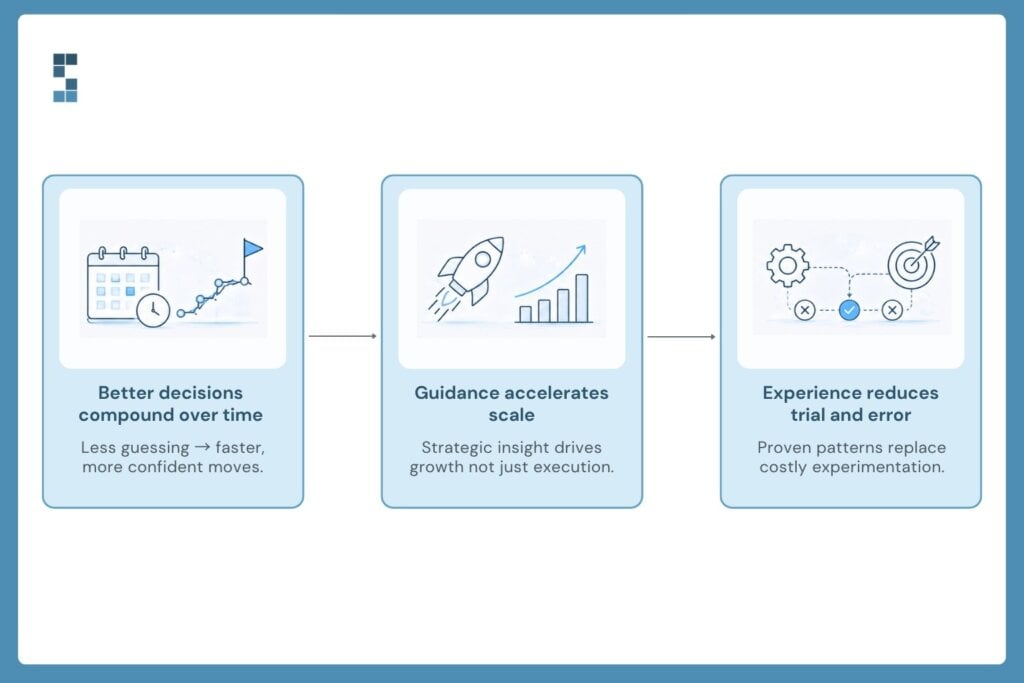
Here’s the part most firm owners underestimate. Strategic financial guidance isn’t a luxury you graduate to at $10M in revenue. It’s the very thing that gets you there.
The firms that outpace their peers aren’t necessarily the ones with the best consultants or the slickest brand. They’re the ones whose owners spend less time wondering and more time deciding. Less time staring at a P&L and asking “what does this mean?” More time saying “here’s our next move.”
That clarity has a name. It’s the financial advisor in your corner — the one who knows your business deeply enough to spot the trends before you do, and who’s been around enough firms like yours to know which moves work. The one who picks up the phone when you’re not sure whether to take the contract, hire the senior, or restructure the partner draws. Not because they’re cheaper than a full-time CFO, though they usually are. Because they’re often more curious, more honest, and more useful, across more than 175 businesses, our team has watched what works and what doesn’t — and that perspective shows up in every client conversation.
So here’s the question worth sitting with. When you look at your firm’s next big decision — the hire, the office, the new service line — are you guessing, or are you deciding?
If it’s still the first one, it might be time to put someone in your corner.
About System Six
System Six is a Seattle-based bookkeeping and financial services firm that helps small and mid-sized businesses streamline their financial operations. We specialize in providing technology-driven financial management solutions for consulting firms, enabling owners to focus on growing their businesses without worrying about cash flow, payroll, or compliance. Our team of over 40 professionals brings an average of 10+ years of accounting experience to every client relationship, serving more than 175 businesses across the U.S. With a 9.5/10 NPS score, we deliver the financial clarity and peace of mind that consulting firm owners need to thrive. Learn more at www.systemsix.com.

by Chris Williams | May 5, 2026 | Blog
Caroline thought she’d solved her bookkeeping problem.
She runs operations at a 22-person consulting firm in Denver. For the first two years, she handled the books herself, along with everything else. Last spring, she finally hired a part-time bookkeeper — someone good, someone affordable, someone who showed up every Tuesday and reconciled the accounts cleanly.
The reconciliations were perfect. She still missed the 1099 deadline. Payroll questions still landed on her desk at 6 PM. When her CEO asked for a breakdown of project profitability in March, the bookkeeper said it wasn’t really her thing.
Here’s what Caroline learned the hard way: most owners shop for bookkeeping when what they actually need is a finance function. Those are different products. The visible benefits of full-service support — accurate books, on-time payroll — are the surface. The hidden value is what makes it worth paying for. Let’s get into it.
Coverage That Doesn’t Take a Vacation
The first hidden benefit nobody asks about until it bites them: continuity.
When you hire one bookkeeper, you’ve hired one bookkeeper. They get sick. They take their kid to the dentist. They quit. A friend of mine spent three weeks last December trying to find someone to cover her solo bookkeeper’s maternity leave. Payroll went out late. Two vendor invoices got missed. It was a mess.
A full-service team works differently. Multiple people know your books. Somebody is always on. When your primary contact is out, the work doesn’t stop — it shifts. Quietly. Without you having to chase anyone down.
This is partly why System Six clients tend to describe the relationship in family-like terms. Rebecca, who runs operations at a Pacific Northwest services firm, put it this way: “System Six isn’t just a vendor; they’re friends who feel like part of our team.” That kind of language only shows up when continuity is built in. You can’t feel like part of someone’s team if you disappear when one person catches the flu.
The practical version is simple. Caroline eventually switched to a full-service provider. Last August, she went on vacation to Spain for ten days and didn’t check her email once. Payroll ran. Bills got paid. A vendor dispute got handled by someone who knew the account. She came back to a clean inbox. That had never happened before.
What continuity actually buys you is permission to step away. Most owners don’t realize how much of their week is quietly structured around being available — not doing their own finance work, but serving as the backstop in case something goes sideways. A team-based model removes that gravitational pull. The phone stops being something you check at dinner. The Sunday-night dread fades because you know somebody is already on it.
Looking Around Corners
The second hidden benefit is harder to put on an invoice.
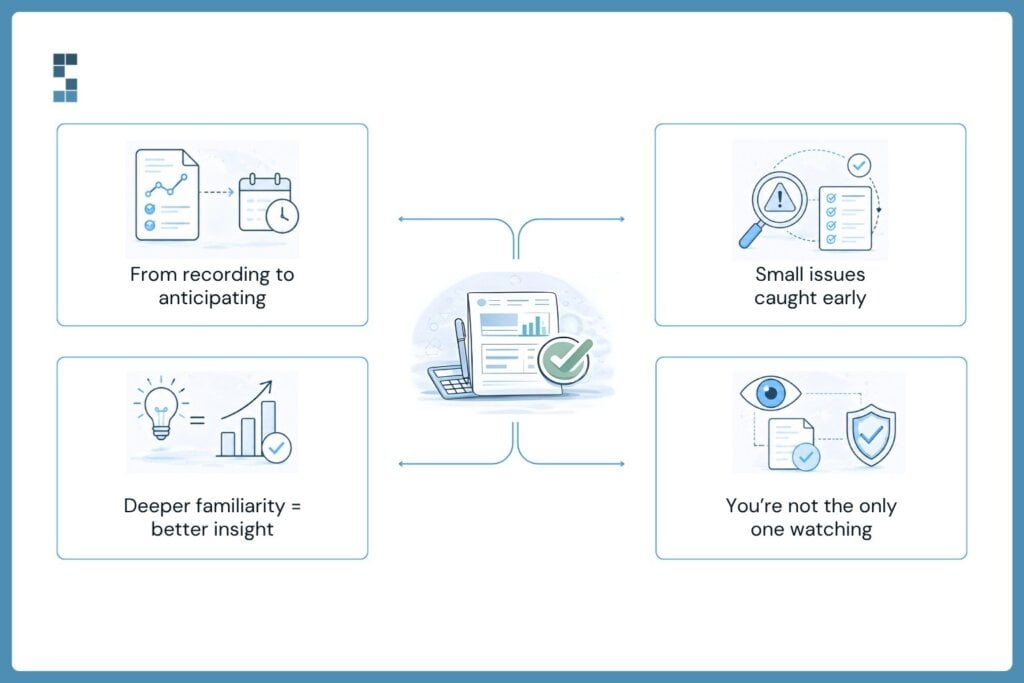
A search-funded CEO named Marcus once described his finance team this way: they’re inquisitive, they ask follow-on questions, and they look around corners. That last phrase is the whole game. A transactional bookkeeper records what happened. A full-service team notices what’s about to happen.
The difference shows up in small ways that compound. One System Six client was bleeding $700 a month in overdraft fees nobody had flagged — until somebody did. Another was Paul, who runs a search-fund-backed company. After his 2022 audit, the auditors found exactly zero errors in two years of books. He’s told people more than once that hiring a full-service team was the best decision he made at the start of the business.
Stories like that aren’t about heroic bookkeeping. They’re about the work’s basic posture. When the same team handles your bills, payroll, reporting, and cleanup, they develop a feel for your business. They notice when a recurring vendor charge jumps. They notice when a contractor’s invoice looks off. They notice when your gross margin slips by 2 points and bring it up before you have to ask.
That’s one of the more underrated outsourced finance advantages — you stop being the only person paying close attention to your own numbers. Somebody else is watching, and they’re trained to notice things you wouldn’t.
When Everything Talks to Everything
The third hidden benefit is structural. It’s about what happens when one team owns the whole pipeline.
Caroline’s old setup had three vendors and four logins. Her bookkeeper handled the books. A separate payroll service handled payroll. A bill-pay tool handled AP. Her CPA handled taxes. Nothing reconciled cleanly because nobody owned the handoffs. Every month-end was a small archaeological dig — figuring out which numbers from which system matched which other numbers. The handoffs were where things broke.
Full-service consolidates ownership. When bookkeeping, payroll, AP, reporting, and controllership all live under one roof, the data is already connected. The team that processes payroll is the team that books it. The team that pays the bills is the team that reports on cash flow. Decisions get faster because nobody has to email three vendors to assemble a clean picture.
This is the part that sneaks up on people. The full-service bookkeeping benefits aren’t just about saving hours — they’re about removing friction. System Six clients typically see a 70-80% reduction in administrative time within 90 days. But the time number only tells half the story. The other half is what disappears: the back-and-forth, the reconciliation gaps, the quarterly scramble to figure out where everything is. All of it goes quiet.
Month-end is where this shows up most clearly. With a fragmented setup, closing the books is a project — chasing down statements, reconciling between systems, and asking three different vendors to confirm the same number. With a full-service team, close happens in the background. You get clean financials on a predictable cadence, and you stop scheduling your life around the second week of every month.
What’s left is a finance function that runs in the background. You stop having to hold the whole picture in your head. That’s a different way to live.
The Shift in How You Think About Finance
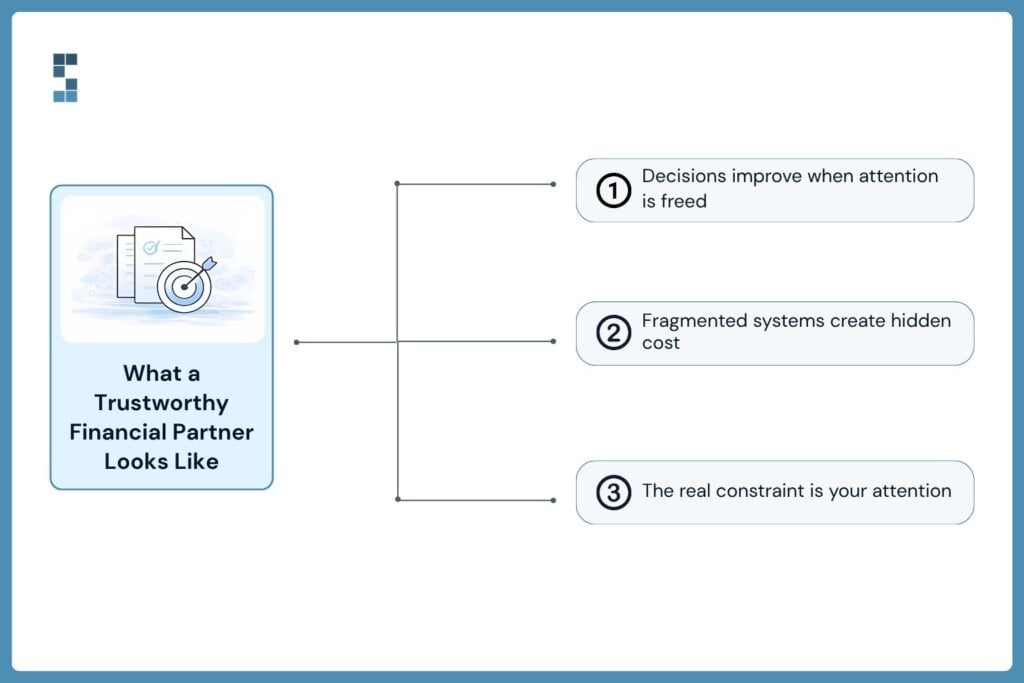
Here’s what I’d tell Caroline now, looking back. Full-service financial support isn’t a premium tier of bookkeeping. It’s a different operating model. You’re not buying more hours from a bookkeeper — you’re buying out of an entire category of cognitive load.
The hidden value is what you stop having to think about. The compliance deadline. The missing invoice. The question of whether last month’s numbers can be trusted. The vendor who emailed twice and got ignored. The payroll question your office manager doesn’t know the answer to—all of it. Gone, or at least handed off to people whose job is to handle it.
So the question isn’t really whether you can afford full-service support. It’s whether you can afford to keep running your finance function as a collection of disconnected tasks held together by your own attention. Because attention is the resource you’re actually short on. Everything else is downstream of that.
If you’ve been running the math on what your finance function is costing you in time, distraction, and missed catches — and you’ve decided the answer matters — that’s worth a conversation.
About System Six
System Six is a Seattle-based bookkeeping and financial services firm that helps small and mid-sized businesses streamline their financial operations. We specialize in providing technology-driven financial management solutions for consulting firms, enabling owners to focus on growing their businesses without worrying about cash flow, payroll, or compliance. Our team of over 40 professionals brings an average of 10+ years of accounting experience to every client relationship, serving more than 175 businesses across the U.S. With a 9.5/10 NPS score, we deliver the financial clarity and peace of mind that consulting firm owners need to thrive. Learn more at www.systemsix.com.
by Chris Williams | Apr 27, 2026 | Blog
When Nathan started his strategy consulting firm in 2018, he knew exactly where every dollar went. He had to. With four colleagues in a co-working space and a single QuickBooks login, the financial side of his business fit on one Excel tab. He’d reconcile accounts on Sunday nights with a glass of wine. It felt manageable. Almost charming.
Six years later, his firm has 50 employees across 3 states, 14 active client engagements, and a finance function that bears no resemblance to that cozy spreadsheet. The journey from there to here wasn’t a straight line. It was a series of breaking points, each one forcing Nathan to rebuild something he thought was already working.
This is his story. Or really, it’s the story of every consulting firm that’s tried to grow past the boutique stage because the financial systems that get you to ten employees won’t get you to fifty. And the ones that get you to fifty look almost nothing like what you started with.
The Five-Employee Era: When Everything Fits in Your Head
In the early days, Nathan ran his finances by feel. Invoices went out when projects wrapped. Expenses got reimbursed when someone remembered to submit them. Payroll was a Wednesday afternoon ritual. His “cash flow forecast” was a mental note about which clients owed what.
This worked. Not beautifully, but it worked. When you can name every client and remember every contract value, you don’t need infrastructure. You need attention. And Nathan had plenty of that.
But here’s the thing about boutique-stage finance: it’s deceptive. The simplicity isn’t a feature. It’s a function of size. The moment your firm grows past the point where one person can hold every detail in working memory, the cracks start to show. They just don’t show all at once.
The Fifteen-Employee Breaking Point
Nathan’s first reckoning came around employee fifteen.
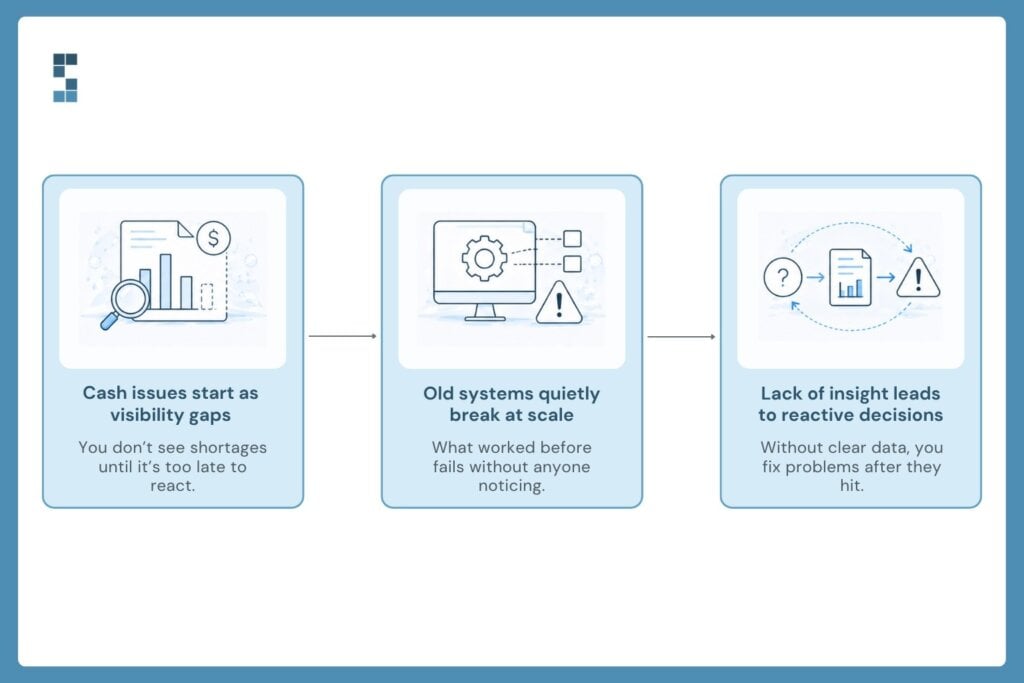
He was on a call with a prospective client when his office manager texted: payroll wouldn’t run because the operating account was $8,000 short. Two large invoices were stuck in the client’s AP department. A vendor had auto-debited a renewal he’d forgotten about. The math caught up with him.
He moved money from his personal savings that day. He’d done it before. But this time, something shifted. He realized he hadn’t just had a cash flow problem. He’d had a visibility problem. By the time he saw the shortfall, it was already happening.
This is the part of the scaling story most owners don’t talk about. The crisis doesn’t announce itself. It hides inside processes that worked yesterday but stopped working sometime last quarter, and nobody noticed because everyone was busy serving clients.
Around the same time, one of Nathan’s senior consultants ran a margin analysis on a project they thought was their crown jewel. Six months of work for a Fortune 500 logistics company. Big logo, bigger billings. When she factored in partner oversight, scope creep, and the proposal time nobody had tracked, the project margin came in at seven percent. They’d been celebrating a loser.
That’s when Nathan called System Six.
Building the Systems for the Firm You’re Becoming
The first thing System Six did was something Nathan hadn’t expected. They didn’t fix his books. They asked about his next two years.
How many employees did he plan to hire? Which service lines was he investing in? What did his ideal client mix look like? The questions felt strange coming from an accounting firm. But the logic was simple: there’s no point building financial infrastructure for the firm you have today. You have to build for the firm you’re becoming.
Over the next twelve weeks, the transformation moved in phases. Real-time project profitability tracking came first, so Nathan could finally see which engagements made money after capturing every cost. Then came twelve-month cash flow forecasting tied to his project pipeline, the kind that would have flagged that payroll shortfall weeks in advance. Automated workflows replaced the manual reconciliation Nathan used to do on Sundays. Multi-state payroll compliance got handled before he hired his first remote employee in Texas.
One System Six client put it this way after a similar transformation: “Hiring them was the best decision I made at the start of the business. We just finished our 2022 audit, and the auditors found exactly zero errors.” Nathan didn’t believe a clean audit was possible until he had one. System Six has run this same kind of transformation for more than 175 businesses, and the firm’s net promoter score sits at 9.5 out of 10. The pattern isn’t an accident.
What Fifty Employees Actually Looks Like
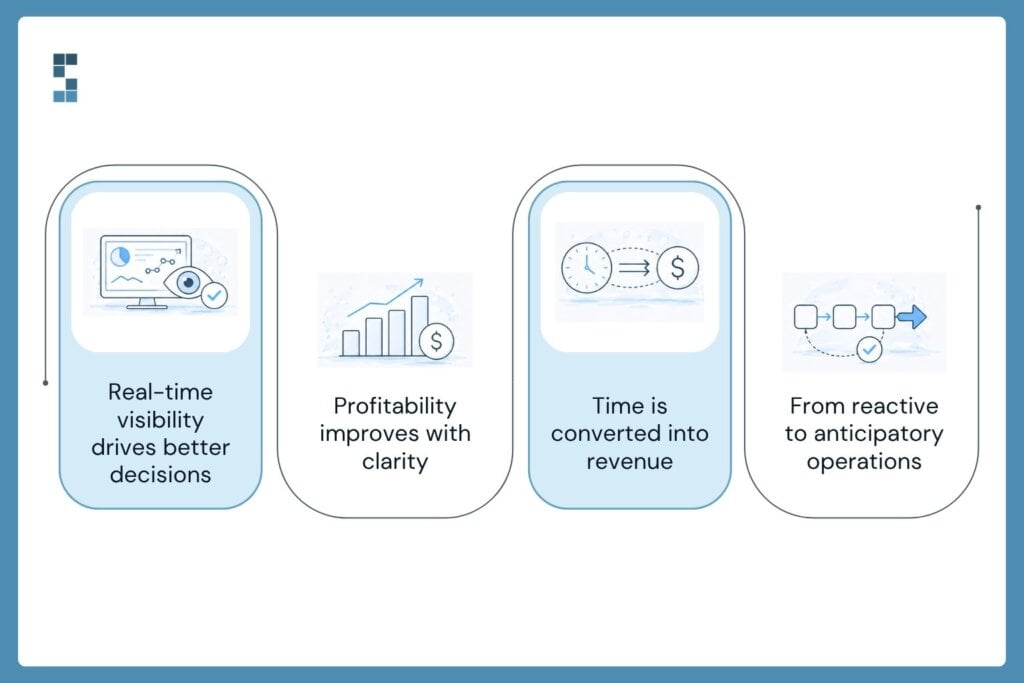
Today, Nathan runs a different kind of business. Not because the work is different. The work is recognizably the same. But the operating system underneath has been rebuilt.
He knows his project margins by Friday afternoon, not three weeks after engagements close. He knows which clients are profitable enough to take more of, and which need contract restructuring before he renews. He knows his cash position twelve months out, with confidence intervals he actually trusts. When a senior consultant pitches him on a new hire, he can model the decision in twenty minutes instead of agonizing for a quarter.
The numbers tell part of the story. Nathan’s firm has reclaimed roughly fifteen hours a month from administrative work, which at his blended rate translates to six figures in recovered billable capacity each year. Project margins are up twenty-two percent because the unprofitable work is finally visible. Cash flow surprises, the kind that used to wake him up at 4 AM, have effectively stopped.
But the part he talks about most isn’t financial. It’s the silence. The mental bandwidth that used to go toward worrying about reconciliations, payroll, and whether that big invoice had cleared. That bandwidth is back. He uses it to think about his clients, his team, and what the firm should look like with a hundred employees.
One System Six client said something that stuck with Nathan: he appreciated how the team was inquisitive, asked follow-up questions, and looked around corners. That phrase, look around corners, captures something important. Good financial infrastructure isn’t reactive. It’s anticipatory. It catches the problems before they become emergencies.
The Lesson Hidden in the Story
Here’s what Nathan would tell you if you caught him on a good day. Every consulting firm that scales past the boutique stage hits the same wall. The wall isn’t a market problem. It isn’t a talent problem. It’s a financial visibility problem dressed up as something else.
You can either rebuild your systems before you hit the wall, or rebuild them while you’re hitting the wall. Both options eventually get you through. Only one of them lets you sleep.
So if you’re somewhere on the path between five employees and fifty, and your finances still fit on a spreadsheet, ask yourself an honest question. What’s your version of Sunday night reconciliation? What’s the cash flow surprise that hasn’t happened yet? What’s the project you think is profitable that isn’t?
The answers are worth more than you think. And the firm you’re trying to build is counting on you to find them.
About System Six
System Six is a Seattle-based bookkeeping and financial services firm that helps small and mid-sized businesses streamline their financial operations. We specialise in providing technology-driven financial management solutions for consulting firms, enabling owners to focus on growing their businesses without worrying about cash flow, payroll, or compliance. Our team of over 40 professionals brings an average of 10+ years of accounting experience to every client relationship, serving more than 175 businesses across the U.S. With a 9.5/10 NPS score, we deliver the financial clarity and peace of mind that consulting firm owners need to thrive. Learn more at www.systemsix.com.
Page 5 of 16« First«...34567...10...»Last »