by Chris Williams | Mar 2, 2026 | Blog
It was a Tuesday afternoon when Marcus realized something was wrong. Not catastrophically wrong — just the slow, expensive kind of wrong that’s easy to ignore. His office manager, Dana, had spent most of her morning re-entering last week’s expenses from a spreadsheet into QuickBooks. The same numbers, in a different place. Again.
“I could’ve sworn I already did this,” she told him. She had. Just somewhere else.
If that sounds familiar, you’re not alone. Manual data entry is one of those things that feels manageable in the moment but adds up to something significant over time. And for consulting firms — where every hour either generates revenue or doesn’t — the cost of manual bookkeeping errors and duplicated effort is real money walking out the door.
Here are seven manual data entry tasks quietly draining your team’s time, along with what automated data entry would look like as a replacement for each.
Why Manual Data Entry Is a Bigger Problem Than You Think
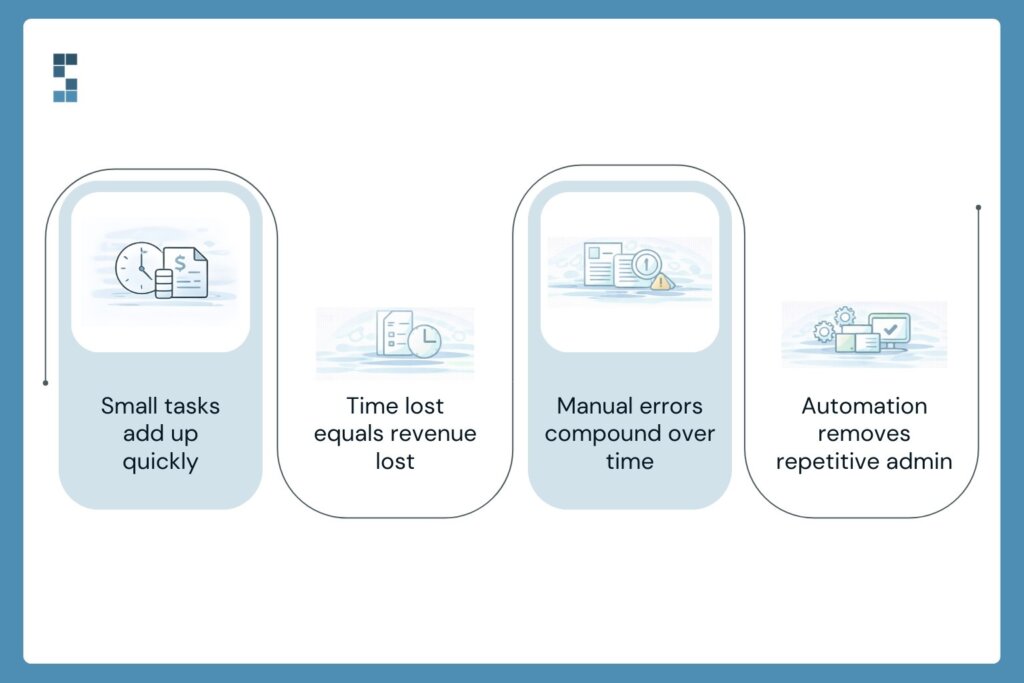
Most owners know they do some manual financial work. What they don’t know is how much. That “quick” Tuesday morning catch-up? It’s probably not 20 minutes. Track your team’s financial admin tasks for two weeks — every receipt entered, every invoice created, every bank statement cross-referenced — and most consulting firm owners discover they’re spending 15 to 20 hours a month on tasks that shouldn’t require a human at all.
At a typical consulting billing rate, that’s between $3,000 and $6,000 in lost productive capacity every single month. That’s before you factor in the cost of fixing manual bookkeeping errors, which have a frustrating way of multiplying through interconnected systems. One wrong categorization in October can still be causing headaches in March.
The fix isn’t a complete operational overhaul. It’s identifying the specific tasks where automation does a better job than a spreadsheet and a pair of tired eyes.
The 7 Tasks Worth Eliminating
1. Re-entering bank transactions
This is the granddaddy of all manual data entry tasks. Someone logs into the bank portal, downloads a statement, or scrolls through transactions, and types them into the accounting software one by one. It’s mind-numbing, time-consuming, and completely unnecessary. Bank feed integrations automatically pull transactions directly into QuickBooks or Xero. The human job shifts from data entry to review — a five-minute scan instead of an hour of typing.
2. Logging expenses from receipts
The old workflow: photograph the receipt, email it to yourself, open the accounting software, and manually enter the vendor, amount, date, and category. Modern OCR-based tools do all of this automatically from a photo. They extract the data, suggest a category, and flag anything that looks unusual. One System Six client cut their expense processing time from 4 hours a month to about 15 minutes of review.
3. Creating and sending invoices
For consulting firms, invoicing often means pulling hours from a time-tracking tool, building an invoice from scratch (or a template), double-checking the math, and sending it off. Every month. For every client. Template automation systems tied directly to your time-tracking software generate invoices automatically based on logged hours or project milestones. They send on schedule, track opens, and flag when payments haven’t been made.
4. Tracking invoice payment status
There’s a particular kind of Friday afternoon energy that goes into manually checking which clients have paid and which haven’t, then drafting polite but firm follow-up emails. Automated accounts receivable tools handle this entirely — monitoring payment status, sending reminders at intervals you set, and escalating when an invoice crosses a threshold. Your team stops chasing and starts reviewing.
5. Entering contractor hours for payroll and 1099s
If you use contractors (and most consulting firms do), someone is probably copying hours from a project management tool into a payroll system by hand—every pay cycle. Direct integrations between tools like Harvest or Toggl and payroll platforms eliminate this step. Hours sync automatically, reducing both the time burden and the risk of a payment error that makes for an uncomfortable conversation.
6. Updating cash flow spreadsheets
The classic consulting firm spreadsheet: a rolling cash flow projection that someone refreshes every week by pulling numbers from three different places and pasting them in. It’s valuable information locked inside a labor-intensive process. Live-connected financial dashboards pull the same data automatically and update in real time. You get the visibility without the Sunday night maintenance session.
7. Month-end reconciliation catch-up
When manual data entry has been the process all month, month-end reconciliation becomes an archaeological dig. You’re not just reconciling accounts — you’re hunting for the source of every discrepancy that accumulated during 30 days of human data entry. Automated transaction matching, combined with continuous reconciliation through the month, means there’s no backlog to excavate. Errors get caught the day they happen, not three weeks later.
What This Actually Costs You
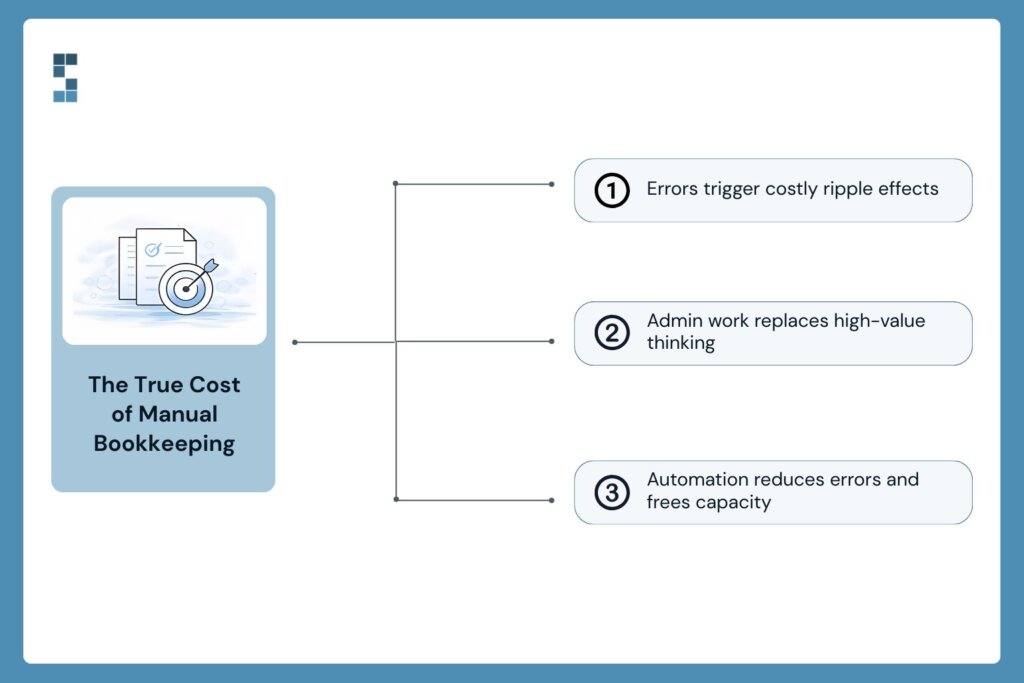
Let’s talk about the real price tag. It’s not just the hours spent doing these tasks — it’s the hours spent fixing what goes wrong because of them. Manual bookkeeping errors have a genuinely frustrating compounding quality. A miskeyed amount in a client invoice creates a billing discrepancy. That discrepancy requires an awkward conversation. That conversation takes time and erodes trust. All of it traces back to someone entering a number by hand when they didn’t need to.
There’s also the opportunity cost. When Dana spends her Tuesday morning on data re-entry, she’s not doing the work that actually requires her judgment — the analysis, the follow-up, the things Marcus hired her to do.
“I have told people that hiring them was the best decision I made at the start of the business. They have crushed it. We just finished our 2022 audit, and the auditors found exactly 0 errors by S6. Not only have they been mistake-free, but S6 has also been proactive at catching mistakes I’ve made and asking me the right questions to keep the books updated. — Paul”
Zero errors in an audit. That’s what happens when automated systems replace manual entry and a professional team reviews rather than re-enters.
What would your team do with 10 extra hours a month?
The Shift From Re-entering to Reviewing
Marcus made some changes. Dana still works with the financials every week — but now she’s reviewing what the system already captured, not rebuilding it from scratch. She catches the occasional miscategorized transaction. She flags an invoice that went out to the wrong contact. She actually has time to pull a project profitability report and bring it to Marcus before the client debrief.
That’s the shift automation makes possible. It doesn’t replace judgment. It removes the grunt work so judgment can actually happen.
Automated data entry isn’t about fancy software or a technology overhaul. It’s about connecting the systems you probably already use — your bank, your time tracker, your project management tool — so data flows automatically instead of being carried by hand from one place to another.
System Six helps consulting firms set up workflows exactly like these. Fixed weekly pricing, no long-term contracts, and a team that already knows consulting firm finances inside and out. If you’re curious how many hours your firm is losing to manual entry, let’s find out together.
About System Six
System Six is a Seattle-based bookkeeping and financial services firm that helps small and mid-sized businesses streamline their financial operations. We specialize in providing technology-driven financial management solutions for consulting firms, enabling owners to focus on growing their businesses without worrying about cash flow, payroll, or compliance. Our team of over 40 professionals brings an average of 10+ years of accounting experience to every client relationship, serving more than 300 businesses across the U.S. With a 9.5/10 NPS score, we deliver the financial clarity and peace of mind that consulting firm owners need to thrive. Learn more at www.systemsix.com.
by Chris Williams | Feb 23, 2026 | Blog
It’s Sunday night. Again.
The laptop casts a pale glow across your kitchen table. Your QuickBooks tab is open next to a cold cup of coffee and a stack of receipts you’ve been meaning to deal with since Wednesday. Meanwhile, your family is somewhere in the next room without you. You’re categorizing expenses. Manually. One. By. One.
If that scene is a little too familiar, here’s a question worth sitting with: what if you could automate that entire pile of work — the invoicing, the expense capture, the follow-up emails, the payment alerts — without writing a single line of code?
That’s not a hypothetical. It’s what Zapier does. And consulting firm owners are quietly using it right now to reclaim hours every week that used to disappear into financial admin.
This post breaks down five Zapier accounting workflows worth setting up this week — and why getting them right is the difference between working smarter and just adding complexity to your plate.
What Zapier Actually Does (And Why You Don’t Need IT to Use It)
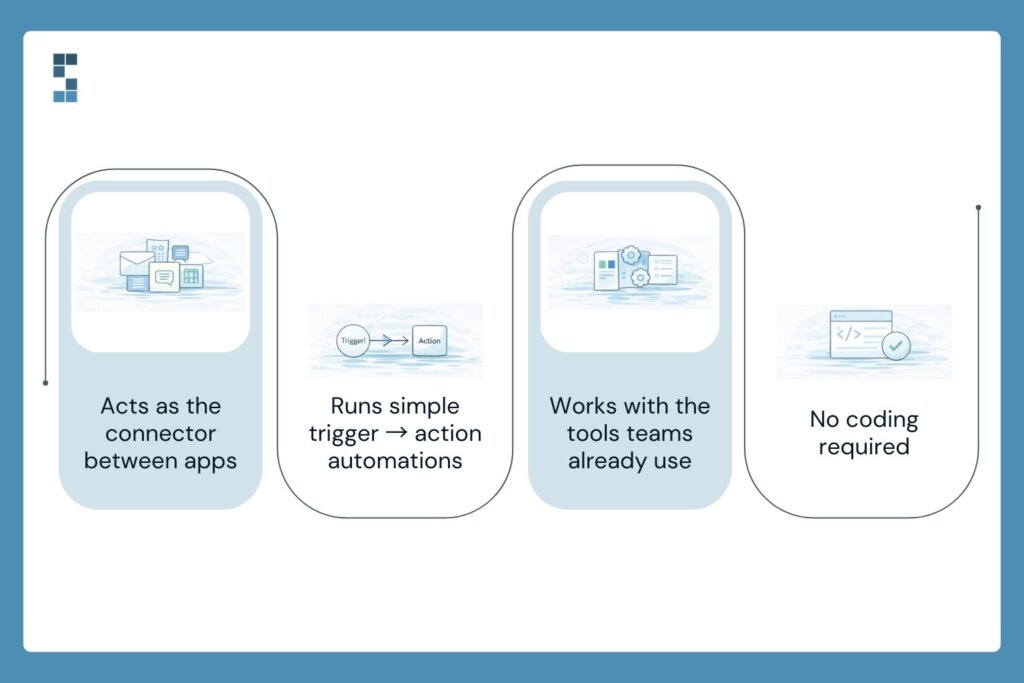
Think of Zapier as a relay runner between your apps. One app finishes its leg — say, a new client signs a proposal in your CRM — and Zapier immediately hands the baton to the next one, triggering an invoice in QuickBooks before you’ve even looked up from your desk.
Each automation is called a “Zap,” and every Zap works the same way: a trigger happens in one app, which kicks off an action in another. No code. No developer. No IT ticket filed and forgotten.
The apps Zapier connects include pretty much everything a consulting firm already runs on — QuickBooks, Xero, Stripe, HubSpot, Gmail, Slack, Google Sheets, Asana, ClickUp. If your team uses it, there’s a good chance Zapier can connect it.
The setup is point-and-click. You pick a trigger. You pick an action. You test it. You turn it on. That’s it. Most Zaps take less than 15 minutes to build the first time, and once they’re running, they run quietly in the background — no check-ins required.
5 Zapier Accounting Workflows Worth Setting Up This Week
Let’s get specific. Here are the five workflows that deliver the most immediate time savings for consulting firms — what each one does, why it matters, and how it works at a high level.
1. Auto-Create Invoices When a Project Is Signed
Trigger: New deal marked “Closed Won” in HubSpot (or your CRM of choice). Action: Invoice automatically generated in QuickBooks with the client name, project details, and amount pre-filled.
Why it matters: Most consulting firms create invoices manually after every engagement kicks off. That’s a 10–15 minute task that happens dozens of times a year. This Zap makes it instant. The invoice exists before you’ve finished the kick-off call.
2. Capture and Log Expense Receipts Automatically
Trigger: Receipt arrives in Gmail (forwarded from a team member or vendor). Action: Expense automatically created and categorized in QuickBooks.
Why it matters: Lost receipts and delayed expense entry are two of the most common bookkeeping headaches for growing firms. This Zap catches them the moment they hit your inbox — no spreadsheet, no shoebox, no Monday morning archaeology required.
3. Get Instant Payment Alerts When Clients Pay
Trigger: Payment received in Stripe or PayPal. Action: Slack notification sent to you (and/or your bookkeeper) with the client name and amount.
Why it matters: Cash flow visibility matters, especially when you’re managing multiple client engagements simultaneously. Instead of logging into your payment processor to check on a deposit, you just look at Slack. Done.
4. Send Automated Follow-Ups on Overdue Invoices
Trigger: Invoice status in QuickBooks passes X days without payment. Action: Personalized follow-up email sent automatically from your Gmail.
Why it matters: Chasing late payments is awkward, time-consuming, and easy to let slide. This Zap does it for you — politely, consistently, and on schedule. Your cash flow improves. Your discomfort goes down. Everybody wins.
5. Trigger Your Monthly Close Checklist Automatically
Trigger: A recurring calendar event fires on the first of every month. Action: A monthly close checklist task is automatically created in Asana, ClickUp, or your project management tool of choice.
Why it matters: Month-end close tasks get missed because they live in someone’s memory or a sticky note. This Zap turns your close process into a reliable, repeatable system that kicks off without anyone having to remember.
The Real Math: What This Time Is Actually Worth
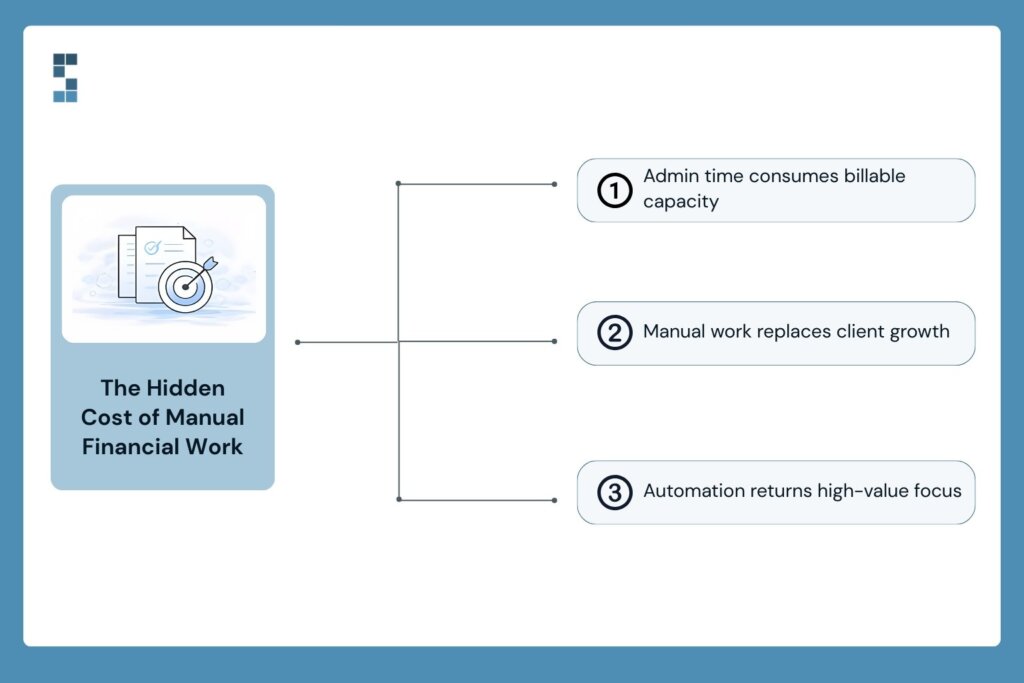
Here’s the number most consulting firm owners don’t want to look at directly: the typical owner spends 15–20 hours a month on financial administration. At a conservative billing rate of $250 an hour, that’s $3,750 to $5,000 worth of capacity consumed by manual tasks every single month.
Every month. That’s not a rounding error. That’s a client.
The consulting firm owners who’ve made the shift to automation see this clearly in hindsight. Mark, a management consultant who worked with System Six to overhaul his firm’s financial processes, put it simply: “We’ve grown 40% this year because I can focus on clients instead of paperwork.” Three new client relationships. Because the time was finally there to build them.
That’s not a coincidence. That’s what recaptured time does when it gets pointed at the right work.
No-code automation finance tools like Zapier don’t just save minutes — they free up the kind of focused attention that actually moves a business forward. The kind you can’t access when you’re knee-deep in expense categorization on a Sunday night.
The Catch — And How to Avoid It
Here’s the part nobody’s going to put in a Zapier tutorial.
Automation amplifies whatever’s already there. If your underlying data is messy — duplicate vendors, inconsistent expense categories, a chart of accounts that grew organically and now looks like a bowl of spaghetti — Zapier will move that mess faster and into more places. You’ll have automated chaos instead of manual chaos. Different problem, same headache.
The other common mistake is setting up Zaps without error notifications. A Zap fails silently. Data doesn’t transfer. Nobody knows. Three weeks later, your books are off and you’re not sure when it started.
This is where financial expertise matters just as much as the tech. The Zapier accounting workflows themselves are simple. Getting the foundation right — clean data, well-structured accounts, proper triggers — that’s where the real work is. And it’s work worth doing with someone who knows what they’re looking at.
Manish G., a Seattle-based business owner, described his experience with System Six this way: “They take on the entire setup, and effectively act as consultants until your accounting operations are running like a well-oiled machine. Then, they handle all ongoing issues.” That’s the goal — not just automating your current process, but making sure what you’re automating is worth running at speed.
What Would You Do With 10 Extra Hours?
Go back to that Sunday night for a second. Same kitchen table, same cold coffee, same receipts.
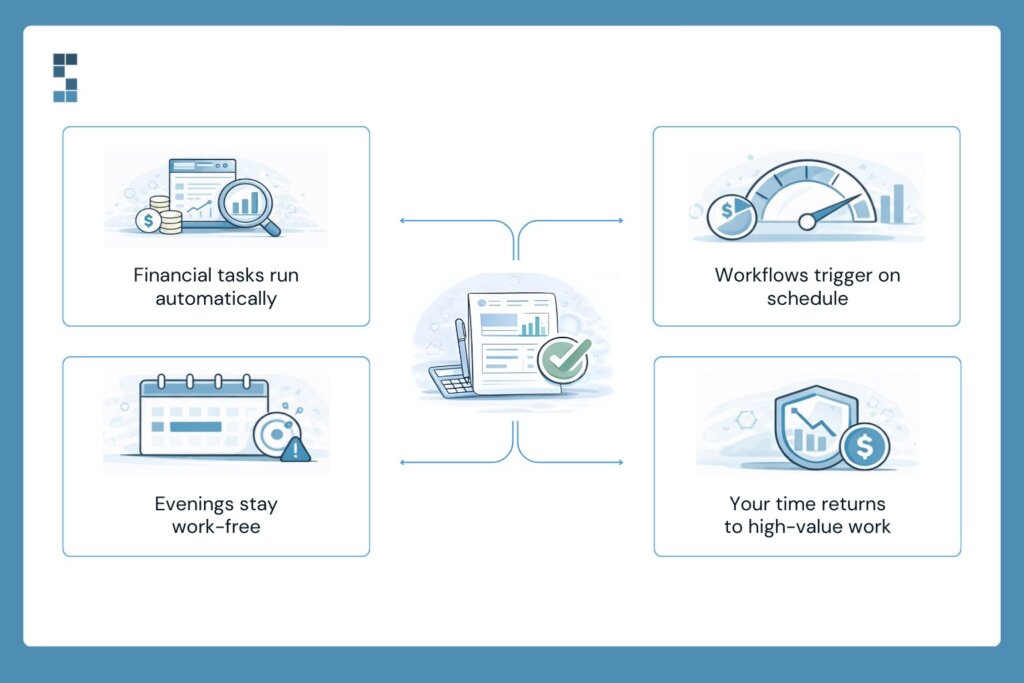
Now imagine it differently. The invoices are already generated. The expenses are already logged. The overdue payment reminder went out Thursday without you touching it. And your monthly close checklist appeared in Asana this morning, on its own, right on schedule.
You’re in the other room. With your family. Not because you finished early. Because there was nothing left to finish.
That’s what good Zapier accounting workflows actually look like in practice — not a flashy tech demo, but a quieter Sunday night and a Monday morning spent on the work that actually requires you.
The tools to build this exist today. Most are free to try. The question isn’t whether you should automate — it’s whether you can afford to keep doing it the manual way.
If you’re ready to get your financial workflows built right from the start, System Six helps consulting firms design and implement automation strategies that actually stick — clean data, correct integrations, and ongoing support from a team that knows consulting firm finances inside and out. With 35+ team members, 300+ clients, and a 9.5/10 NPS score, we’ve done this before.
Reach out to start the conversation. Your Sunday nights are worth it.
About System Six
System Six is a Seattle-based bookkeeping and financial services firm that helps small and mid-sized businesses streamline their financial operations. We specialize in providing technology-driven financial management solutions for consulting firms, enabling owners to focus on growing their businesses without worrying about cash flow, payroll, or compliance. Our team of over 40 professionals brings an average of 10+ years of accounting experience to every client relationship, serving more than 300 businesses across the U.S. With a 9.5/10 NPS score, we deliver the financial clarity and peace of mind that consulting firm owners need to thrive. Learn more at www.systemsix.com.

by Chris Williams | Feb 16, 2026 | Blog
Picture this. You’re sitting across from a prospective investor. Your consulting firm has a strong team, happy clients, and a growing pipeline. Everything feels right. Then they ask to see your financials.
You slide a basic profit-and-loss statement across the table. It’s accurate. The numbers add up. But within seconds, you can feel the energy drain from the room. Their eyes glaze over. The conversation shifts from “when can we start?” to “we’ll be in touch.”
The problem wasn’t your numbers. It was the absence of a story around them.
Financial storytelling—the art of turning raw data into a narrative that investors actually care about—is one of the most overlooked tools in a consulting firm owner’s toolkit. And it’s not about spin or exaggeration. It’s about context, clarity, and confidence. Firms that master this skill don’t just attract capital. They build the kind of professional reputation that opens doors for years to come.
Your Numbers Already Have a Story. You’re Just Not Telling It.
Here’s the thing most consulting firm owners get wrong about financial reports: they treat them like a homework assignment. Something to check off the list. Accurate? Yes. Useful to an investor? Not even close.
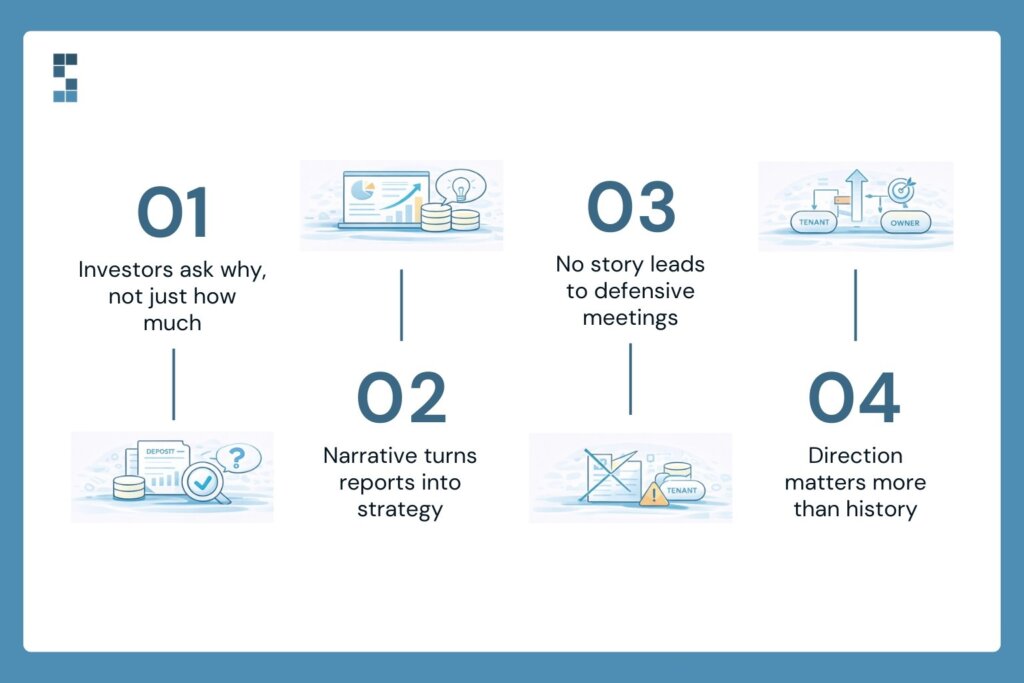
Raw numbers without narrative are like a novel with no plot. You’ve got characters and settings, but no one knows what’s happening or why they should care. An investor doesn’t just want to know that your revenue grew 18% last year. They want to know why it grew, whether that growth is repeatable, and what you’re doing to sustain it.
That’s what financial storytelling is. It’s the difference between a spreadsheet that lists figures and a report that paints a trajectory—one that shows where you’ve been, where you are, and where you’re confidently heading next.
And here’s what happens when the story is missing. Poor financial reporting undermines investor confidence. Board meetings become defensive exercises instead of strategic planning sessions. You spend the whole conversation explaining your numbers rather than discussing your vision.
When was the last time you looked at your own reports through an investor’s eyes? If the answer makes you uncomfortable, you’re not alone. Most consulting firms produce basic P&Ls that don’t support the kind of conversations investors want to have.
What Actually Goes Into an Investor-Ready Report
So what separates a report that gets filed away from one that gets an investor to lean forward in their chair? It comes down to a handful of elements that most firms overlook.
First, variance analysis. This is the “what changed and why” layer. Did your margins dip last quarter? A basic report shows the dip. An investor-ready report explains it—maybe you invested in a new hire who’s already billing at full capacity, or you expanded into a new market that hasn’t matured yet. Context transforms a red flag into a strategic decision.
Second, KPI tracking is tied to actual goals. Investors want to see that you’re measuring the things that matter—not just revenue and expenses, but utilization rates, client retention, project profitability, and pipeline health. These are the vital signs of a consulting business, and they tell a much richer story than a top-line number ever could.
Third, cash flow forecasting. Nothing signals forward thinking like a 12- or 18-month cash flow projection. It tells investors you’re not just reacting to what’s in front of you—you’re planning for what’s around the corner.
And finally, strategic commentary. This is where the real storytelling lives. Brief narratives alongside the numbers that connect the dots: here’s what we did, here’s what happened, and here’s what we’re doing next. It’s the difference between handing someone a map and actually walking them through the territory.
One client put it this way after transforming their reporting: “We just finished our audit, and the auditors found exactly zero errors. Not only have they been mistake-free, but they’ve also been proactive at catching mistakes I’ve made and seeing challenges coming down the pike.” That kind of precision isn’t just nice to have. It’s the foundation on which financial storytelling is built. You can’t tell a compelling story if the underlying data is shaky.
And here’s something worth noting: investor-ready reports aren’t just for firms chasing outside capital. They sharpen your own decision-making. They reinforce your professional reputation with clients, partners, and lenders. They reduce the financial anxiety that keeps firm owners up at night, wondering whether they’re making the right calls.
How to Start Telling Your Financial Story Today
The good news? You don’t need to become a CFO overnight. But you do need to start somewhere. And the place to start is simpler than you might think.
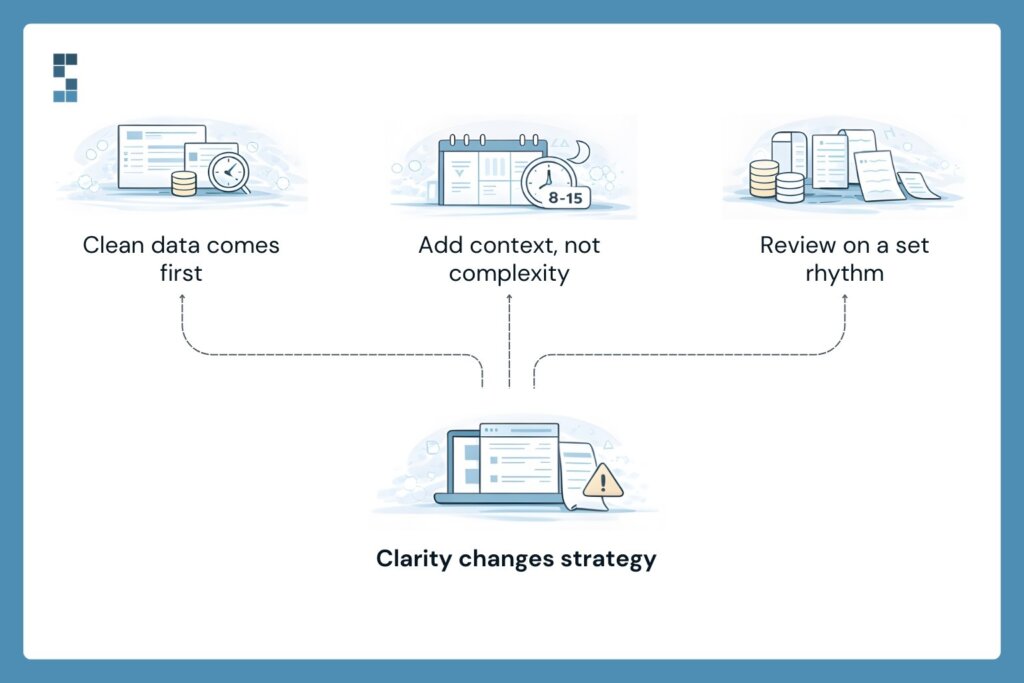
Get the foundation right first. Financial storytelling falls apart without clean, consistent data. That means addressing the boring-but-essential stuff: consistent time tracking, timely expense reporting, and accurate project coding. If your team is logging hours inconsistently or submitting expenses three weeks late, no amount of narrative polish will save your reports.
Once the data is solid, start layering in context. Add variance analysis to your monthly reports. Include trend lines that show three-, six-, and twelve-month trajectories. Write two or three sentences of strategic commentary for each major section. You’d be surprised how much a few lines of “here’s what this means” can transform a dense spreadsheet into a document that actually communicates something.
Then establish a rhythm. Different reports require different cadences: daily cash position checks, weekly utilization reviews, monthly profitability deep dives, and quarterly strategic assessments. This structure isn’t just for investors—it’s for you. It creates the kind of financial clarity that enables confident decisions.
One environmental consulting firm discovered this firsthand. After rebuilding their reporting systems, they finally gained visibility into which parts of their business were actually making money. The result? A 40% improvement in reporting accuracy, a 22% margin improvement, and the confidence to expand into their most profitable service areas. As they put it: “We had no idea which parts of our business were actually making money until we rebuilt our reporting.”
That’s the power of financial storytelling in action. It doesn’t just impress investors. It transforms how you run your firm.
The Story Your Numbers Tell
Let’s go back to that conference room. Same investor, same firm. But this time, you slide across a report that tells a story. Revenue trajectory with clear drivers. KPIs that show a healthy, disciplined operation. Cash flow projections that demonstrate forward thinking. Strategic commentary that connects every number to a decision and a direction.
The investor doesn’t just see data. They see a firm worth backing.
Financial storytelling isn’t about dressing up your books or putting lipstick on a pig. It’s about presenting the truth of your business in a way that builds confidence, earns trust, and reinforces the professional reputation you’ve spent years building. It’s about making sure your numbers work as hard for you as you work for them.
So here’s the question worth sitting with: What story are your financials telling right now? And is it the story your firm deserves?
About System Six
System Six is a Seattle-based bookkeeping and financial services firm that helps small and mid-sized businesses streamline their financial operations. We specialize in providing technology-driven financial management solutions for consulting firms, enabling owners to focus on growing their businesses without worrying about cash flow, payroll, or compliance. Our team of over 40 professionals brings an average of 10+ years of accounting experience to every client relationship, serving more than 300 businesses across the U.S. With a 9.5/10 NPS score, we deliver the financial clarity and peace of mind that consulting firm owners need to thrive. Learn more at www.systemsix.com.
by Chris Williams | Feb 9, 2026 | Blog
Picture this. It’s Sunday evening, and you’re sitting at your kitchen table surrounded by a small mountain of receipts, printed invoices, and bank statements. You’ve got a shoebox of expense slips from last quarter that still need sorting. There’s a filing cabinet in your office that hasn’t closed properly in months. And somewhere in that pile is a vendor receipt you need for client reimbursement—but good luck finding it.
Sound familiar? If you’re running a consulting firm, your financial paperwork looks something like this. And here’s the thing most people miss: all that paper isn’t just cluttering your office. It’s quietly draining your budget, eating your time, and introducing errors you won’t catch until tax season.
Going paperless isn’t some trendy sustainability gesture. It’s a financial strategy. And for consulting firms trying to stay lean and profitable, it might be one of the smartest moves you make this year. Let’s walk through why — and how to actually do it without losing your mind.
The Hidden Price Tag of Paper-Based Processes
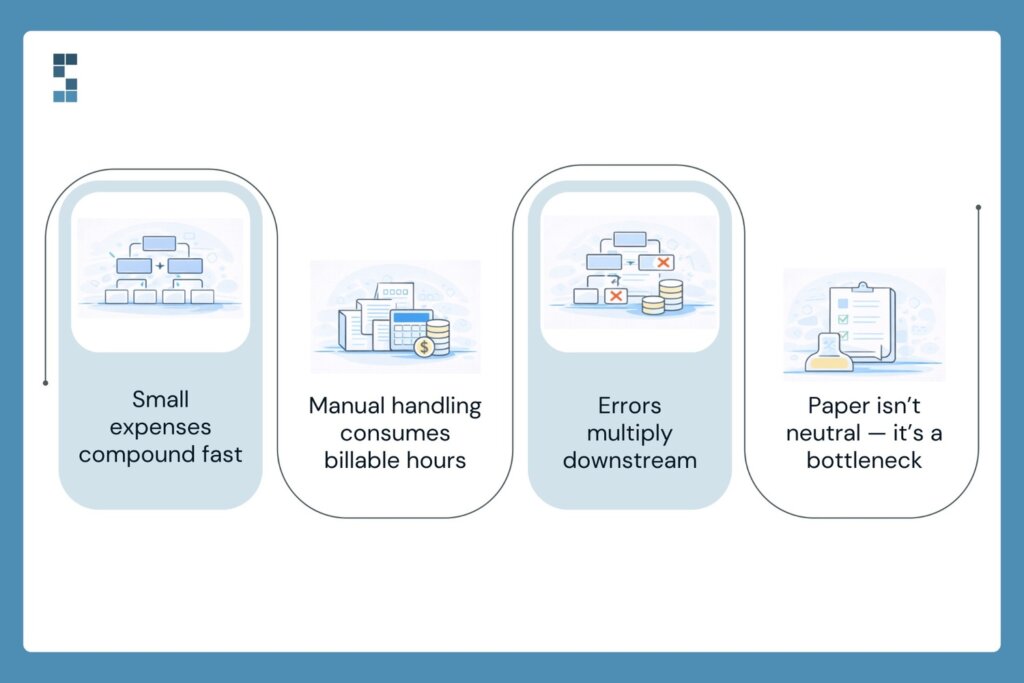
The obvious costs of paper are easy to dismiss. Printer ink, copy paper, postage, and filing supplies — none of those line items look alarming on their own. But they add up faster than you’d expect, especially when you factor in the storage space those filing cabinets occupy in your office. Real estate isn’t cheap, and dedicating square footage to old bank statements is a lousy use of it.
But the real expense? It’s your time.
Think about what happens every time a paper receipt enters your workflow. Someone has to collect it. Someone has to enter the data manually. Someone has to file it in the right folder, match it to the right project, and hope they didn’t transpose a digit somewhere along the way. Multiply that process across dozens of transactions every week, and you’re looking at hours of work that produce zero revenue.
Most consulting firm owners spend somewhere between 10 and 15 hours every week on manual financial tasks. At typical consulting rates, that’s $2,000 to $3,750 in billable time — gone. Every single week. Not because the work is complex, but because the process is inefficient.
And then there’s the error problem. Manual data entry introduces mistakes at predictable rates, and those mistakes don’t stay contained. One wrong number on an expense report cascades into your project profitability calculations, your tax filings, and sometimes your client invoices. Fixing those errors often takes longer than the original task.
Paper isn’t just clutter. It’s a bottleneck that’s costing you more than you realize.
What Paperless Accounting Actually Looks Like
Here’s where people get tripped up. “Going paperless” sounds like flipping a switch — one day you have paper, the next day you don’t. But that’s not how it works, and honestly, that all-or-nothing thinking is what keeps most firms stuck.
Think of it more like installing plumbing. Right now, you’re essentially carrying water from a well every time you need it — manually hauling data from one place to another, printing things so you can look at them, filing documents so you can find them later. Paperless workflows create direct connections between your systems so information flows automatically, without you having to touch it.
In practice, that means a few key changes—first, digital receipt capture. Instead of stuffing paper receipts into envelopes, you snap a photo with your phone, and the system extracts the vendor, amount, and category automatically — with over 90% accuracy. Second, cloud-based document storage replaces your filing cabinets entirely. Every invoice, contract, and statement lives in a searchable digital system. No more digging through folders for twenty minutes to find one document.
Then there’s automated transaction categorization, which handles the tedious work of sorting expenses into the right accounts. Electronic invoicing with built-in payment reminders replaces the old routine of creating invoices in Word, emailing them manually, and then chasing payments with awkward follow-up calls. Digital approval workflows mean expense reports get routed, reviewed, and approved without a single piece of paper changing hands.
One System Six client described the shift perfectly — they went from spending Sunday afternoons wrestling with bookkeeping to reviewing automated reports for about 15 minutes on Monday mornings. That’s not a minor improvement. That’s a fundamentally different way of running your back office.
The ROI of Going Green With Your Books

So what does all this actually save you? Let’s talk numbers, because this is where paperless accounting stops being a nice idea and starts being a no-brainer.
Start with time. Consulting firms that implement automated, paperless financial workflows typically see a 70 to 80 percent reduction in the hours they spend on financial management — and many hit that milestone within 90 days of making the switch. If you’re currently burning 15 hours a week on manual processes, you could realistically get that down to three or four.
Accuracy improves dramatically, too. Automated categorization doesn’t get tired at 9 PM and accidentally code a software subscription as office supplies. It doesn’t transpose numbers. It doesn’t lose receipts. One firm that made the switch to System Six cut its expense processing time by 80% and virtually eliminated lost receipts overnight.
Cash flow speeds up in ways you can feel. When you move from manual invoicing to automated billing with built-in payment reminders, clients pay faster. One consulting firm saw its average collection time drop from 45 days to 22 days. That’s not a marginal improvement — that’s the difference between comfortable cash flow and constantly checking your bank balance.
And the compliance headaches? Gone. Automated deadline tracking handles tax filings, contract renewals, and regulatory requirements without relying on your memory or a spreadsheet you might forget to check. As one business owner put it after working with System Six, they no longer worry about compliance because it’s all handled automatically.
Here’s where the math gets exciting. Say you bill $200 an hour and you’re spending 10 hours a month on manual, paper-heavy financial tasks. That’s $24,000 a year in opportunity cost — revenue you could’ve earned but didn’t. One firm that reclaimed those hours redirected the time toward client work and business development. They grew 40% the following year without adding a single administrative hire.
For most consulting firms, the break-even point for going paperless lies between 2 and 3 months. First-year ROI often exceeds 300%. It’s hard to find many business investments with that kind of return.
Getting Started Without the Overwhelm
I get it — the idea of overhauling your financial processes sounds exhausting when you’re already stretched thin. But here’s the good news: you don’t have to do everything at once.
Pick one area. Expense tracking and receipt management are usually the easiest wins, because the pain is obvious and the improvement is immediate. Master that system, measure your time savings, and then expand from there. Before you start, spend two weeks tracking how much time you actually spend on paper-based financial tasks. That baseline will show you exactly where the biggest opportunities are — and it’ll motivate you when you see the before-and-after.
If you want to accelerate the process, professional implementation makes a real difference. System Six specializes in helping consulting firms build paperless financial workflows, and most firms are fully operational within four weeks. Their automation strategies typically pay for themselves within 60 to 90 days, driven solely by time savings.
Your Paper Trail Doesn’t Have to Be Literal
Going paperless isn’t really about saving trees — though that’s a nice bonus. It’s about reclaiming your time, eliminating the errors that come with manual processes, and building financial systems that actually scale as your firm grows. It’s about spending your Monday mornings on strategy rather than data entry, and your Sunday evenings on whatever you want rather than sorting receipts.
What would you do with an extra 15 hours every month?
About System Six
System Six is a Seattle-based bookkeeping and financial services firm that helps small and mid-sized businesses streamline their financial operations. We specialize in providing technology-driven financial management solutions for consulting firms, enabling owners to focus on growing their businesses without worrying about cash flow, payroll, or compliance. Our team of over 40 professionals brings an average of 10+ years of accounting experience to every client relationship, serving more than 300 businesses across the U.S. With a 9.5/10 NPS score, we deliver the financial clarity and peace of mind that consulting firm owners need to thrive. Learn more at www.systemsix.com.
by Chris Williams | Feb 2, 2026 | Blog
Picture this. It’s Monday morning. You sit down with your coffee, open your laptop, and pull up QuickBooks. But something’s wrong. The screen doesn’t look right. Your data’s gone—or worse, locked behind a ransomware message demanding payment in cryptocurrency. Years of billing records, project profitability data, client payment histories, and payroll files. All of it, inaccessible.
Your stomach drops. You think about the tax filing due next month. The client invoices are waiting to go out. The payroll runs on Friday.
Now ask yourself: how fast could you recover?
If you run a consulting firm and your financial records live in the cloud, you might assume they’re safe. And to a point, they are. Cloud platforms like QuickBooks Online, Gusto, and Ramp are far more reliable than the filing cabinet in your back office. But “in the cloud” doesn’t automatically mean “protected from disaster.” There’s a gap between cloud storage and true disaster recovery—and that’s where consulting firms get hurt.
Let’s close it.
“Cloud” Doesn’t Mean “Covered”

Here’s the thing most consulting firm owners don’t realize: cloud platforms protect against their failures—server outages, hardware problems, platform-level issues. They don’t necessarily protect against yours.
What does that mean in practice? It means your data is still vulnerable to plenty of real-world threats. A team member accidentally deletes a critical account category, and no one notices for 3 weeks. A ransomware attack encrypts your local machine and spreads to connected cloud syncs. An integration between your expense management tool and your accounting platform glitches, corrupting transaction data across both systems. Or a former employee with lingering access makes unauthorized changes.
These aren’t hypotheticals. Nearly half of all small businesses have experienced some form of data loss, and a significant percentage of those that suffer a major data event never fully recover. For a consulting firm with complex project billing, multi-state payroll, and client-sensitive financial information, the stakes are even higher.
So what actually protects your financial records when things go wrong?
Three Pillars of a Cloud Disaster-Recovery Plan
You don’t need a degree in IT to build a solid disaster-recovery plan for your financial data. You need three things working together: reliable backups, strong access controls, and a tested recovery process. Think of them like the legs of a stool. Remove one, and the whole thing tips over.
Pillar 1: Automated Backups That Actually Run
This sounds obvious, and yet it’s where most firms stumble. They assume their cloud platform handles backups automatically. And it does—to a point. But platform-level backups are designed to protect the platform, not necessarily your specific data configuration, custom reports, or integration settings.
What you need is a separate, automated backup system that captures your complete financial picture at regular intervals. For consulting firms running active billing cycles with retainer payments, milestone invoices, and expense reimbursements flowing through every week, daily backups aren’t overkill. They’re the minimum.
And those backups need to live somewhere independent of your primary cloud environment. If everything sits on the same platform and that platform has a bad day, your backup goes down with it. Redundancy isn’t a luxury. It’s the whole point.
Pillar 2: Access Controls and Security Layers
The best backup in the world won’t help if someone walks in the front door and messes up your records before you notice. Access controls are your first line of defense—and most consulting firms don’t treat them that way.
Think about how many people can currently access your financial systems. Your office manager, your accountant, a partner or two, a contractor helping with special projects. How many of those people have full admin access? How many use the same password for their email and their accounting login?
A strong disaster-prevention strategy includes bank-level security with encrypted data transmission, restricted access protocols that limit who can see what, and comprehensive confidentiality agreements with anyone who touches your financial data. It also means two-factor authentication on every account, regular access audits, and immediate offboarding when someone leaves the firm.
This is especially critical for consulting firms serving regulated industries. Your clients trust you with sensitive information. If your financial systems get compromised, it’s not just your problem—it becomes theirs, too.
Pillar 3: A Tested Recovery Process
Here’s where things get real. Having backups is one thing. Knowing you can actually use them is another.
Imagine a firm that diligently backs up its QuickBooks data every night. Feels great. Then one day, a corrupted file wipes out two months of transaction data. They go to restore the backup and realize—nobody on the team actually knows how. The backup files are in a format no one recognizes. The person who set up the system left the company last year. And now everyone’s scrambling while the clock ticks toward a payroll deadline.
A disaster-recovery plan without regular testing is just a document gathering digital dust. Run fire drills. At least once a quarter, walk through the actual recovery process. Verify that backups are complete, that someone on your team knows how to restore them, and that the restored data matches what you’d expect. The time to discover a problem with your recovery plan is during a drill—not during a crisis.
Why Your Financial Partner Matters More Than Your Software
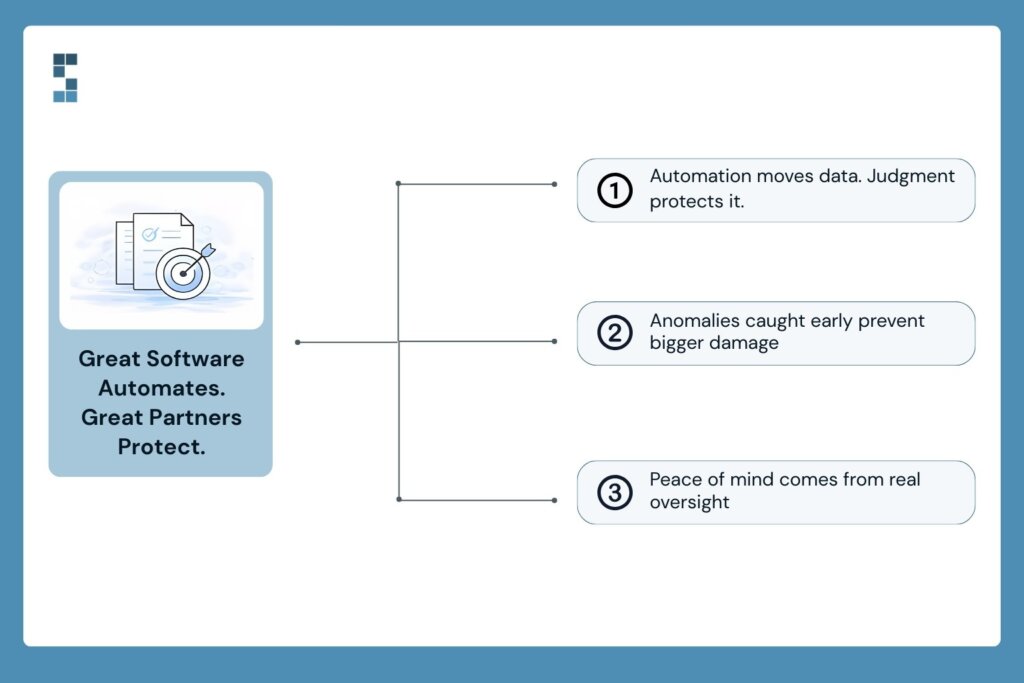
Software handles automation. People handle judgment. And when something goes wrong with your financial records, you need both—but you really need people who know your specific setup inside and out.
A dedicated financial team doesn’t just process your transactions and move on. They monitor data integrity. They catch anomalies before they become disasters. They notice when something looks off in your reconciliation and dig in before a small discrepancy becomes a large one.
One business owner put it this way: “Hiring them was the best decision I made at the start of the business. We just finished our audit, and the auditors found exactly zero errors. Not only have they been mistake-free, but they’ve also been proactive at catching mistakes I’ve made and seeing challenges coming down the pike.” That kind of vigilance—the kind that looks around corners—is what separates a service provider from a genuine partner.
At System Six, this is built into how we work. Our cloud-based infrastructure employs bank-level security, including encrypted data transmission and restricted access protocols. Our team of 35+ U.S.-based professionals, each averaging over 10 years of accounting experience, operates as an extension of your business—not a faceless vendor you email and hope for the best. When our clients say they feel like we’re “part of the team,” that’s not marketing language. It’s what a 9.5 out of 10 NPS score looks like in practice.
As another client shared, “System Six has done wonders for my stress level to feel like this is all now taken care of with a professional partner.” That peace of mind? It comes from knowing someone’s watching the details you can’t afford to miss—including the integrity of your financial data and the systems protecting it.
The Bottom Line: Hope Is Not a Recovery Strategy
Disaster recovery isn’t an IT problem. It’s a financial survival strategy. For consulting firms juggling project billing across multiple clients, managing multi-state payroll for remote consultants, and handling sensitive financial data that clients trust you to protect, the stakes are too high for a “hope for the best” approach.
The good news? You don’t have to figure this out alone. The right financial partner will already have these protections in place—automated backups, bank-level security, tested recovery protocols, and a team that treats your data with the same care they’d give their own.
So here’s the question worth sitting with: if your financial records disappeared tomorrow, how fast could you get back to business?
If the answer makes you uncomfortable, it might be time to talk.
Schedule a complimentary consultation with System Six to assess your current financial infrastructure and identify gaps in your data protection and disaster recovery strategy, because the best time to plan for a crisis is before you’re in one.
About System Six
System Six is a Seattle-based bookkeeping and financial services firm that helps small and mid-sized businesses streamline their financial operations. We specialize in providing technology-driven financial management solutions for consulting firms, enabling owners to focus on growing their businesses without worrying about cash flow, payroll, or compliance. Our team of over 40 professionals brings an average of 10+ years of accounting experience to every client relationship, serving more than 300 businesses across the U.S. With a 9.5/10 NPS score, we deliver the financial clarity and peace of mind that consulting firm owners need to thrive. Learn more at www.systemsix.com.