by Chris Williams | Jul 20, 2026 | Blog
The business I own today started as one cold email to a stranger. No broker, no listing, no marketplace. In this post I will walk through exactly how that worked: the outreach numbers, the email itself, how the deal almost did not happen, how to tell a real seller from a tire-kicker, and the diligence metrics I would look at now that I could not see as a first-time buyer.
Context for the advice: I searched for about a year, bought System Six (an outsourced bookkeeping firm) through a self-funded SBA deal, and have run it since. Our firm now also keeps the books for dozens of other acquisition entrepreneurs, so I see how deals play out from both sides of the table.
The two channels: brokered listings and direct outreach
Every path to finding a business runs through one of two channels. Brokered listings (BizBuySell, broker networks, marketplaces) are real inventory with a process built in, but you are competing with every other buyer, and the broker runs the timeline. Direct outreach — what searchers call proprietary search — means building your own list of companies and emailing owners who are not (yet) selling.
I split my time: roughly 20 to 30 percent building broker relationships in my target geography, and the majority on direct outreach. The reason was not deal-flow math. It was trust:
I really felt like one of the most important things you can do is buy a business from a seller you have a ton of deep trust with. And the best way to build a lot of trust with a seller is to run more of your own process, versus going through a broker.
Chris Williams, Mundane Millionaires
Pick the industry first — you cannot change it later

Before any outreach, the highest-leverage decision is which industries you target. This became my North Star, and it is what I tell searchers now:
You’ve got to buy a business in a good industry, because you cannot change that. You may be able to buy the business from a bad seller and overcome that. But once you’re in an industry, you’re in it.
Chris Williams, Mundane Millionaires
Do real homework on a small number of industries before you send a single email. It focuses your list-building, and — as you will see below — it is also what makes your cold email land, because owners can smell a template from the subject line.
The cold email that found my business
Here is what my outreach actually looked like, with the numbers:
- Low volume, high touch: real, individually written emails — not thousands of templated sends per week. Roughly 80 percent reusable structure, 20 percent custom to that specific owner.
- A real hook: one line based on something specific — the owner’s LinkedIn, their business, their industry position.
- Credibility plus intent in two sentences: I have worked in finance; I want to buy a business in this industry because of the recurring revenue model — something that proves you know the industry.
- A direct ask: I would love to talk if you are ever interested in selling. No ‘I will cherish your legacy forever.’ As I put it on the podcast: just be a human.
It’s below a 10% response rate on the first email. If you do a good job of following up, I’ve heard of people getting it up to 20 or 30% over time.
Chris Williams, Mundane Millionaires
One honest confession: I never built a proper tech stack around my outreach, and I regret it. Take a week to set up your email tooling so you can track who to follow up with and when. But balance that against the opposite failure mode — spending six months building a system instead of sending emails. Do not wait for perfect.
Hang around the hoop: how the deal actually happened
The owner of System Six — Jeremy, an entrepreneur who had started the firm because he saw a good industry, not a CPA — responded to my cold email. When we first talked in November, he was not ready to sell. We stayed in touch.
Then his circumstances changed: a personal tragedy made him want more time with his family, other offers appeared, and he hired a broker to run a clean process. From LOI to close took 95 days.
You’ve got to hang around the hoop in search. If you get on the phone with a seller and have a decent conversation, just follow up every couple of months — because you might get lucky when circumstances change.
Chris Williams, Mundane Millionaires
Two honest notes on that story. First, luck is a real input; direct outreach just buys you more lottery tickets with better odds. Second, the 95-day close was only possible because the business had very clean books and no heavy assets or liabilities to diligence. Remember that detail — it is the difference between a 95-day close and a 9-month one.
How to tell a real seller from a tire-kicker

The most expensive failure mode in off-market search is spending months on someone who was never going to sell. The tells I trust:
- Meet the seller’s spouse, early. Take them both to dinner. Ask the spouse what they think about the business.
- Ask the retirement question: ‘What are you two going to do next?’ If neither has a real answer, they have not actually decided to sell — they are playing you for a number.
- Watch for process signals: a seller who engages advisors, produces documents promptly, and keeps momentum is real. One who stalls on every request is not.
They need to want to sell. If you think you’re going to get somebody off the street and convince them to sell their business, that’s pretty unlikely.
Chris Williams, Mundane Millionaires
What I would diligence now: unit economics a level deeper
As a first-time buyer I focused on the classics: revenue growth, EBITDA margins, client retention, average client size. All still matter. But three years of operating — and seeing the books of many acquired businesses — moved my diligence a level deeper:
It’s not revenue and margin numbers anymore, it’s a level deeper… average ticket size by customer, monthly recurring revenue per customer, and employee retention over certain periods of time… You can move some stuff around to make gross margin look better. Get to the fundamental unit economics of the business.
Chris Williams, Mundane Millionaires
Specifically, for any people-driven service business:
- Average ticket / MRR per customer, and its trend. Growing revenue by adding small clients and growing it by expanding ticket size are very different businesses. (In our own firm, moving average ticket from roughly $18K to $29K per year added 40-50% more revenue on the same number of new clients. [UPDATE: current figures.])
- Employee retention curves, not averages. Ask for tenure by employee. A business that loses people in the first six months but keeps them for years afterward has a hiring problem; one that loses tenured people has a culture problem. Only the second should scare you.
- Customer concentration and churn by cohort, not a single blended rate.
- Capital cushion: ‘It’s not just percentages and multiples — it’s how many dollars do I have to play with, and how forgiving will the lender be if things get hairy or I want to invest to grow.’ Do not structure an SBA deal so tight that one bad quarter forces bad decisions.
And on size: I am a believer in buying bigger when you can. An 18-person business can absorb a key departure; a 6-person business cannot. Things will happen.
Why clean books decide how fast you close
Every step of this playbook runs through the target’s financials. The cold email credibility, the valuation conversation, the LOI, the lender’s underwriting, the 95-day close — all of it moves at the speed of the seller’s books. I closed quickly because my seller’s books were clean. Many searchers are not that lucky: deals drag, retrade, or die because the numbers cannot be trusted.
This is now a meaningful part of what our firm does. We keep the books for dozens of search-acquired businesses — the hosts of the podcast this post is drawn from are clients themselves — representing a large portfolio of post-acquisition financials. [UPDATE: verify and use the current figure — cited as $180M+ of client revenue from search businesses on the episode.] If you are heading into diligence, get eyes on the target’s books early: what is clean, what is dressed up, and what will slow your close.
Buying a business? Get the target’s books reviewed before you close.
Frequently asked questions
How do I find businesses for sale?
Three channels: online marketplaces and brokered listings (BizBuySell and broker networks), building relationships with brokers in your target geography and industry, and direct outreach to owners who are not listed. Serious searchers run all three; the best deals often come from the third.
How do I find off-market businesses to buy?
Pick one or two industries, build a list of companies in your geography, and send personal, specific cold emails to owners. Expect under 10% response on the first email and follow up every couple of months. Off-market takes longer — plan a one-to-two-year runway.
What response rate should I expect from cold outreach to owners?
Below 10% on a first email, even when it is personal and well targeted. Disciplined follow-up over months can push cumulative response toward 20-30%. Volume templated blasts perform far worse — owners now receive them constantly and delete on sight.
What questions should I ask when buying a business?
Beyond the financials: Why are you selling, and what will you do next? Can I meet your spouse? What does employee tenure look like, person by person? What is your average ticket per customer and its trend? Who are your largest customers and what share of revenue are they?
How long does it take to buy a business?
Searching typically takes one to two years. Once under LOI, a clean deal can close in about 90 days — mine took 95 — but messy financials, financing friction, or an unprepared seller commonly stretch it to six months or more.

by Chris Williams | Jul 13, 2026 | Blog
The short answer: Switching bookkeeping providers takes about 30 days and moves through four weekly stages. Week one is handoff and access: gather your logins, statements, and prior books. Week two is cleanup and migration, where the new provider corrects errors and sets up your chart of accounts. Week three is parallel running, where old and new overlap so nothing drops. Week four is go-live, with the new provider fully owning your books. Handled well, the switch happens quietly in the background while you keep working, and you never miss a payroll run or a close.
Grace had wanted to fire her bookkeeper for six months before she actually did it. The reports were late, the numbers felt shaky, and every question turned into a three-day email chain. But she kept stalling, and the reason was always the same fear: what if switching is worse than staying? What if payroll breaks mid-transition, or half her financial history vanishes into some export that never quite imports? So she white-knuckled it with a provider she’d already outgrown, held hostage by the dread of the move itself.
If that’s you, take a breath. Changing financial providers isn’t the cliff-jump it feels like from the edge. Done properly, it’s a calm, staged 30-day handoff where the new team does the heavy lifting and your day-to-day barely flinches. The fear isn’t irrational; plenty of switches have gone badly, but bad switches almost always come from having no plan. So here’s the plan: four weeks, four stages, and a smooth landing.
Why does switching bookkeeping providers feel so risky?
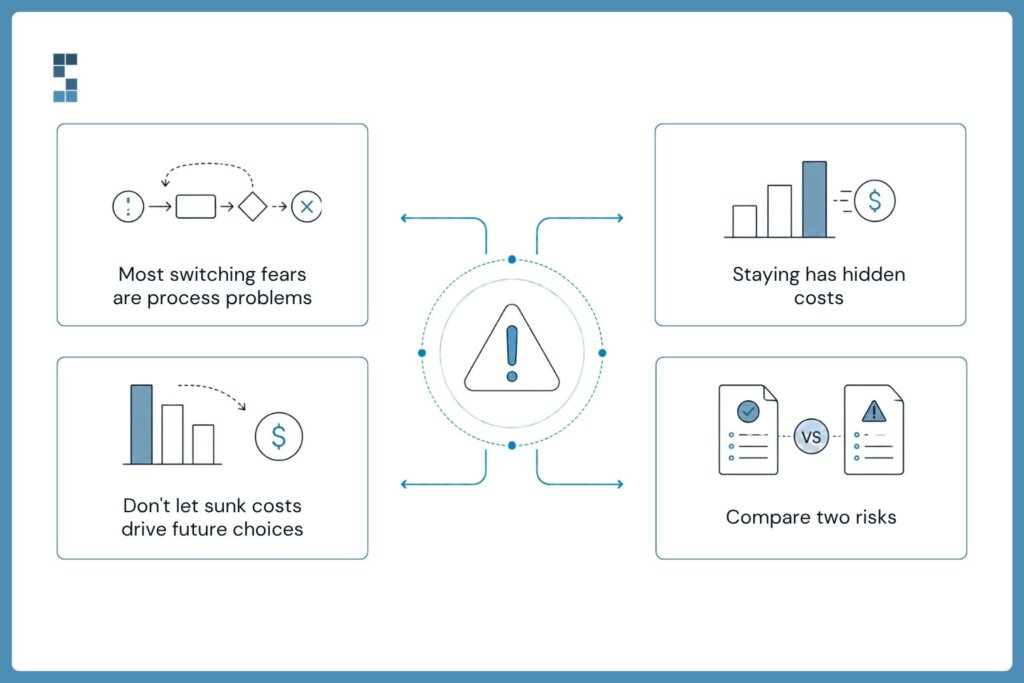
Let’s name the fear before we dismantle it, because pretending it isn’t there doesn’t help. What actually keeps owners with a provider they’ve outgrown?
Three things, mostly. First, continuity: your books are the financial memory of your business, and the thought of a gap, a missing month, a payroll that doesn’t run, feels genuinely dangerous. Second, the hassle: you assume switching means hours you don’t have, digging up logins and re-explaining your whole operation to strangers. Third, the sunk-cost pull: you’ve invested time getting this provider up to speed, and starting over feels like setting that on fire.
Here’s the reframe. Every one of those fears is really a fear of doing it without a system. A gap only happens if nobody plans the overlap. The hassle only balloons if there’s no clear checklist of what to hand over. And the sunk cost? That’s money already spent, and clinging to a provider that produces late, shaky numbers keeps spending it. The right question isn’t “what did I invest to get here?” It’s “What is staying here costing me every month?” Once you’ve got a real plan, the danger drains out of the whole thing. So let’s walk the four weeks.
And that second question deserves a real answer, because the cost of staying is easy to underestimate. Late reports mean you’re making decisions on old information or no information. Shaky numbers mean every figure carries a little asterisk of doubt, so you double-check things you shouldn’t have to and hesitate on moves you should make with confidence. The three-day email chains are hours of your month, quietly gone. None of that shows up as a line item, which is exactly why it’s so easy to tolerate for another quarter, and another. The fear of switching is loud and immediate; the cost of not switching is silent and ongoing. That asymmetry is the trap, and naming it is how you climb out.
What are the four stages of a smooth bookkeeping transition?
Week one is handoff and access. This is the gather-everything week, and it’s lighter than you’d think. You pull together the essentials: logins to your accounting software, recent bank and credit card statements, payroll records, and access to your existing books. A good incoming provider hands you a simple checklist so you’re not guessing what matters. Your job here is mostly to open doors, not to do the work. The new team takes it from there.
Week two is cleanup and migration. Now the new provider goes to work under the hood, and this is where a good one earns their fee immediately. They review your existing books, clean up errors the old setup left behind, and build a proper chart of accounts tuned to how your business actually runs. If you’re already on QuickBooks Online, this moves fast, sometimes fast enough to compress the whole timeline. This cleanup step is quietly one of the biggest wins of switching: you don’t just get a new bookkeeper, you get your history straightened out on the way in.
Week three is parallel running. This is the stage that kills the continuity fear. For a short window, the new system runs alongside the old one instead of flipping a switch and hoping. Transactions get processed in the new setup, reconciliations get checked against the prior books, and everyone confirms the numbers tie out before anything is turned off. Nothing gets dropped because nothing is ever unsupported. The overlap is the safety net.
It’s worth sitting on why this stage matters so much, because it’s the single thing that separates a smooth switch from a scary one. Most horror stories about changing providers, the vanished month, the payroll that bounced, the reports that didn’t reconcile, trace back to a hard cutover: someone turned the old system off before proving the new one was ready. Parallel running makes that failure mode impossible by design. You’re not trusting a promise that everything transferred correctly; you’re watching it transfer correctly, in real time, with the old books still there to check against. By the time the overlap ends, the new setup has already been doing the job for a couple of weeks. Go-live isn’t a leap of faith. It’s a formality.
Week four is go-live and ownership. The new provider takes full control. Bank feeds flow in automatically, categorization runs on rules built for your business, and reporting switches on with current data. The old provider is thanked and released. You wake up on day 30 with clean books, a team that answers questions the same day, and the quiet realization that the thing you dreaded for months just… happened, in the background, while you ran your business.
Will switching disrupt payroll, taxes, or my CPA relationship?
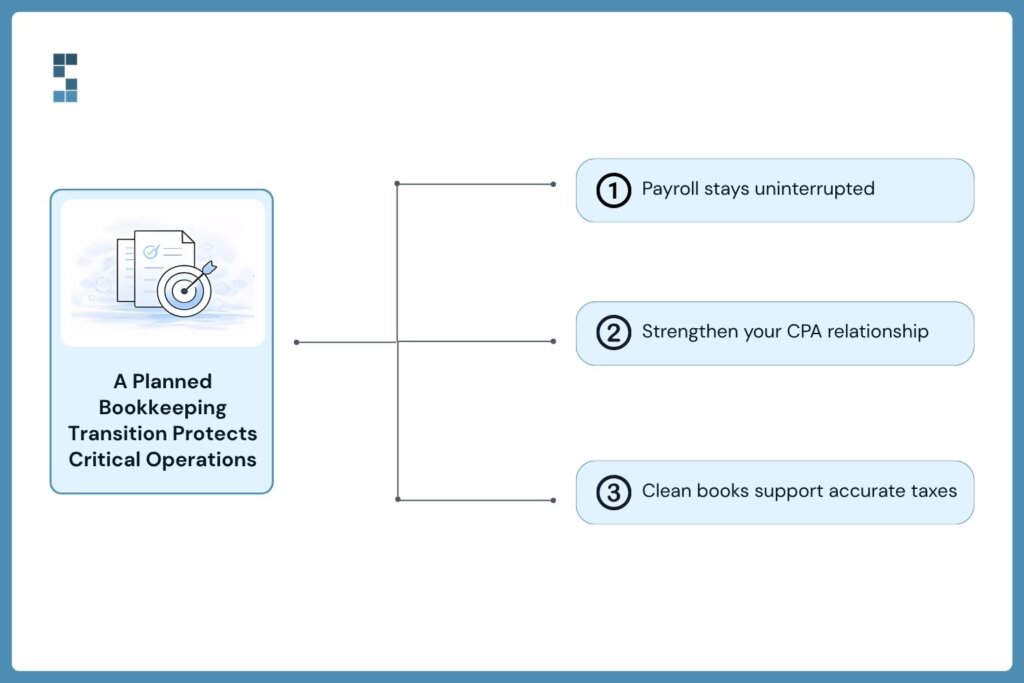
This is the practical worry underneath the big fear, so let’s hit it head-on. The three things owners guard most, payroll, taxes, and their CPA relationship, are exactly the things a staged transition is built to protect.
Payroll is precisely why week three exists. You never move payroll cold; you run it through the overlap until it’s confirmed clean, so your team gets paid on time throughout. Taxes stay safe because the cleanup in week two produces organized, accurate books, which is what your tax preparer actually wants. And your CPA relationship doesn’t just survive the switch, it usually improves, because a good bookkeeping provider coordinates directly with your tax preparer and hands them clean books that make their job easier and often reduce their fees. Many CPAs specifically ask their clients to work with a provider like this for exactly that reason. Switching your bookkeeper doesn’t threaten these relationships. It reinforces them.
Make the call before another month leaks away.
If you’ve been stalling like Grace, here’s the one move that matters: separate the decision from the dread. You already know whether your current provider is serving you. The only thing holding you back is the imagined chaos of the switch, and now you can see it isn’t chaos, it’s a checklist. Four weeks, mostly handled for you, with an overlap that guarantees nothing breaks.
Most firms are fully up and running with a new provider within about four weeks, faster if the books are already in decent shape. That’s the whole cost of escaping late reports and shaky numbers: roughly one month of a well-run process, most of it invisible to your day. This is the kind of onboarding System Six runs for the consulting firms, search funds, and growing businesses it serves: cleanup, migration, and a clean handoff, with the overlap that keeps payroll and reporting steady the entire way. It’s part of why over half of new clients come by referral, and why existing ones rate the firm an average of 9.5 out of 10. People refer to the relief of a switch that turned out to be painless.
So here’s the question worth answering honestly. If the switch itself is only 30 mostly-hands-off days, what exactly are you waiting for, and what is that wait costing you? The provider you’ve outgrown isn’t getting better. But the path to a better one is shorter and smoother than the fear has been telling you. Start the clock.
Frequently asked questions
How long does it take to switch bookkeeping providers?
Most firms are fully operational with a new provider within about four weeks. The timeline covers handoff and access, cleanup and migration, a parallel-running overlap, and go-live. If your books are already on QuickBooks Online and in reasonable shape, the process can often be compressed to two or three weeks.
Will I lose my financial history when I change providers?
No, not with a staged transition. Your existing books and records are gathered during the handoff week and migrated into the new setup, so your history moves with you rather than disappearing. The parallel-running stage adds a safety net: the new system runs alongside the old one, and the numbers are confirmed to tie out before anything is turned off.
Will switching bookkeepers disrupt my payroll?
It shouldn’t, because the overlap stage specifically protects payroll. Rather than moving payroll cold, a good transition runs it through the new system alongside the old until it’s confirmed clean, so your team keeps getting paid on time throughout the switch. Payroll continuity is one of the main reasons the transition is staged over several weeks instead of being flipped all at once.
Can a new bookkeeper work with my existing CPA?
Yes, and it usually makes the relationship better. A good bookkeeping provider coordinates directly with your tax preparer and delivers organized, accurate books that make their job easier and can reduce their fees. Many CPAs specifically request that their clients work with a dedicated bookkeeping provider for exactly this reason.
About System Six
System Six is a Seattle-based bookkeeping and financial services firm that helps small and mid-sized businesses streamline their financial operations. We specialize in providing technology-driven financial management solutions for consulting firms, enabling owners to focus on growing their businesses without worrying about cash flow, payroll, or compliance. Our team of over 40 professionals brings an average of 10+ years of accounting experience to every client relationship, serving more than 175 businesses across the U.S. With a 9.5/10 NPS score, we deliver the financial clarity and peace of mind that consulting firm owners need to thrive. Learn more at www.systemsix.com.
by Chris Williams | Jul 6, 2026 | Blog
There’s a lot of advice about how to buy a business. There’s much less about the part nobody can rehearse: the first year of actually owning one. I went through a self-funded search in 2020. In July 2021, I closed on System Six, an outsourced accounting and bookkeeping firm — a roughly 18-person business doing about $2.5M in revenue and just over $1M in EBITDA, financed through a typical self-funded SBA loan, a seller note, and some investor capital. About fourteen months in, I sat down to talk honestly about what had actually happened. This is that account — what the transition really looked like, what I’d tell my 2020 self, and where a new owner should put their attention first.
The numbers, fourteen months in — and why the margin going down is fine
Start with the scoreboard, because it isn’t as clean as the pitch decks suggest. We went from about 18 people to roughly 30, and from $2.5M to somewhere around $3.6–3.7M in revenue. But EBITDA did not grow in lockstep — it was up maybe 10% in a year when revenue was up 25–30%.
That gap surprises new owners, and it shouldn’t. When you’re accelerating growth, your margin compresses on purpose. We hired ahead of the revenue, added a management layer, and put more of everyone’s time — including mine — into running and building the business rather than just doing the work. If you buy a small company and your margin holds perfectly flat while you grow, you’re probably under-investing in the thing that lets you grow next year.
The first thing I protected: don’t break the books — or the team
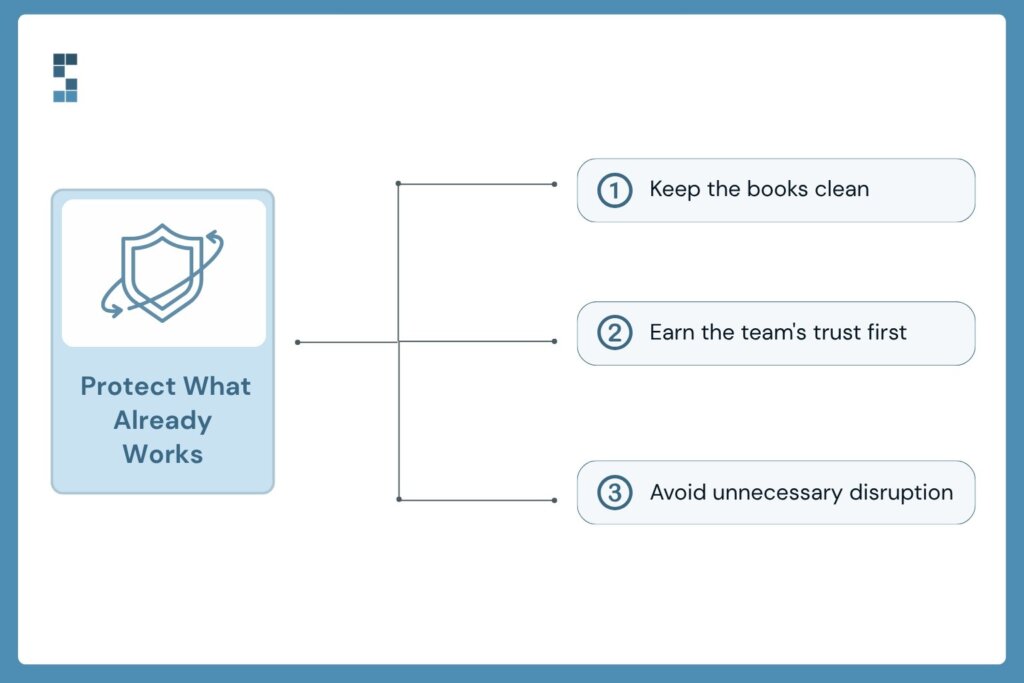
The single biggest risk in the early months isn’t strategy. It’s that you, the new owner, quietly break something that was working. For us, that meant two priorities above everything else.
First, the financials. We are a bookkeeping firm, so this is on-brand, but it’s true for any acquisition: your clean books are how you know whether anything else you’re doing is working. A messy transition that corrupts your numbers blinds you for a year. Keep the close running on time from month one.
Second, the people. I’d spent real time before the deal with the seller and his family, and it was obvious how much they cared about the team they’d built. My job in the first six months wasn’t to remake the place — it was to earn the team’s trust and keep the culture that made the business worth buying. Changes came later and slowly.
Self-funded SBA vs traditional search fund: what I’d tell my 2020 self
I came out of business school oriented toward a traditional search fund, and ended up doing a self-funded SBA deal instead. Fourteen months in, I’m glad I did — and I have two reflections for anyone choosing a path now.
The first is about optionality. Finding a genuinely good business to buy is hard, and anything that increases your odds of getting a deal done is worth a lot:
To the extent you can keep your options open by self-funding and allowing yourself to buy a smaller business, which is what I did, use an SBA loan… it just increases the chances that you’re going to buy a business.
Chris Williams — Acquiring Minds
The second is a counterweight: don’t let “self-funded” trap you into thinking small. If you can find a bigger business, the economics and the way you spend your time as CEO both improve. I recommend staying self-funded for optionality and keeping your eyes open for larger [$3–5M EBITDA] businesses if one appears. You’ll own a smaller slice, but a bigger, faster-scaling business can be the better outcome.
Inheriting the sales seat
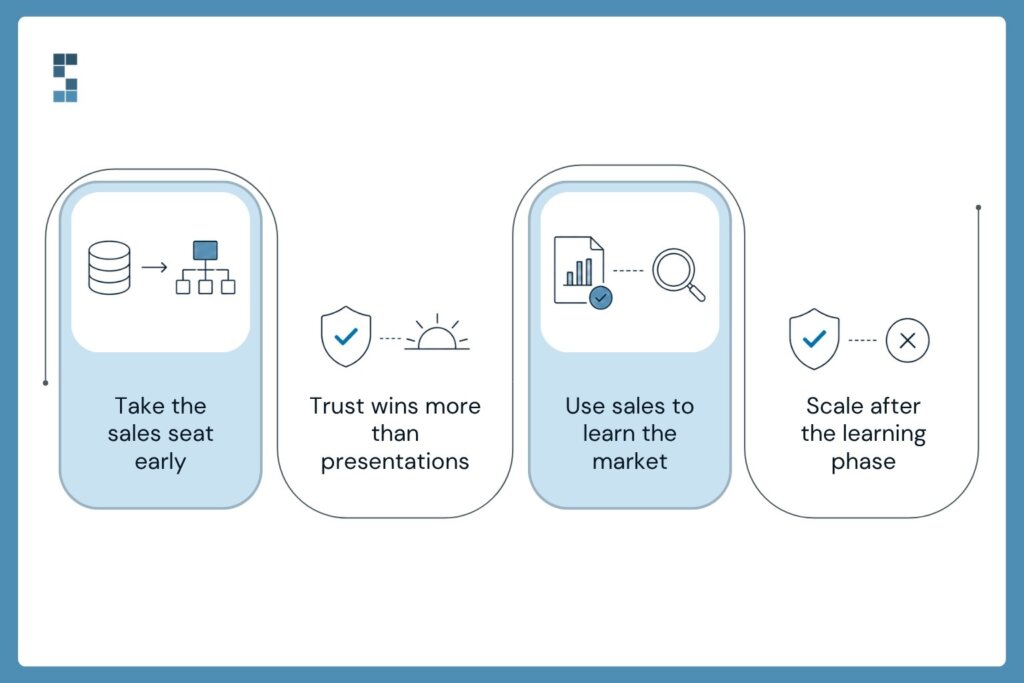
Here’s the transition I underestimated most. The seller, John, was a natural salesman, and sales were his engine. I am not naturally inclined toward sales, and on close, that engine became my job.
There’s no clever shortcut I can offer — the answer was reps. I did about 75 sales calls in my first six months as owner, and well over a hundred the following year. What I learned is that our sale isn’t a hard technical demo; it’s a trust-building exercise:
We are really purchased based on trust and how much competence we can demonstrate through our sales process, which is really two touch points. I do a discovery call, and then we gain access to somebody’s books. We dig through it. Our team asks some questions.
Chris Williams — Acquiring Minds
That’s also a hint about how the service should feel later: if you win the deal by demonstrating competence on someone’s actual books, you’ve set the expectation that you’ll keep doing exactly that once they’re a client. The longer-term goal is to build a sales function that isn’t just the CEO — but in year one, founder-led selling is how you learn what your buyers actually need.
Hiring turned out to be the real constraint.
Most people assume the bottleneck in a service business is demand. For us, it was the opposite. The market was strong, and growth was sitting right in front of us; what gated it was our ability to bring the right people on board.
A business like ours, we can only grow as much as we can bring great people onto the team.
Chris Williams — Acquiring Minds
That reframed how I think about scaling. The top of the funnel that matters most isn’t leads — it’s hiring. And you can’t simply hire the leadership team you’ll need at 60 people when you’re sitting at 30; they’d be underutilized and bored. The move that actually worked was promoting from within: our team lead, Kelly, stepped into a Head of People role, growing into the seat as the company grew into needing it. Building the org one well-coached promotion at a time beats hiring a finished structure off the shelf.
The searcher niche found us.

One unexpected gift of the first year: being a former searcher turned into a real channel. Other people who’d just bought businesses wanted a books partner who understood what they were going through — and they tended to be larger, more sophisticated clients.
We have 15 or so search-acquired businesses we’re now serving; they’re larger and are pushing our average customer size up. More of them are accrual-based, which we can handle where others can’t.
Chris Williams — Acquiring Minds
Investors became an asset in the same period — not as bosses, but as a sounding board. I don’t have to give them control to get the benefit of their perspective: I want to treat them like they’re my board. And we’ve had board meetings every quarter. The meetings I prepared real materials for were the ones that pulled me up out of the day-to-day and made me think about the business strategically. If you take on investor capital, use it that way.
What year one actually teaches you
If I compress fourteen months into a few sentences: protect the books and the people before you change anything; expect margin to dip while you invest in growth; get your reps in on sales even if it isn’t your strength; and treat hiring as the real ceiling on how fast you can grow. None of it is glamorous, and all of it compounds.
If you’ve just bought a business — or you’re close — the highest-leverage thing you can do in the first 90 days is make sure your financials stay clean while everything else is in motion. That’s the one area where a mistake quietly costs you the whole year.

by Chris Williams | Jun 29, 2026 | Blog
The short answer: To close your books in three days instead of ten, make three changes. Reconcile bank and credit card accounts continuously instead of all at once at month-end. Automate transaction categorization and bill capture so data arrives clean. And run a fixed, repeatable close checklist every month. Most firms lose a full week each cycle to waiting on data, not to the workload itself, which is exactly what these three moves remove.
It’s the 9th of the month. Priya, who runs a 14-person strategy consulting firm, opens her laptop and sees the same thing she sees every month: a half-finished close, three reconciliations that don’t tie out, and an inbox full of “any update on last month’s numbers?” She wanted those numbers a week ago. So did her partners. The books are still days from being done.
Sound familiar? If your month-end close drags past the first week and bleeds into the second, you’re not alone. And you’re not stuck. A ten-day close isn’t a law of nature. It’s usually a pile of small, fixable habits that quietly add up. Let’s pull that pile apart and see what a three-day close actually takes.
Why does month-end close take so long?
Most owners blame the volume of transactions. More clients, more invoices, more stuff to reconcile. Makes sense on the surface. But that’s rarely the real culprit.
The real culprit is waiting. You’re waiting on a credit card statement. Waiting on a contractor to send a receipt. Waiting on yourself to remember what that $1,200 charge was for. Each “quick” wait feels harmless, but they stack. A close isn’t slow because the work is hard. It’s slow because the work keeps stopping and starting.
There’s a quieter cost too. Every manual touch is a chance for an error, and errors don’t stay put. A miscoded expense here, a transposed number there, and suddenly a report you’ve already sent to a partner is wrong. Now you’re not just doing the work; you’re redoing it, and having the awkward conversation that comes with it. The close stretches not because there’s more to do, but because so much of it gets done twice.
Here’s the math that should bother you. If your close takes ten days and you’re spending even a couple of hours a day chasing loose ends, that’s a full work week every single month spent assembling a picture of the past. Twelve weeks a year. Three months of someone’s time, gone, to find out what already happened. And by the time those numbers land, they’re stale. You can’t steer a business looking in a rearview mirror that’s a week and a half behind.
How do you close the books faster? Three moves
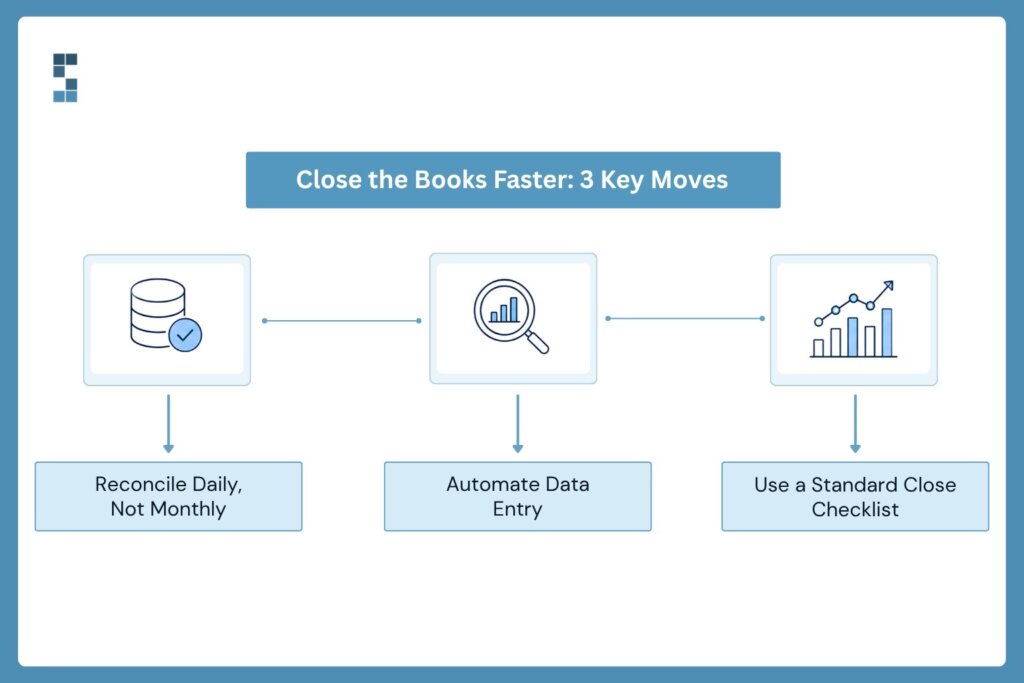
So how do you go from ten days to three? You stop treating the close as one giant event at the end of the month and start treating it as something that’s mostly already done before the month even ends. Three moves get you there.
First, reconcile as you go, not all at once. Waiting until the 1st to reconcile a month of transactions is like waiting until April to open every envelope marked “taxes.” Instead, connect your bank and credit card feeds so transactions flow in daily and get categorized as they happen. When the month ends, there’s almost nothing left to sort. The work is spread thin across thirty days instead of crammed into three.
Second, kill the manual data entry. Every number you type by hand is a number you might fudge, and a number someone has to double-check later. Automated categorization, bill capture, and direct integrations between your tools mean the data shows up clean and connected. One consulting firm we work with watched its month-end shrink from five to seven days down to less than a day after automating transaction processing and reporting. Same team. Same client load. The bottleneck wasn’t the people. It was the manual handoffs between them.
Third, build a real close checklist and run it like clockwork. Not a sticky note. A repeatable sequence: bank recs, credit card recs, payroll, accruals, review, report. When everyone knows the order and owns their piece, nothing falls through, and nobody’s left guessing what’s done. The close becomes a routine, not a scramble.
What does a faster close actually buy you?
Let’s be honest about why this matters. A faster close isn’t about bragging that your books are tidy. It’s about what you can do once they are.
When your numbers land on day three instead of day ten, you make decisions while they’re still fresh. You see a project’s margin slipping, and you adjust pricing before you bid the next one, not three months later when the damage is done. You spot a cash crunch coming, and you plan for it instead of reacting to it. You walk into partner meetings with answers, not apologies.
Think about what that fresh visibility unlocks. A firm that can see project profitability in near real time stops guessing about which engagements are worth chasing. It leans into the profitable ones and quietly retires the ones bleeding margin. One environmental consulting practice did exactly that and lifted its average project margin by 22 percent, simply because it could finally see, clearly and quickly, where the money was actually being made. That clarity didn’t come from working harder. It came from closing faster.
This is the difference between bookkeeping that records history and financial operations that actually drive the business forward. One of System Six’s clients, Paul, put it plainly after a clean audit: not only had the team been mistake-free, they’d been proactive about catching problems before they grew. That’s what a tight close feels like from the inside. You stop bracing for surprises. As Betsy, who runs an investor-backed business, described it, having a professional partner handle this did wonders for her stress level. The numbers just get taken care of, on time, every time.
And the time you win back isn’t trivial. Owners who reclaim that lost week put it straight back into client work and growth. It’s why over half of System Six’s new clients each year come from referrals, and why existing clients hand the firm an average 9.5 out of 10 when asked if they’d recommend it. People don’t refer a bookkeeper. They refer the feeling of not having to think about this anymore.
Start Small, Win Fast
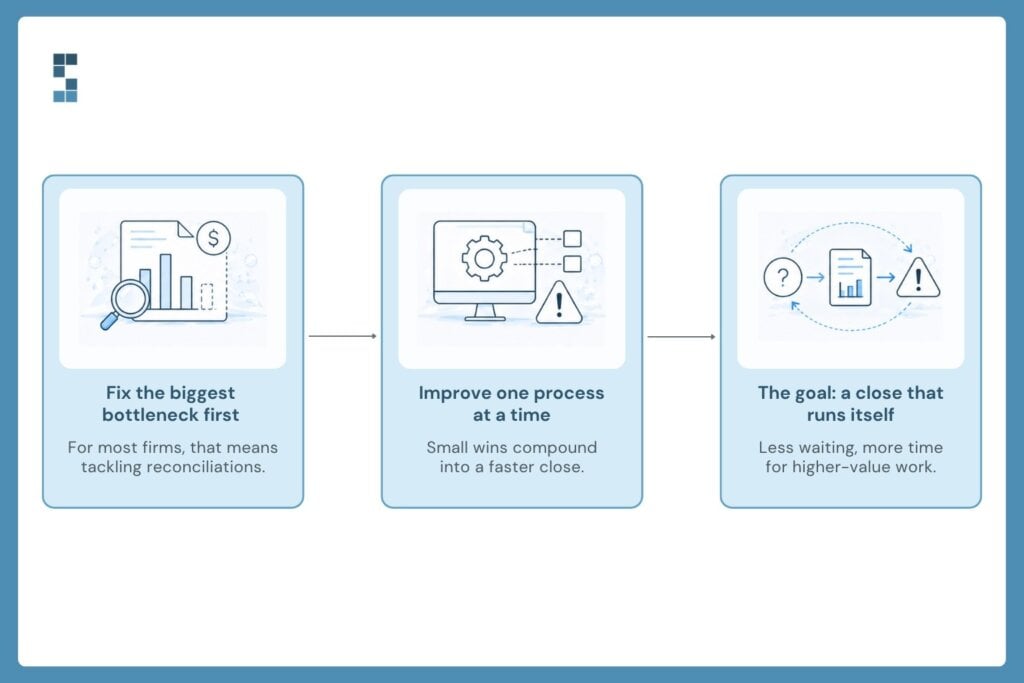
You don’t have to overhaul everything next Monday. Pick the single biggest source of waiting in your current close and fix that one thing first. For most firms, it’s the reconciliation pile, so start there. Connect your feeds, automate the categorization, and watch how much lighter the 1st of the month feels.
Then build from there. Master one piece, prove it works, and add the next. Before long, the close that used to swallow ten days quietly wraps in three, and you barely notice it happening. That’s the goal: not a heroic monthly sprint, but a close so smooth it almost closes itself.
So here’s the question worth sitting with. If you got that week back every single month, three full months a year, what would you actually do with it? Because right now, that time isn’t lost to the work itself. It’s lost to the waiting. And waiting is the one thing you can fix.
Frequently asked questions
How long should a month-end close take?
For a small consulting or professional services firm, a healthy month-end close lands in three to five business days. Many firms take eight to ten, but the gap usually comes from manual, start-and-stop work rather than transaction volume. With continuous reconciliation and automation, a three-day close is realistic for most firms under 50 employees.
What causes a slow month-end close?
The biggest cause is waiting on data: bank and credit card statements, missing receipts, and unremembered charges. Manual data entry adds a second drag, because every hand-keyed number invites an error that someone has to find and fix later. The close stretches not because there’s more to do, but because the work keeps stopping and so much of it gets done twice.
How can a small consulting firm speed up its close?
Start with the single biggest source of waiting, which for most firms is reconciliation. Connect your bank and credit card feeds so transactions flow in and get categorized daily. Then automate bill capture and reporting, and run a fixed close checklist each month so nothing falls through. Fix one bottleneck, prove it works, and add the next.
Does outsourcing bookkeeping make the close faster?
It can, when the partner runs continuous reconciliation and automated workflows rather than just replicating your manual process. System Six clients have cut month-end from five to seven days down to less than a day after automating transaction processing and reporting, keeping the same team and client load. The bottleneck is rarely the people; it’s the manual handoffs between them.
About System Six
System Six is a Seattle-based bookkeeping and financial services firm that helps small and mid-sized businesses streamline their financial operations. We specialize in providing technology-driven financial management solutions for consulting firms, enabling owners to focus on growing their businesses without worrying about cash flow, payroll, or compliance. Our team of over 40 professionals brings an average of 10+ years of accounting experience to every client relationship, serving more than 175 businesses across the U.S. With a 9.5/10 NPS score, we deliver the financial clarity and peace of mind that consulting firm owners need to thrive. Learn more at www.systemsix.com.
by Chris Williams | Jun 22, 2026 | Blog
The short answer: Bad bookkeeping rarely shows up as one big bill. It hides in four places: the owner’s time spent on financial busywork instead of billable work, the direct cost of errors and compliance penalties, the growth blocked when weak systems force you to turn down work, and the productivity your whole team loses to financial chaos. Added together across a year, these hidden costs routinely reach tens of thousands of dollars, which is exactly why “I’ll just do it myself for free” is the most expensive sentence in small-business finance.
Theo thought his books were fine. His IT consulting firm was growing, clients paid, payroll cleared, and the bank balance looked healthy enough. Then his bookkeeper spotted something buried in the bank statements: a small categorization error that had been quietly triggering overdraft and bank fees for months. Seven hundred dollars a month. He’d been bleeding $8,400 a year and never felt the cut, because it never arrived as a single, obvious bill. It just leaked.
That’s the thing about bad bookkeeping. It almost never announces itself. No invoice says “this is what your messy books cost you.” Instead it drips out in a dozen directions at once, each drip small enough to ignore, until you add up the year and the number is staggering. So let’s actually add it up. Where does the money really go when the books are bad? Four places. Let’s count them.
How much do bookkeeping errors actually cost?
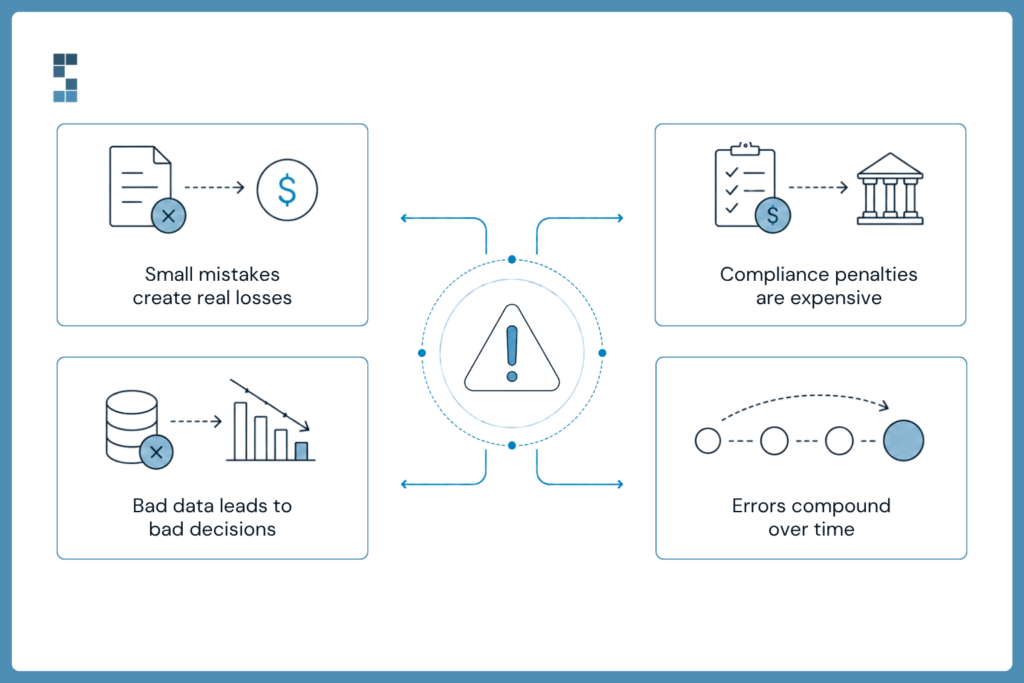
Start with the most direct cost: the errors themselves. Theo’s $700-a-month overdraft leak isn’t a freak event. It’s the rule. Manual systems breed mistakes the way still water breeds mosquitoes. A miscoded transaction here, a missed invoice there, a payment that slips past its due date, and each one carries a real price tag.
Then there’s the compliance layer, where the stakes jump. File your taxes late, and the penalty runs into the thousands. Miss a payroll tax deadline, and you trigger automatic penalties plus interest, no warning, no appeal. And if sloppy records earn you an audit, you’re suddenly paying professional fees that can easily hit five figures to prove you’re not hiding anything. None of these costs feel like “bookkeeping.” They feel like bad luck. They’re not. They’re the predictable downstream cost of books that were never built to be clean.
Here’s the part that makes errors especially nasty: they don’t stay put. Mistype an invoice amount in one place, and that wrong number flows into your cash flow projection, your hiring math, your spending plan, quietly poisoning every decision that touches it until someone finally catches it. One wrong cell becomes ten wrong decisions. The original error might take a minute to make and months to undo fully.
What is the hidden cost of your time?
Now the cost almost nobody puts on the books: your own time. Every hour you spend wrestling expense categories or rebuilding a spreadsheet is an hour you didn’t spend on billable work or winning the next client. That hour has a price, and it’s your effective hourly rate.
Run the math, and it stings. Consulting firm owners typically pour fifteen to twenty hours a month into bookkeeping, invoicing, and compliance. At consulting rates, that’s somewhere between $72,000 and $120,000 a year in lost revenue potential, gone not to competitors or bad markets but to administrative busywork you could have handed off. Picture an owner billing $200 an hour who spends ten hours a month on manual financial tasks. That’s $24,000 a year sacrificed, before you even count the business development that never happened because the calendar was full of data entry.
And the meter doesn’t stop at hours. There’s a quieter tax on top: the mental load. When your numbers live in your head and three different spreadsheets, part of your brain is always running background anxiety about whether they tie out. That cognitive drag dulls your focus on the work that actually pays. You postpone decisions about hiring or investment because pulling current numbers is a chore, and that hesitation costs opportunities worth far more than the hours themselves.
How does bad bookkeeping cap your growth?
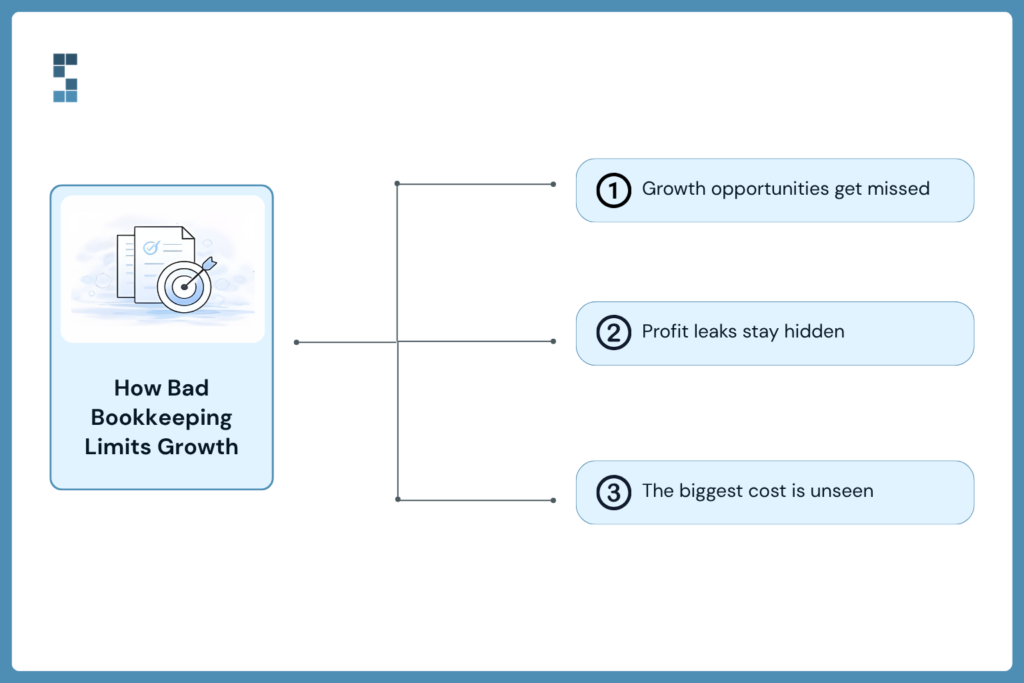
This is the most expensive cost of all, and the hardest to see, because it’s the money you never made. Poor financial systems build an invisible ceiling over your business. You don’t hit it dramatically. You just quietly stop rising.
Consider a consulting firm offered the biggest contract in its history, a $200,000 engagement. But the project demanded detailed financial tracking, milestone billing, and multi-phase budget management, and the firm’s systems couldn’t carry that weight. So they passed. Walked away from their largest-ever deal because their books couldn’t keep up. How do you price that loss? It’s not just the $200,000. It’s the bigger team that contract would have funded, the better clients it would have attracted, the compounding growth that never got to start. One missed opportunity quietly forecloses a dozen future ones.
There’s a subtler version of this ceiling, too: profitability blindness. When you can’t see true project costs, you fly blind on pricing. Firms routinely lose 15 to 25 percent of potential profit this way, convinced their biggest client is their best one when it’s actually breaking even after all the hidden partner time and scope creep get counted. You can’t fix a leak you can’t see, and bad books keep the lights off.
What does financial chaos cost your team?
The final cost spreads past the owner and soaks the whole team. Financial chaos doesn’t stay in the finance corner. It seeps into everyone’s day.
Project managers who should be focused on clients end up reconciling expenses instead. Team members burn mental energy wondering whether payroll will clear on time, and that worry shows up in their work. One System Six client put it plainly: their team was spending so much mental energy worrying about making payroll that client work suffered. Strategic conversations that should be about growth get hijacked by basic financial questions nobody can answer, because the numbers aren’t trustworthy or aren’t current. That’s a productivity drain you’ll never see itemized, but you’ll feel it in everything that takes longer than it should.
Add it up
So tally the four. Direct errors and penalties, easily thousands. Owner time, tens of thousands. Capped growth, potentially six figures. Team drags, hard to quantify but real. The “$50,000 mistake” in the title isn’t hyperbole. For a lot of firms, it’s conservative, and the worst part is how invisible it stays, spread thin across a year in pieces too small to trigger alarm.
Here’s the math that should reframe the whole question. One firm spending 20 hours a month on financial admin at a $200 rate was losing $4,000 a month in opportunity cost. They moved to automated systems, cut that to about 3 hours of reviewing reports, and started paying roughly $800 a month for the service. They saved $3,400 monthly in recovered billable time against that $800 cost, a 325% return before counting a single avoided penalty or new client. Over a year, that’s more than $40,000 in recovered earning capacity. “Doing it yourself for free” was costing this firm four times what the fix did.
That’s the System Six pitch in one breath: clean books aren’t an expense; they’re the thing that stops the leaks you can’t see. It’s why over half of new clients arrive by referral, and why existing ones rate the firm an average 9.5 out of 10. People don’t refer a bookkeeper. They refer the moment they found out what bad books were quietly costing them, and the relief of making it stop.
So here’s the question worth sitting with. You already know what your books cost you to maintain. But do you know what they’re costing you when they’re wrong? Because that’s the number that hides, and it’s almost always the bigger one. Find it before it finds you.
Frequently asked questions
How much do bookkeeping mistakes really cost a small firm?
More than almost any owner expects, because the cost is spread across four areas: direct errors and penalties, lost owner time, capped growth, and reduced team productivity. A single overlooked error can quietly cost thousands a year, like the client paying $700 a month in avoidable bank fees. Stack that on owner time worth tens of thousands and growth opportunities worth more, and a firm’s total annual cost from bad bookkeeping routinely reaches well into five figures.
What are the hidden costs of bad bookkeeping?
The four highest hidden costs are: the opportunity cost of the owner’s time spent on financial busywork instead of billable work; the direct cost of errors and compliance penalties such as late tax filings and missed payroll deadlines; the growth blocked when weak systems force a firm to turn down complex or large projects; and the productivity lost when financial chaos distracts the whole team. None of these arrive as a single bill, which is exactly why they go unmeasured.
Is it cheaper to do my own bookkeeping?
Usually not, once you count the hidden costs. “Free” manual bookkeeping carries time, error, stress, and opportunity costs that often run three to five times the price of a professional solution. One firm cut its monthly financial admin from 20 hours to 3 after automating, saving $3,400 a month in recovered billable time while paying about $800, a 325% return before any avoided penalties or new revenue. The DIY route tends to be the most expensive option, just in costs that never show up on an invoice.
How do bookkeeping errors affect business growth?
Weak financial systems create an invisible ceiling. When the books can’t support detailed project tracking or milestone billing, firms are forced to turn down large or complex contracts, losing not just that revenue but the compounding growth it would have funded. Poor visibility also causes profitability blindness, where firms lose an estimated 15 to 25 percent of potential profit by mispricing work whose true costs they can’t see.
About System Six
System Six is a Seattle-based bookkeeping and financial services firm that helps small and mid-sized businesses streamline their financial operations. We specialize in providing technology-driven financial management solutions for consulting firms, enabling owners to focus on growing their businesses without worrying about cash flow, payroll, or compliance. Our team of over 40 professionals brings an average of 10+ years of accounting experience to every client relationship, serving more than 175 businesses across the U.S. With a 9.5/10 NPS score, we deliver the financial clarity and peace of mind that consulting firm owners need to thrive. Learn more at www.systemsix.com.

by Chris Williams | Jun 15, 2026 | Blog
The short answer: To keep the books clean across multiple LLCs, run each entity as its own complete set of books with an identical chart of accounts, never commingle funds or expenses between them, document every inter-company transaction as it happens, and roll the separate books up into one consolidated report for the full picture. The structure that scales is simple: separate at the entity level, consistent across all entities, consolidated at the top.
Olivia didn’t set out to run four companies. She set out to run one. A profitable marketing consultancy, humming along. Then she spun up a second LLC to hold some real estate. Then a third for a new service line that didn’t fit the original brand. Then her accountant suggested a holding company to tie it together. Four entities, four bank accounts, four sets of books, and one growing knot in her stomach every time someone asked, “So how’s the business doing?” Which business? And how would she even know?
If you’re running more than one entity, you already feel this. The moment you go from one company to several, bookkeeping stops being a chore and starts being a structural problem. Get the structure right and multiple entities stay clean, clear, and easy to report on. Get it wrong, and you spend your weekends untangling which card paid for what, and your year-end becomes a forensic investigation. Let’s build the structure right.
Why does multi-entity bookkeeping get messy so fast?
The trouble almost always starts with one innocent-looking move: paying for something out of the wrong account. The marketing LLC’s card is in your wallet, the real estate company owes a contractor, you’re standing at the counter, and you pay it. “I’ll sort it out later.” You won’t. Multiply that across a year, and you’ve got hundreds of tiny cross-contaminations, each one blurring the line between entities that the law, the IRS, and your future buyer all expect to stay crisp.
Here’s why that line matters more than it feels like it does. The whole point of separate entities is separation. Liability protection depends on it. Tax treatment depends on it. If your books show the entities bleeding into each other, that protection gets thin, and an auditor or an acquirer will notice. Commingled funds aren’t just messy. They’re a legal and financial liability dressed up as a convenience.
And the complexity compounds the same way it does when you scale clients. One System Six client described going from twelve to thirty-five clients in eight months and realizing he’d accidentally become a full-time accountant. Multi-entity does the same thing with a smaller number. Four entities isn’t four times the work. It’s four sets of reconciliations, four tax positions, four chances to miscode something, plus the entirely new job of figuring out how they all add up together. The work multiplies. It doesn’t just add.
What is the right framework for managing multiple LLCs?
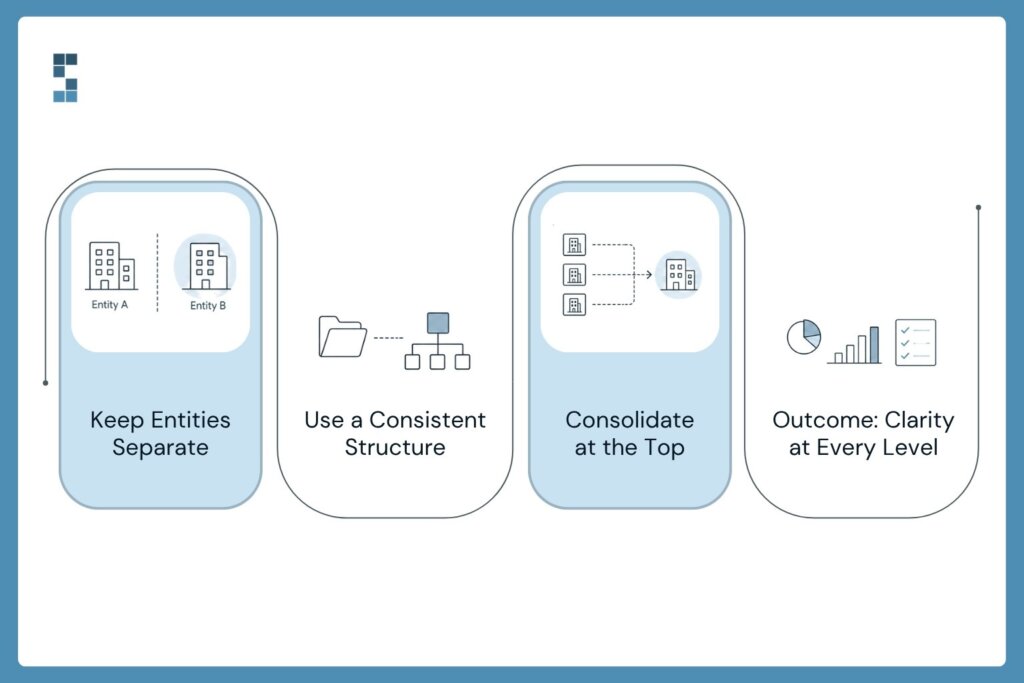
So how do you tame it? Not with more spreadsheets. With a framework built on three rules that hold no matter how many entities you stack up. Think of it as separate, consistent, consolidated.
Rule one: keep every entity fully separate. Each LLC gets its own bank account, its own credit card, and its own complete set of books. No shared accounts, no “we’ll split it later.” When the real estate company owes the marketing company money, that’s a real transaction between two real businesses, and you record it as one. This sounds obvious, but it’s the rule people break first and regret most. Separation isn’t bureaucracy. It’s the foundation everything else sits on.
Rule two: keep the structure consistent across all of them. Every entity should use the same chart of accounts: the same categories, the same names, the same numbering. When “Office Supplies” is account 6200 in one company, it’s 6200 in all of them. Why does this matter so much? Because the day you want to compare entities or combine them, a consistent structure means the numbers line up. An inconsistent one means hours of manual mapping every single time. Set the template once, apply it everywhere, and your future self will thank you.
Rule three: consolidate at the top. Separate books answer “how is this entity doing?” But you also need to answer “how is the whole thing doing?” That’s consolidated reporting: rolling all the entities up into one combined view, with inter-company transactions netted out so you’re not double-counting. This is where a holding-company structure earns its keep. One client called System Six their “secret weapon when it comes to getting our finances in order” — and consolidation is exactly the kind of order multi-entity owners are missing. You get clean books per entity and one clear picture across all of them.
How do you get consolidated reporting that actually works?
Consolidated reporting is where most DIY setups fall apart, because doing it by hand is brutal. You export each entity’s numbers, line them up in a master spreadsheet, manually strip out the money that moved between entities so you don’t count it twice, and pray you didn’t fat-finger a cell. Then you do it all again next month. It’s the kind of task that’s technically possible and practically miserable.
The fix is the same one that fixes most financial bottlenecks: consistent structure plus automation. When every entity shares a chart of accounts and the transactions flow in cleanly, consolidation stops being a monthly archaeology project and becomes something close to a button press. The inter-company eliminations follow rules instead of guesswork. The combined statements tie out because the underlying books were built to tie out. This is the difference between bookkeeping that records the past and financial operations that give you a live picture you can actually steer by.
And the payoff is real visibility. When Olivia can pull a consolidated report and see all four entities at a glance, plus drill into any single one, she finally has an answer to “how’s the business doing?” She can see which entity is carrying the others, where cash is trapped, and whether that third LLC was a good idea or an expensive hobby. That clarity isn’t a nice-to-have. It’s the thing that lets her make the next decision with confidence instead of a guess. As one client put it after a clean audit, the team wasn’t just mistake-free — they were proactive about catching problems and seeing challenges coming. That’s what good multi-entity bookkeeping buys you: not just tidy books, but a head start on every decision.
Start before the next entity, not after
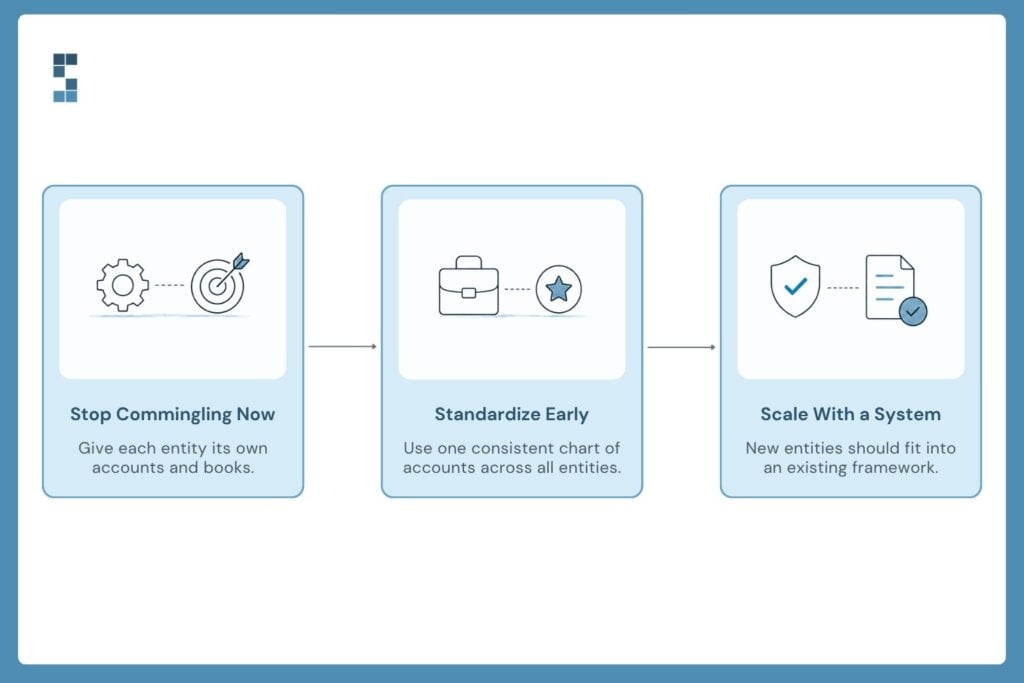
If you’re already juggling multiple entities and the books are a tangle, don’t try to fix all of it at once. Start by drawing the lines that should already exist: give each entity its own account, stop the commingling today, and get one clean chart of accounts you can apply across the board. That alone will take a surprising amount of weight off.
And if you’re about to spin up entity number two? That’s the best possible moment to get this right, before the mess has a chance to form. Build the structure now and every entity after it slots neatly into a system that already works. This is the model System Six builds for the search funds, family offices, and growing firms it serves: clean separation, consistent structure, consolidated clarity. It’s also why over half of new clients come by referral, and why existing ones rate the firm an average 9.5 out of 10. People don’t refer a bookkeeper. They refer the relief of finally knowing how the whole thing is doing.
So here’s the question worth asking before you open that next LLC. When someone asks how your business is doing, do you want to go digging for the answer, or do you want to already know? Because with multiple entities, the answer isn’t about working harder at year-end. It’s about building the structure today that makes the answer obvious. The entities will keep multiplying. Make sure your clarity multiplies with them.
Frequently asked questions
Do I need separate books for each LLC?
Yes. Each LLC should have its own bank account, its own credit card, and its own complete set of books. Separate entities exist to keep liability and tax treatment distinct, and that separation only holds if the bookkeeping reflects it. Commingling funds between entities weakens your liability protection and creates problems an auditor or future buyer will flag.
How do you do consolidated reporting across multiple entities?
Consolidated reporting rolls every entity’s books up into one combined view, with inter-company transactions netted out so nothing gets double-counted. It works cleanly when all entities share an identical chart of accounts and transactions flow in automatically. With that foundation in place, consolidation becomes close to automatic; without it, you’re stuck mapping manually and eliminating figures by hand every month.
Should I use one QuickBooks file for multiple companies or separate files?
Separate files, one per entity, kept on an identical chart of accounts. A single file blurs the entities together and undermines the separation that makes them worth having. Separate files with a consistent structure give you clean per-entity books that still roll up easily into a consolidated report at the holding-company level.
When should a growing firm set up a multi-entity bookkeeping structure?
Ideally, before you launch the second entity, while there’s no mess to untangle yet. If you already have multiple entities, the next best time is now: separate the accounts, stop any commingling immediately, and standardize the chart of accounts across all entities. Building the structure early means every future entity slots into a system that already works.
About System Six
System Six is a Seattle-based bookkeeping and financial services firm that helps small and mid-sized businesses streamline their financial operations. We specialize in providing technology-driven financial management solutions for consulting firms, enabling owners to focus on growing their businesses without worrying about cash flow, payroll, or compliance. Our team of over 40 professionals brings an average of 10+ years of accounting experience to every client relationship, serving more than 175 businesses across the U.S. With a 9.5/10 NPS score, we deliver the financial clarity and peace of mind that consulting firm owners need to thrive. Learn more at www.systemsix.com.
Page 3 of 19«12345...10...»Last »